Cleaning the ADF (Auto Document Feeder)
Be sure to use a soft, clean, lint-free and dry cloth to clean the ADF (Auto Document Feeder).
Important
• Be sure to turn off the power and unplug the power cord before cleaning the machine.
• The power cannot be turned off while the machine is sending or receiving a fax, or when unsent
faxes are stored in the machine's memory. Make sure if the machine completed sending or
receiving all the faxes before unplugging the power cord.
• The machine cannot send or receive faxes when the power is turned off.
• If the power cord is unplugged, the date/time settings will be reset and all documents stored in the
machine's memory will be lost. Send or print a necessary document before unplugging the power
cord.
• Do not use tissue paper, paper towels, rough-textured cloth, or similar materials for cleaning so as not
to scratch the surface.
• Never use volatile liquids such as thinners, benzene, acetone, or any other chemical cleaner to clean
the machine, as this may cause a malfunction or damage the surface of the machine.
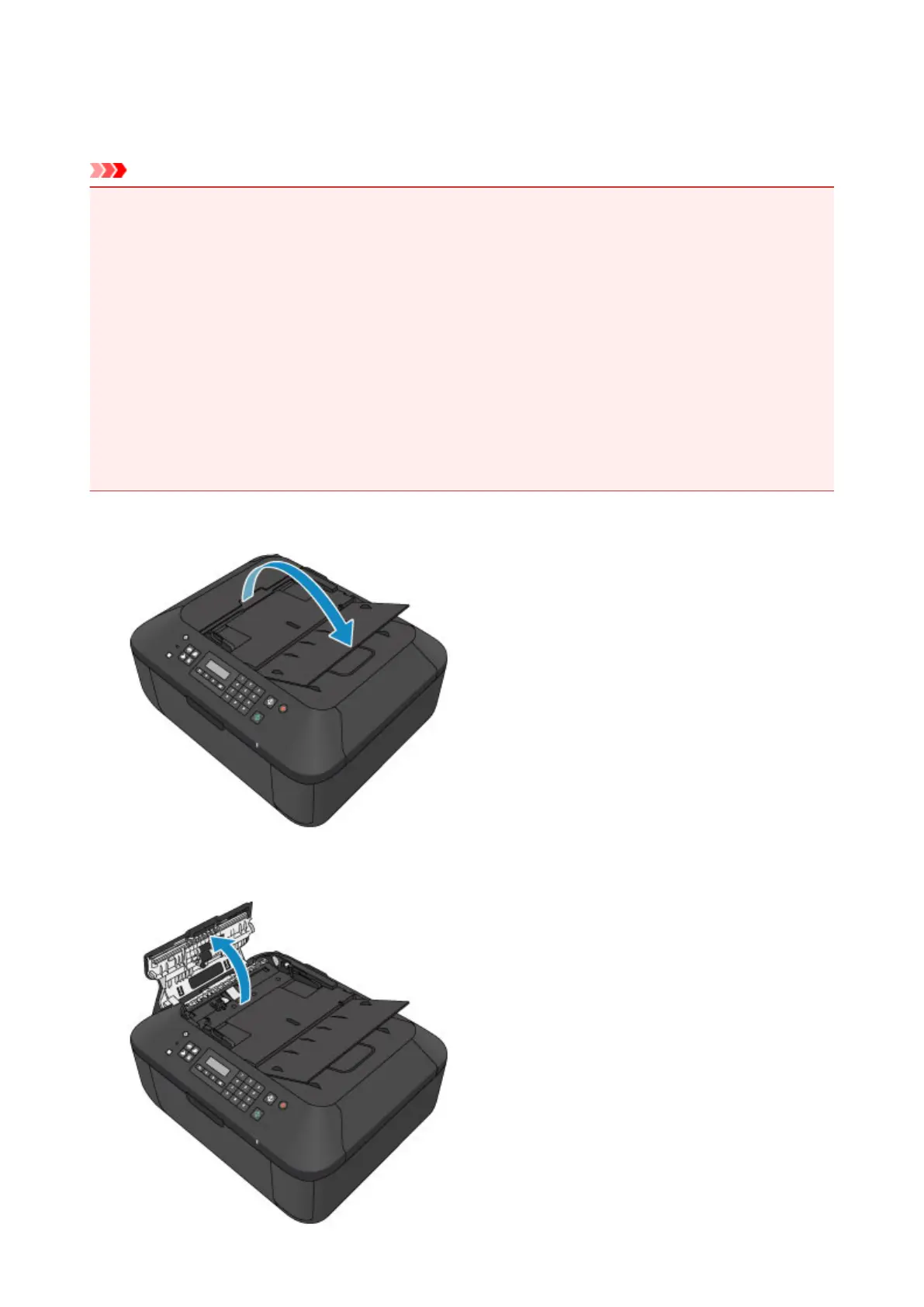
1.
Open the document tray.
2. Open the document feeder cover.
138













 To Next Page