Registering a Frequently Used Printing Profile
You can register the frequently used printing profile to Commonly Used Settings on the Quick Setup tab.
Unnecessary printing profiles can be deleted at any time.
The procedure for registering a printing profile is as follows:
Registering a Printing Profile
1.
Open the printer driver setup window
2.
Set the necessary items
From Commonly Used Settings on the Quick Setup tab, select the printing profile to be used and if
necessary, change the settings after Additional Features.
You can also register necessary items on the Main and Page Setup tabs.
3.
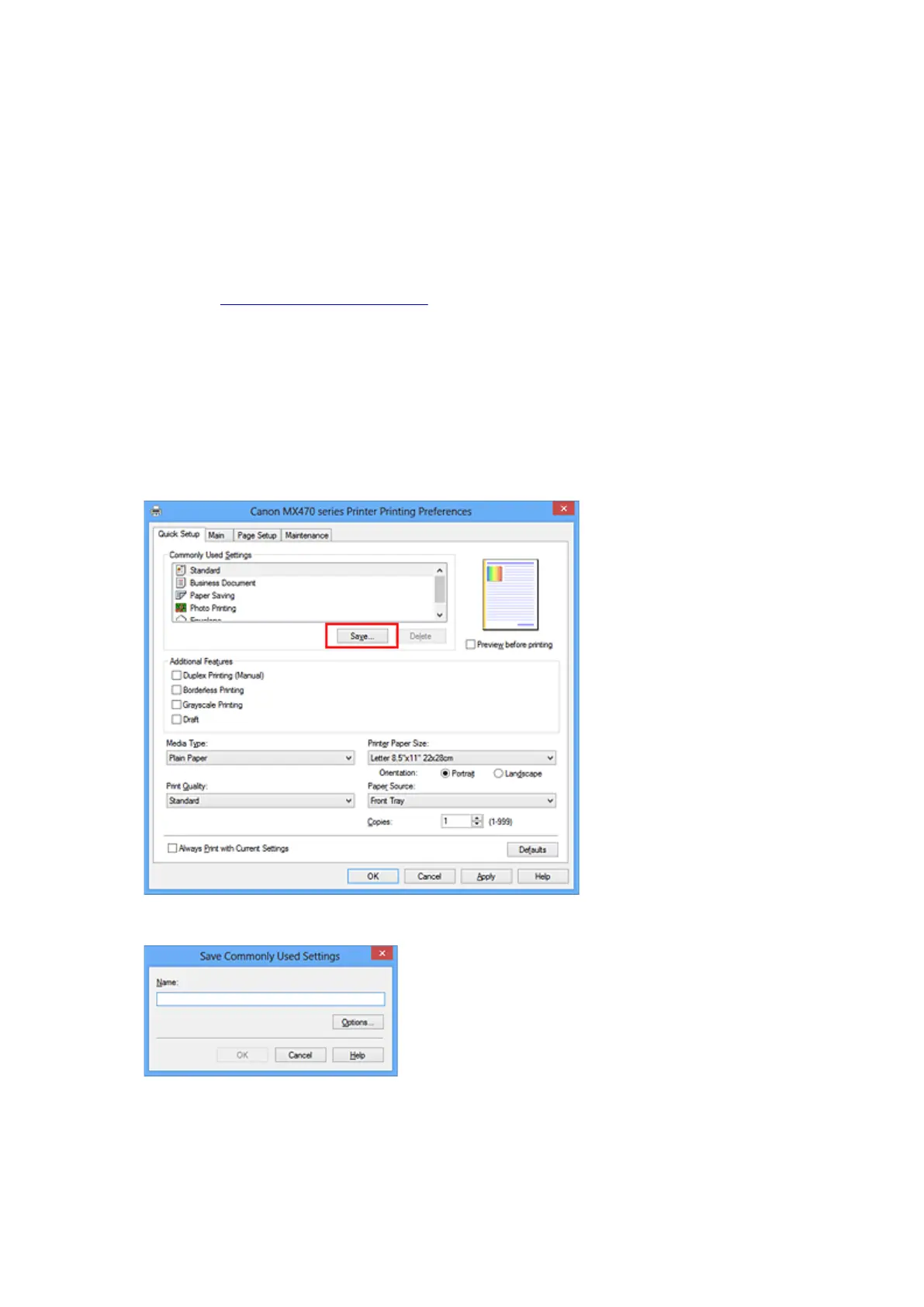
Click Save...
The Save Commonly Used Settings dialog box opens.
4. Save the settings
Enter a name in the Name field. If necessary, click Options..., set the items, and then click OK.
In the Save Commonly Used Settings dialog box, click OK to save the print settings and return to the
Quick Setup tab.
The name and icon are displayed in Commonly Used Settings.
146













 To Next Page