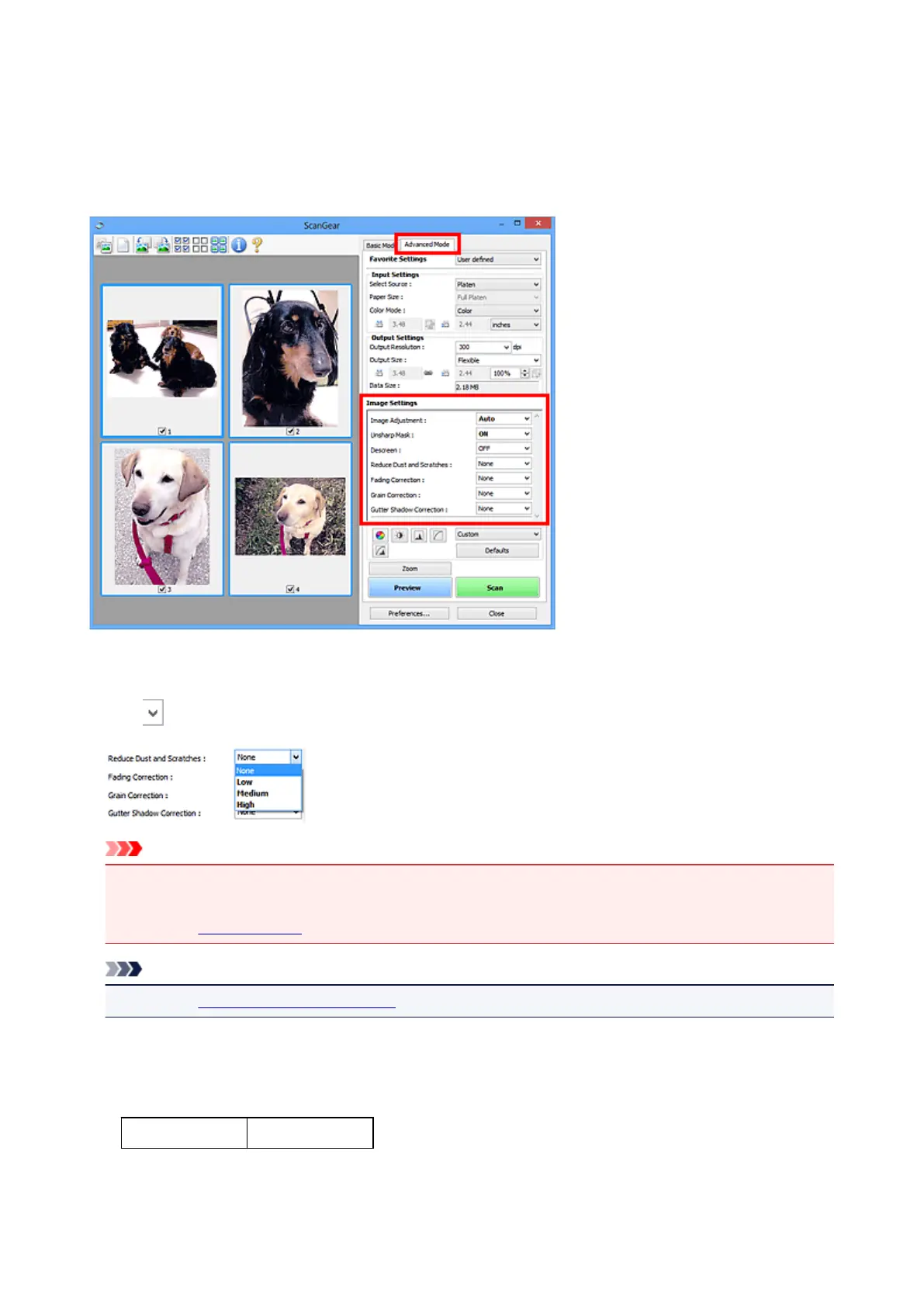
Correcting Images (Unsharp Mask, Reduce Dust and Scratches,
Fading Correction, etc.)
The Image Settings functions on the Advanced Mode tab of ScanGear (scanner driver) allow you to
enhance the outline of the subjects, reduce dust/scratches, and correct faded colors when scanning images.
Setting Items
Click (Arrow) of a function and select an item from the pull-down menu.
Important
• Do not apply these functions to images without moire, dust/scratches, or faded colors. The color tone
may be adversely affected.
• Refer to "Image Settings" for details and precautions on each function.
Note
• Refer to "Scanning in Advanced Mode" to start the Advanced Mode tab of ScanGear and scan.
Adjusting the image brightness and color tone
Set Image Adjustment to Auto, Photo, Magazine, or Document according to the document type.
None Auto
513













 To Next Page