Selecting a Response to Commands from the Operation Panel
Using IJ Scan Utility
IJ Scan Utility allows you to specify how to respond when scanning from the operation panel.
Note
• The screens for specifying the responses when performing Auto Scan from the operation panel are
used as examples in the following descriptions.
1.
Start IJ Scan Utility.
2.
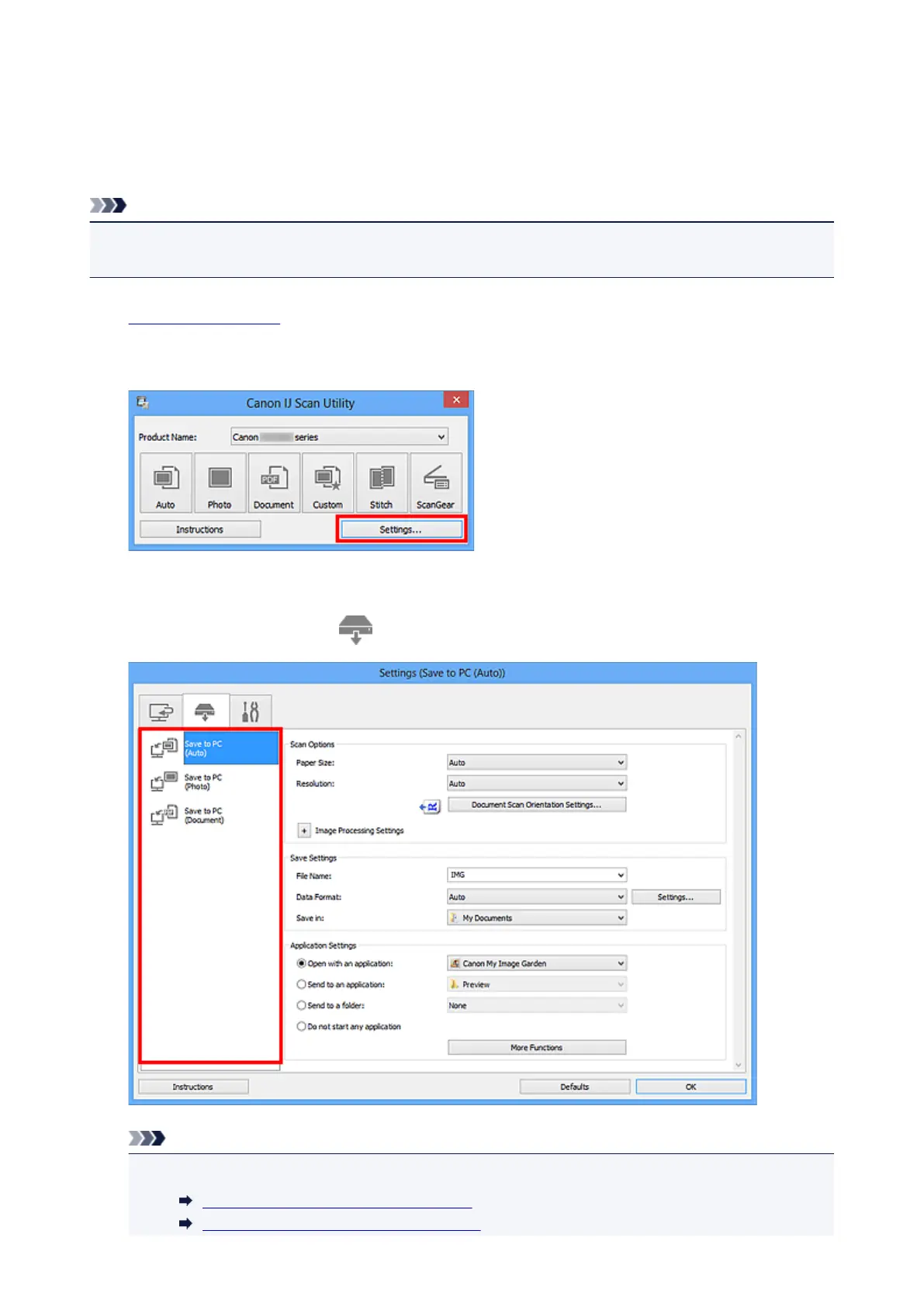
Click Settings....
The Settings dialog box appears.
3.
Select a scan mode on the (Scanning from the Operation Panel) tab.
Note
•
Refer to the following for details.
Settings (Save to PC (Auto)) Dialog Box
Settings (Save to PC (Photo)) Dialog Box
607













 To Next Page