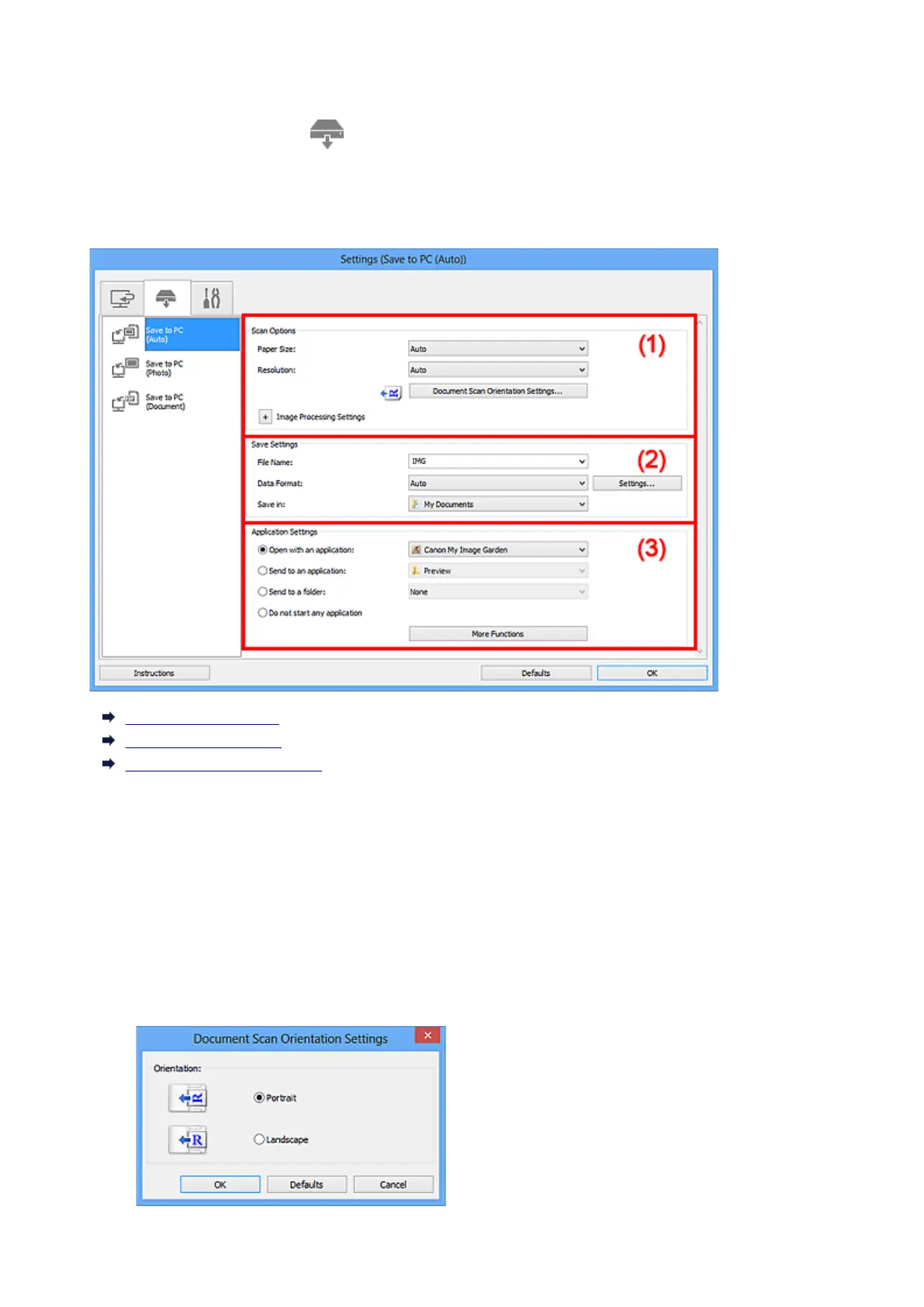
Settings (Save to PC (Auto)) Dialog Box
Click Save to PC (Auto) on the (Scanning from the Operation Panel) tab to display the Settings (Save
to PC (Auto)) dialog box.
In the Settings (Save to PC (Auto)) dialog box, you can specify how to respond when saving images to a
computer after scanning them from the operation panel by automatically detecting the item type.
(1) Scan Options Area
(2) Save Settings Area
(3) Application Settings Area
(1) Scan Options Area
Paper Size
Auto is selected.
Resolution
Auto is selected.
Document Scan Orientation Settings...
Click to display the Document Scan Orientation Settings dialog box in which you can set the
orientation of the documents to be scanned from the ADF.
476













 To Next Page