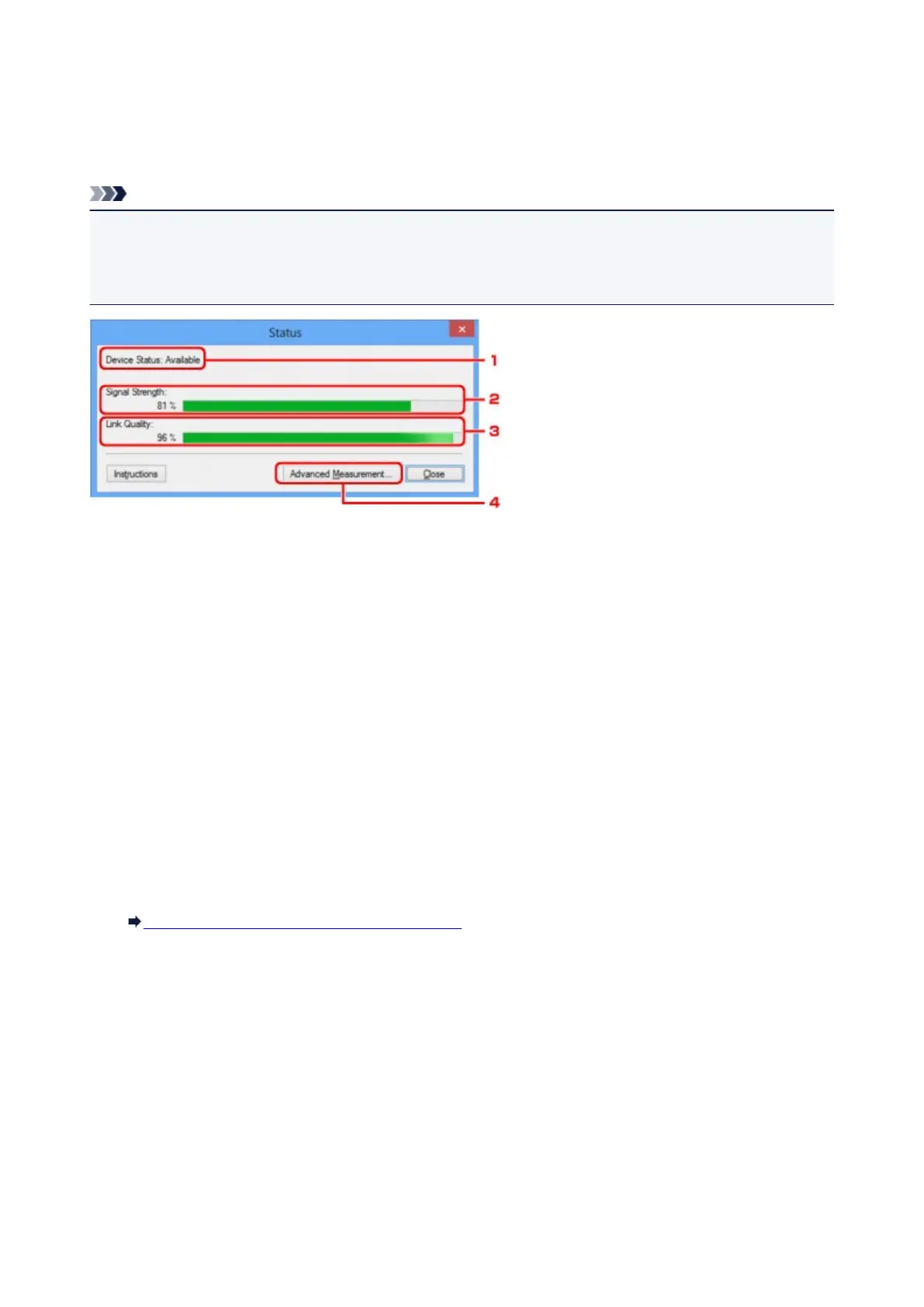
Status Screen
You can check the printer status and connection performance.
To display the Status screen, select Status from the View menu.
Note
• This screen is not available depending on the printer you are using.
• When using wired LAN, Signal Strength:, Link Quality: and Advanced Measurement... are not
available.
1.
Device Status:
The device status is displayed as Available or Unavailable.
2.
Signal Strength:
Indicates the strength of the signal received by the printer, ranging from 0% to 100%.
3.
Link Quality:
Indicates the signal quality excluding the noise while communicating, ranging from 0% to 100%.
4.
Advanced Measurement...
To examine the connection performance between the printer and the access point or between the printer
and the computer.
When you click, the Connection Performance Measurement is displayed.
Connection Performance Measurement Screen
225













 To Next Page