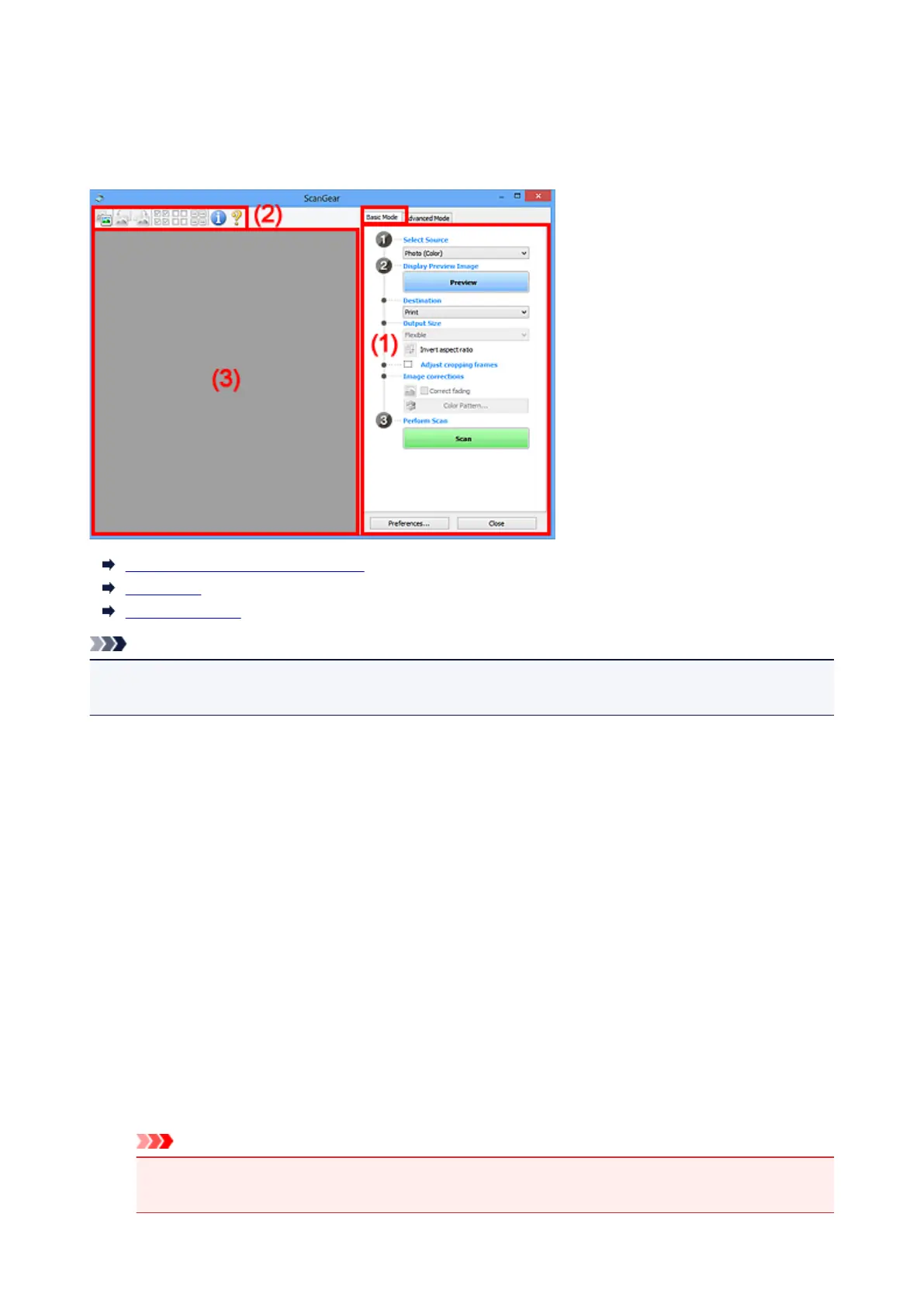
Basic Mode Tab
This mode allows you to scan easily by following the on-screen steps.
This section describes the settings and functions available on the Basic Mode tab.
(1) Settings and Operation Buttons
(2) Toolbar
(3) Preview Area
Note
• The displayed items vary by document type and view.
• The preview function is not available when scanning from the ADF (Auto Document Feeder).
(1) Settings and Operation Buttons
Select Source
Photo (Color)
Scan color photos.
Magazine (Color)
Scan color magazines.
Document (Color)
Scan documents in color.
Document (Grayscale)
Scan documents in black and white.
Document (Color) ADF Simplex
Scan documents from the ADF in color.
Document (Grayscale) ADF Simplex
Scan documents from the ADF in black and white.
Important
• Some applications do not support continuous scanning from the ADF. For details, refer to the
application's manual.
532













 To Next Page