Extracting Text from Scanned Images (OCR)
Scan text in scanned magazines and newspapers and display it in Notepad (included with Windows).
Note
• You can extract text when scanning via Document, Custom, or ScanGear.
• The screens for scanning documents are used as examples in the following descriptions.
1.
Start IJ Scan Utility.
2.
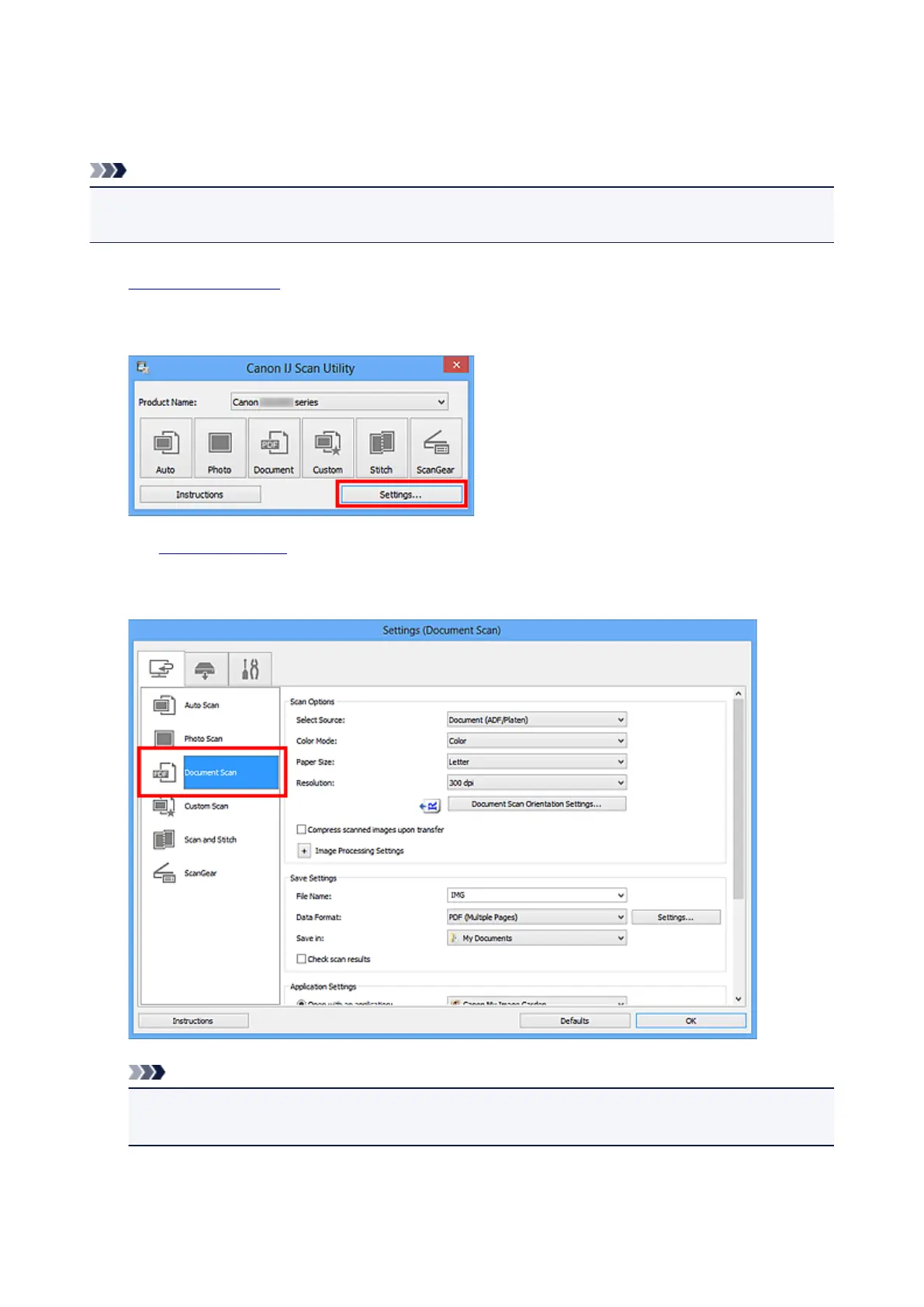
Click Settings....
The Settings dialog box appears.
3.
Click Document Scan.
Note
•
For Resolution, only 300 dpi or 400 dpi can be set when Start OCR is selected in Application
Settings.
4. Select Start OCR for Application Settings, then select the application in which you want
to display the result.
443













 To Next Page