LCD and Operation Panel
3. Use the or button to select Bottom cleaning, then press the OK button.
The paper cleans the inside of the machine as it feeds through the machine.
Check the folded parts of the ejected paper. If they are smudged with ink, perform Bottom Plate Cleaning
again.
Note
• When performing Bottom Plate Cleaning again, be sure to use a new piece of paper.
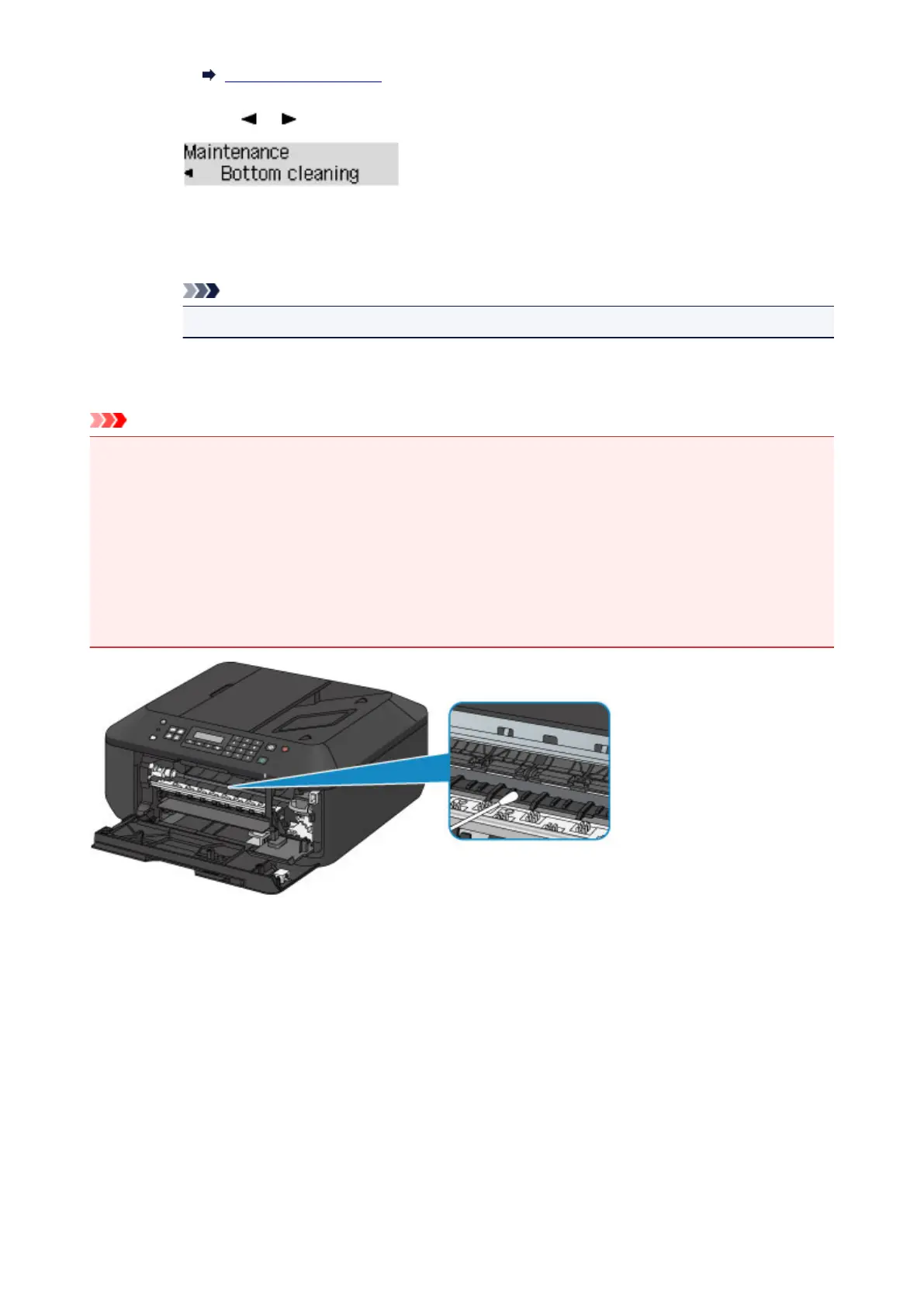
If the problem is not resolved after performing cleaning again, the protrusions inside the machine may be
stained. Wipe off any ink from the protrusions using a cotton swab or the like.
Important
• Be sure to turn off the power and unplug the power cord before cleaning the machine.
• The power cannot be turned off while the machine is sending or receiving a fax, or when unsent
faxes are stored in the machine's memory. Make sure if the machine completed sending or
receiving all the faxes before unplugging the power cord.
• The machine cannot send or receive faxes when the power is turned off.
• If the power cord is unplugged, the date/time settings will be reset and all documents stored in the
machine's memory will be lost. Send or print a necessary document before unplugging the power
cord.
142













 To Next Page