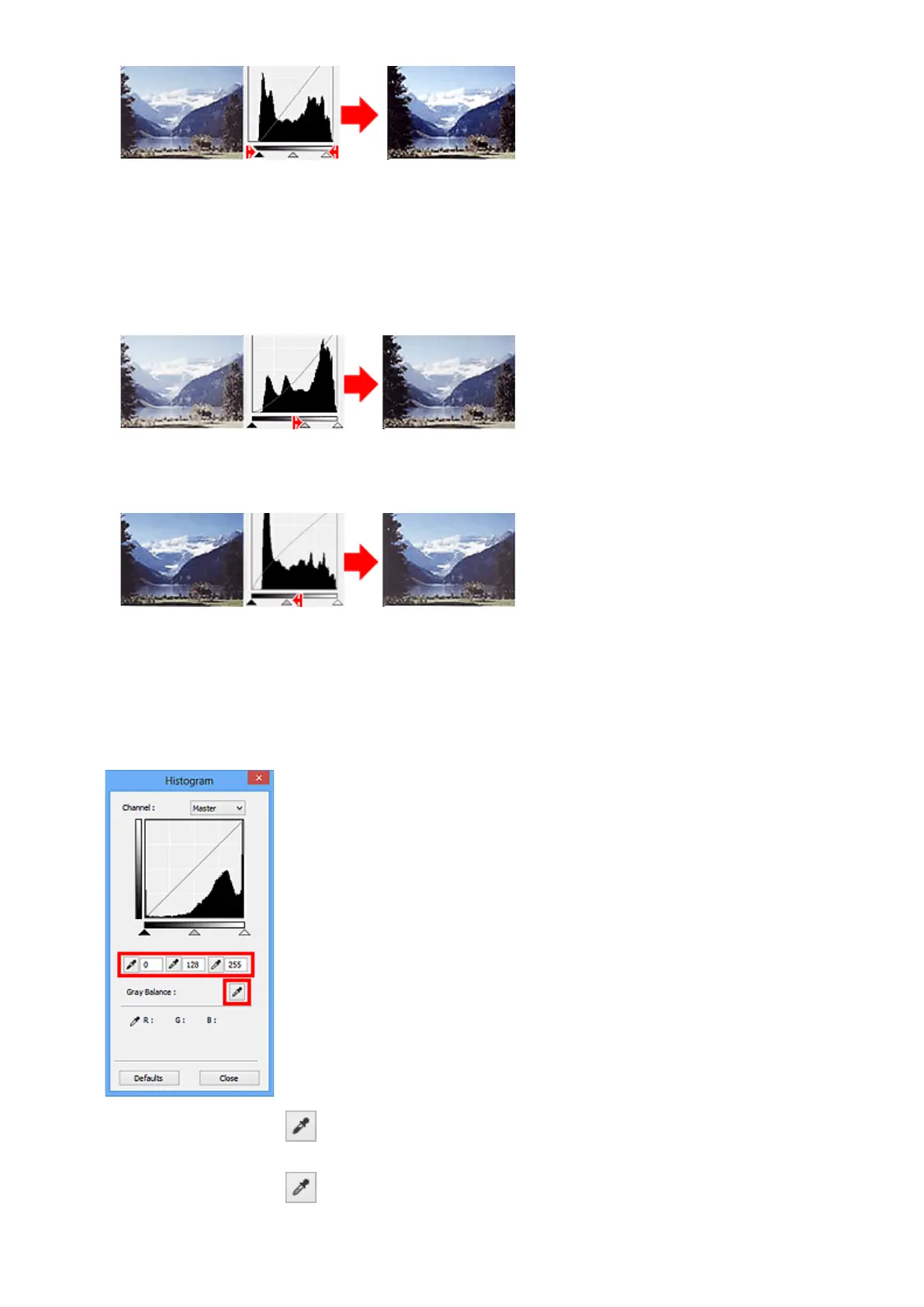
Moving the Mid-point Slider
Move the Mid-point Slider to specify the level to be set as the middle of the tonal range.
Images with more data distributed to the highlight side
Move the Mid-point Slider toward the highlight side.
Images with more data distributed to the shadow side
Move the Mid-point Slider toward the shadow side.
Adjusting Histograms (Using the Droppers)
When you select a Channel and click the Black-point, Mid-point, or White-point Dropper, the mouse
pointer on the preview image changes to a dropper. Click a Dropper displayed below the histogram to
change the setting.
• The point clicked with (Black-point Dropper) will be the darkest point. You can also enter a value
(0 to 245).
• The point clicked with (Mid-point Dropper) will be the middle of the tonal range. You can also
enter a value (5 to 250).
525













 To Next Page