Exercise No. 3
In BiPhasic mode, enter these settings:
• Low pressure ow rate at 9 LPM • Rate of 20
• High pressure ow rate at 2 LPM • T-high at 2 seconds
• FiO
2
at 21%
1. Increase the rate to 30. What happens to the T-high?
2. Increase the T-high back to 1.5 seconds. What happens to the rate?
3. Discuss why these values changed:
Exercise No. 2
Switch from the nCPAP mode to the BiPhasic mode, and enter the settings:
• Low pressure ow rate at 9 LPM • Rate of 20
• High pressure ow rate at 2 LPM • T-high at 0.3 seconds
• FiO
2
at 21%
1. What is the MAP?
2. Switch from the graphic screen to the parameter screen.
What is the PIP?
What is the CPAP level?
3. Increase the T-high to 15 seconds.
What is the PIP?
What is the MAP?
Discuss why these values changed.
Exercise No. 1
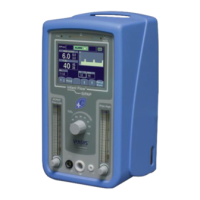
Attach the SiPAP circuit, and occlude the nasal prongs. Enter these settings on the SiPAP driver:
• Set low pressure ow rate at 9 LPM • Set FiO
2
at 21%
• Set high pressure ow rate at 2 LPM • Go to nCPAP mode screen
1. What is the nCPAP value?
2. Press the manual breath button. What pressure was delivered?
3. How long did the breath remain at the high CPAP?
4. Set the T-high to 1.0 seconds, and press the manual breath button. What happened?
21
SiPAP exercises and
self assessment



 To Next Page