8 Chapter 3 CS 3500 Software Overview
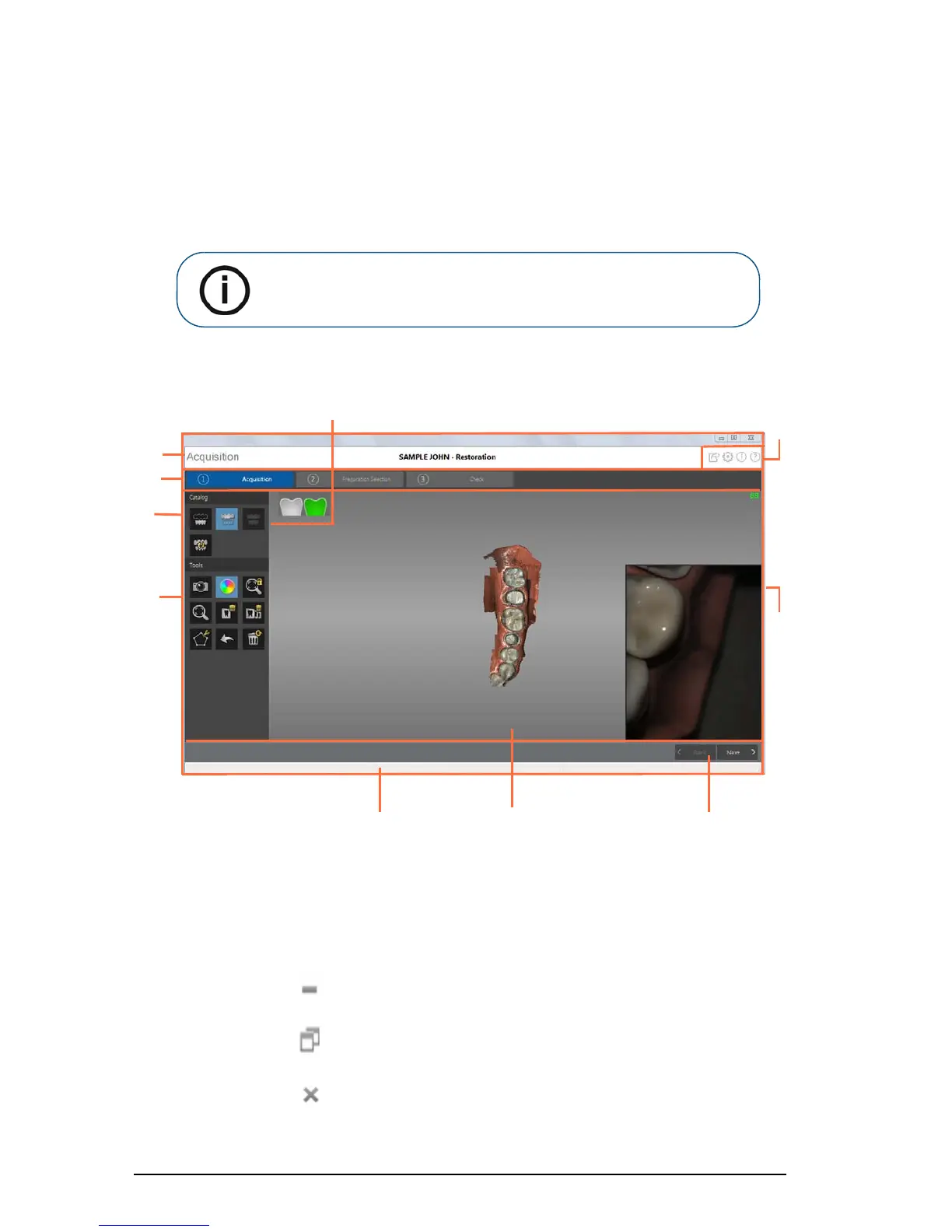
CS 3500 Acquisition Interface Overview
The CS 3500 Acquisition interface enables you to acquire images in two ways:
• Partial arch scan: Several teeth in the preparation area on both the upper and lower jaws, and
a buccal bite registration.
• Full arch scan: Upper jaw, lower jaw, and buccal bite registration.
Figure 6 CS 3500 Acquisition Interface Overview
1 Title Bar: Displays:
• Patient’s name and type of acquisition
•
Minimizes the Acquisition interface.
•
Maximizes or restores down the Acquisition interface.
•
Closes the Acquisition interface.
Note: In some cases, you can acquire images of a single arch (partial or
full) and not obtain a buccal bite registration (for example, if there are no
teeth in the opposing arch), but it is recommended that you acquire both
arches and a buccal bite registration when possible.











 To Next Page