20 Chapter 4 Setting Up the CS 3500
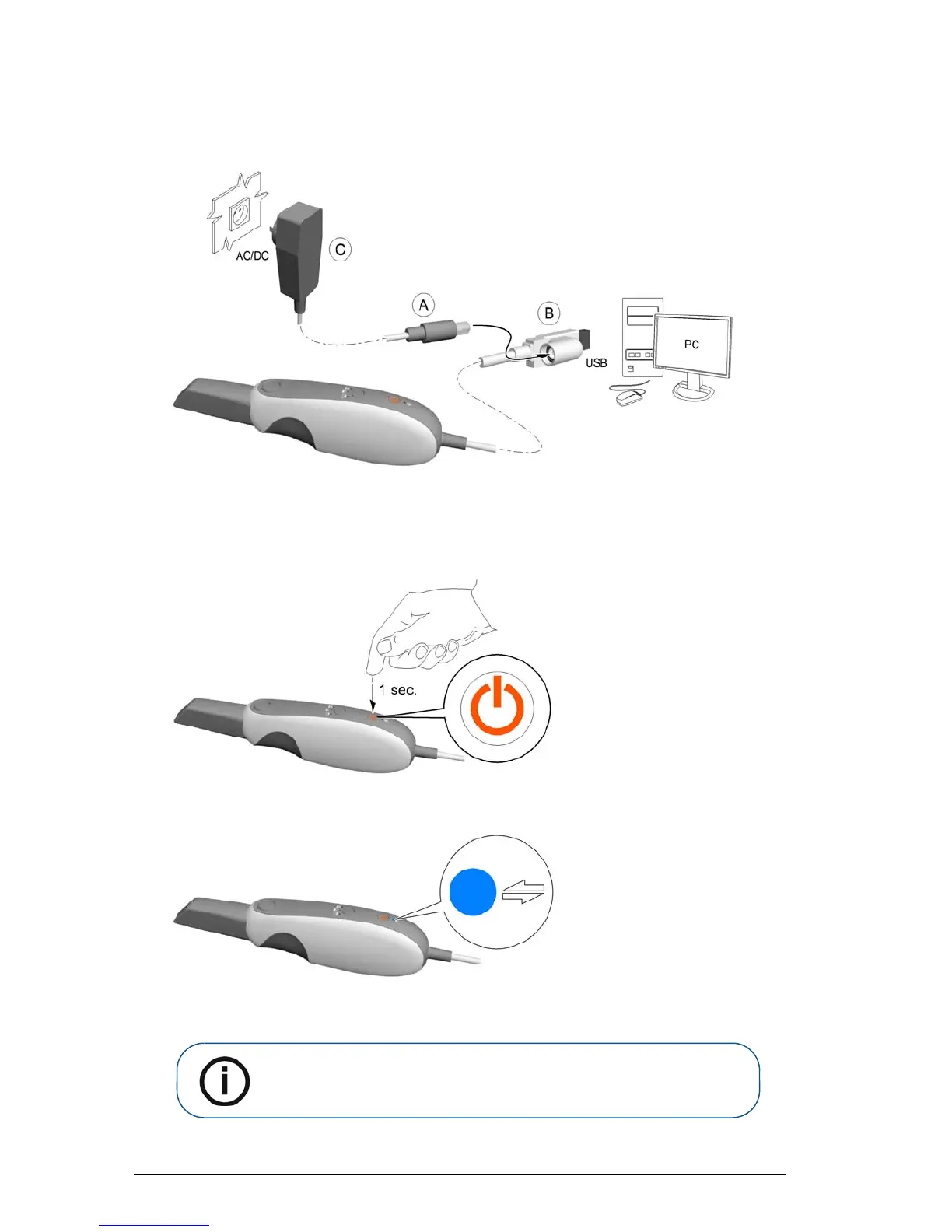
7 Insert the DC power supply (A) into the jack on the USB plug (B), and insert the power adapter
(C) into an outlet.
8 Connect the USB cable to the computer.
9 Press the power button one second to power on the CS 3500. Ensure the power indicator turns
orange.
10 Wait until the USB connection indicator turns blue.
Note: The power indicator turns green when the acquisition interface is
open and the CS 3500 is ready to acquire images.











 To Next Page