34 Chapter 6 Acquiring a 3D Model for Restoration
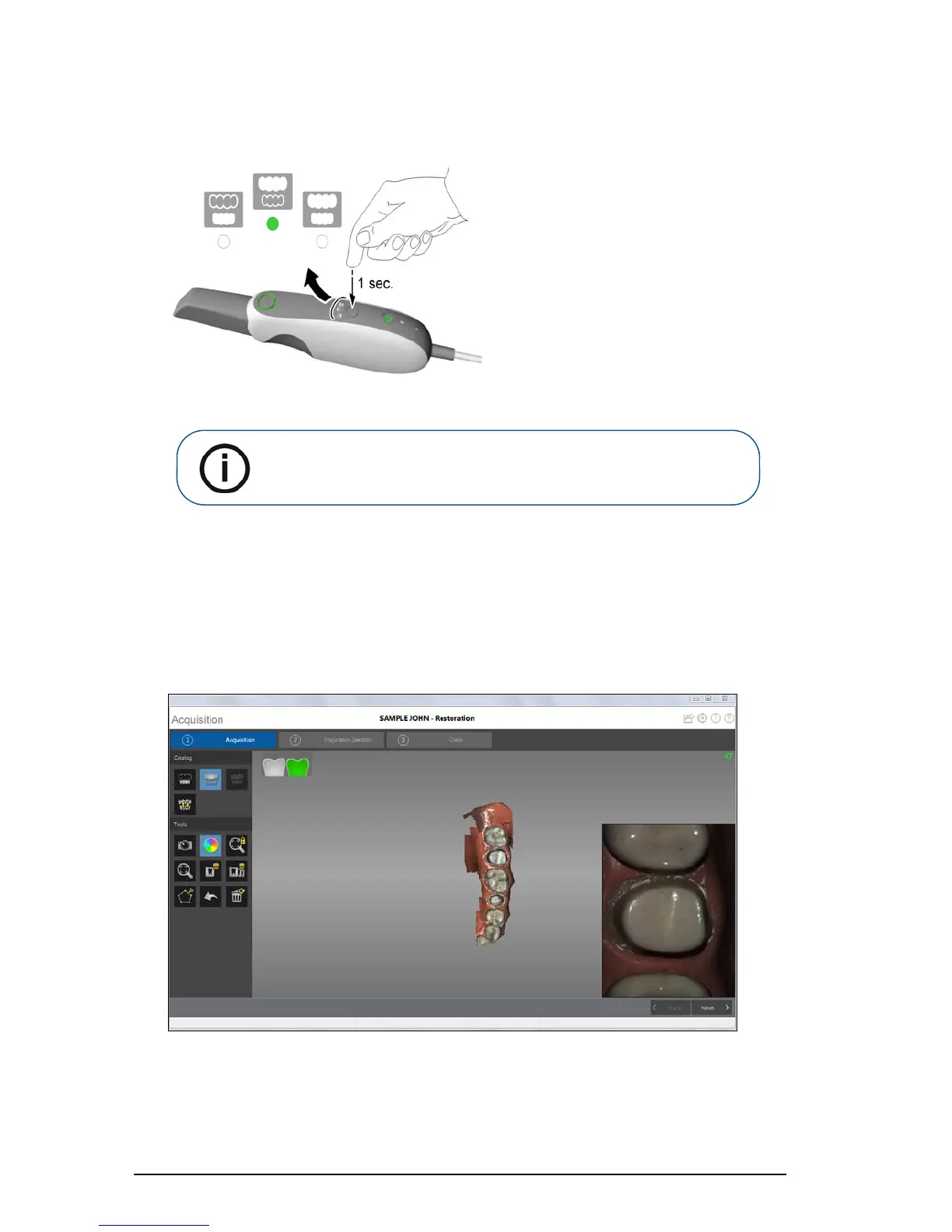
On the CS 3500, press the mode button for one second to select the acquisition mode. The mode
indicator LED turns green.
5 Hold the CS 3500 at a 90-degree angle to the occlusal surface of the preparation area. Rest the
tip on the tooth surface to steady the CS 3500. Live video is displayed on the video preview
screen.
When the CS 3500 is stable and the image is clear, the acquisition begins. Images are
automatically acquired and transferred to the 3D model display screen.
The image below shows several acquisitions of the upper jaw.
Note: Upper jaw is the default setting until you change it. For information
on how to change the default setting, see “Scanner Preferences” on
page 15.











 To Next Page