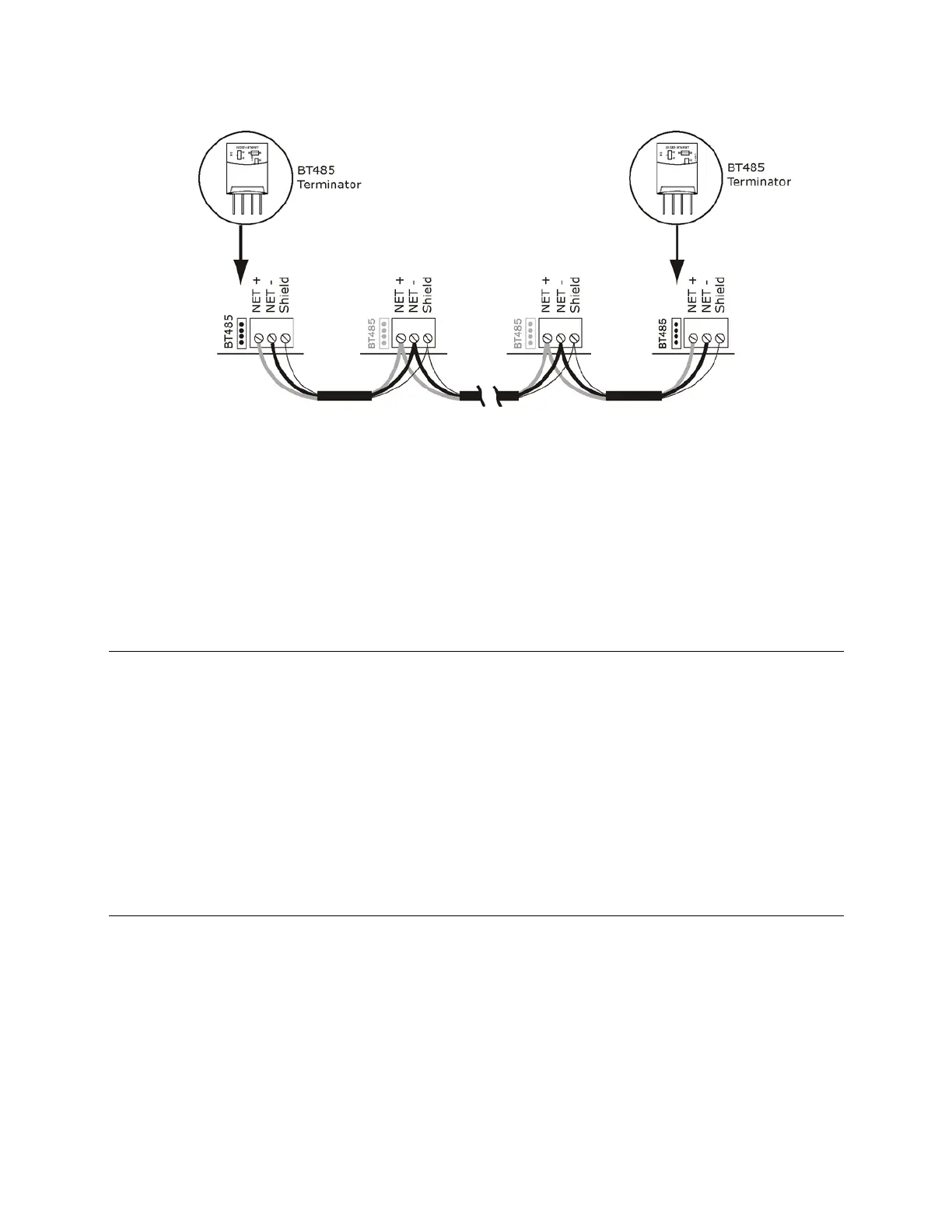
Wiring for communications
Carrier® ChillerVu™
(OPN-PSM-MPCXPE) Carrier Proprietary and Confidential CARRIER CORPORATION ©2017
Installation and Start-up Guide 24 All rights reserved
1 Insert the power screw terminal connector into the Carrier® ChillerVu™'s power terminals.
2 Turn
the Carrier® ChillerVu™'s power.
3 Verify communication with the network by viewing a Module Status report in the i-Vu® interface.
See the Open Controller Network Wiring Guide for more details.
To connect the Carrier® ChillerVu™ to the Ethernet
Connect an Ethernet cable to the Ethernet port.
• If your system has controllers on different IP subnets separated by an IP router, you must configure one
controller on each subnet as a BACnet Broadcast Management Device (BBMD). Do not configure more than
one BBMD per subnet as this would cause circular routes. To avoid this problem:
• Use the BBMD Configuration Tool to make sure that a controller's BBMD table does not contain the IP
addresses of other controllers on the same IP subnet.
To wire to the BACnet over IP network (DHCP)
1 Turn
the Carrier® ChillerVu™'s power.
2 Check the communications wiring for shorts and grounds.
3 Set the
DIP switch to the
position.
4 Set the
DIP switch to
to add 100 to
in the IP address.
If you turn on this DIP switch and the MAC address is 25, the IP address is 192.168.168.125.
The DHCP address is an intranet address. Data packets from this address are not routable to the
Internet.






 To Next Page