3-SETUP
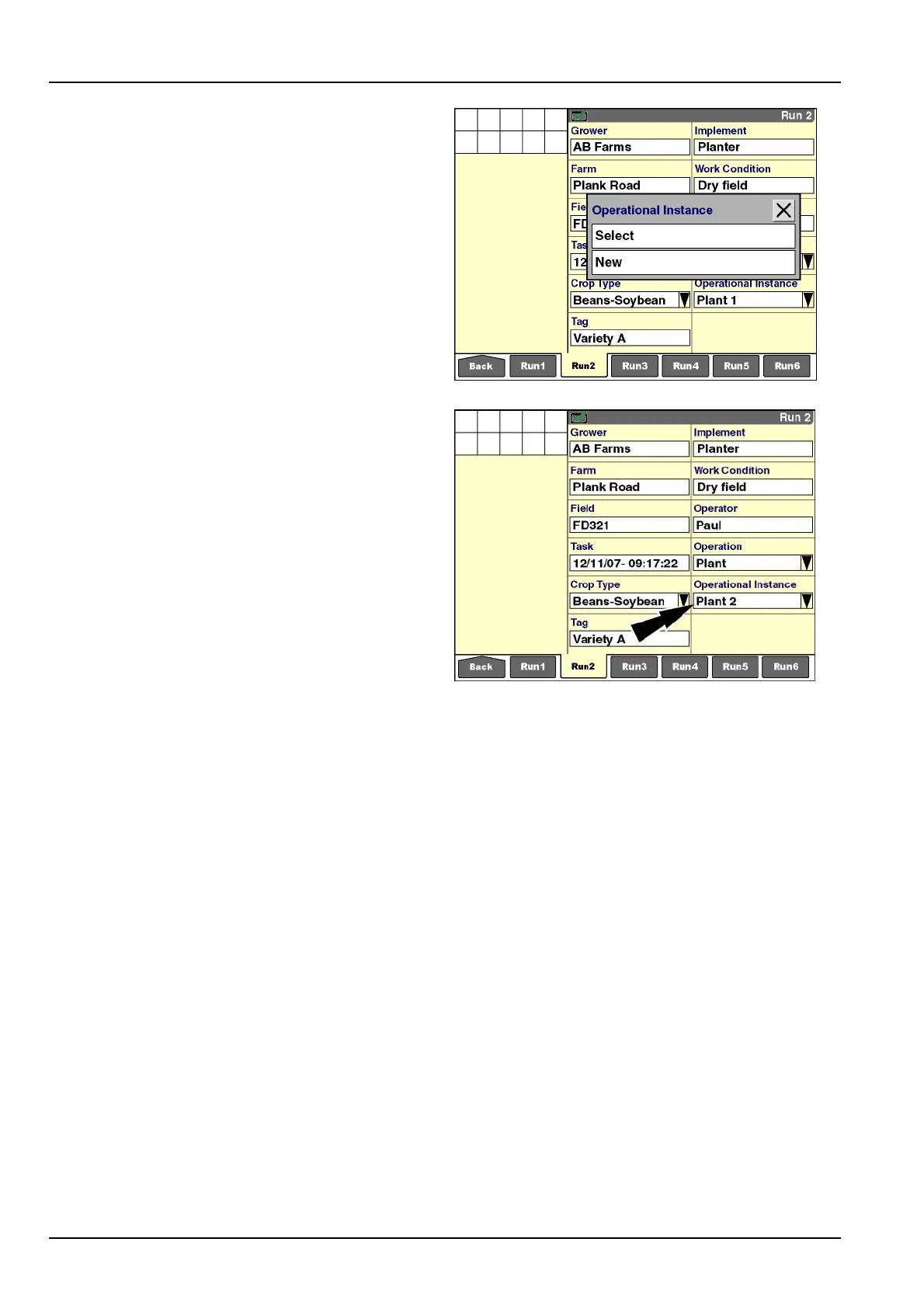
Press“Select”tochooseanexistingoperationalinstance
forthecurrenteld.Anycoveragedataor“asapplied”
datathatisassociatedwiththeinstanceisloaded.
NOTE:Youdonotneedtoselecttherstinstanceforany
operation.Thesystemautomaticallysuppliestherstin-
stance–Plant1orSeed1,forexample–foralloperations
thatareperformedforacroptypeinaeld.
RCIL11DSP484BBG12
Press“New”tocreateanewoperationalinstance.
Anewoperationalinstanceiscreatedforthecurrentop-
eration.
NOTE:Onlyoneoperationandoneoperationalinstance
areassignedtoatask.Additionaltasksinherittheopera-
tionandinstancefromtheprevioustask.Ifnodataexists
forthecurrenteldandoperation,theinstancedefaults
to1.
NOTE:Amaximumof10operationalinstancescanbe
createdforanoperationduringaseason.
RCIL11DSP485BBG13
3-20



 To Next Page