3-SETUP
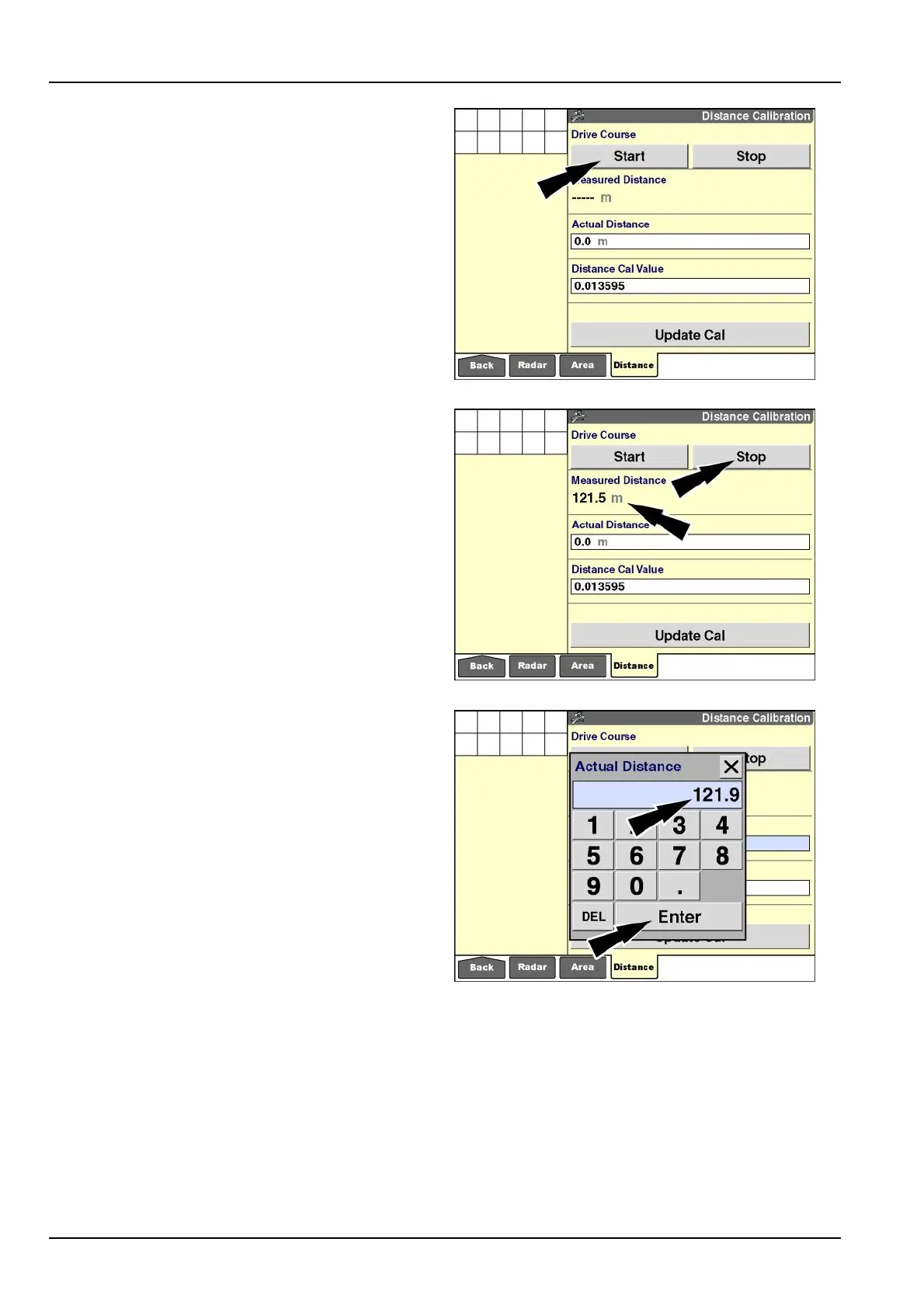
2.Drivethevehicletothestartofthecourseandpress
the“Start”button.Thevehiclecanbemovingorsta-
tionarywhenthe“Start”buttonispressed.
NOTE:Carefulalignmentwiththestartpositioniscrit-
icalforthemostaccurateresults.
Whenthe“Start”buttonispressed,theaccumulating
distance,asmeasuredbyradar,displaysinthe“Mea-
suredDistance”window.
RCIL11DSP388BBG13
3.Drivetotheendofthecourseattheintendedwork-
ingspeedandpressthe“Stop”button.Thevehicle
canbemovingorstationarywhenthe“Stop”buttonis
pressed.
NOTE:Carefulalignmentwiththestoppositioniscrit-
icalforthemostaccurateresults.
Whenthe“Stop”buttonispressed,the“MeasuredDis-
tance”windowstopsaccumulatingdistance.
RCIL11DSP389BBG14
4.Entertheactuallengthofthecourseasitwasmea-
suredbytapemeasure.
Pressthe“ActualDistance”windowtoaccessthenu-
merickeypad.
Usethekeypadtoenterthevalueinmetersorfeet,
dependingontheunitofmeasurementselected.
Pressthe“Enter”buttononthekeypadtosavethe
value.
RCIL11DSP390BBG15
3-26



 To Next Page