3-SETUP
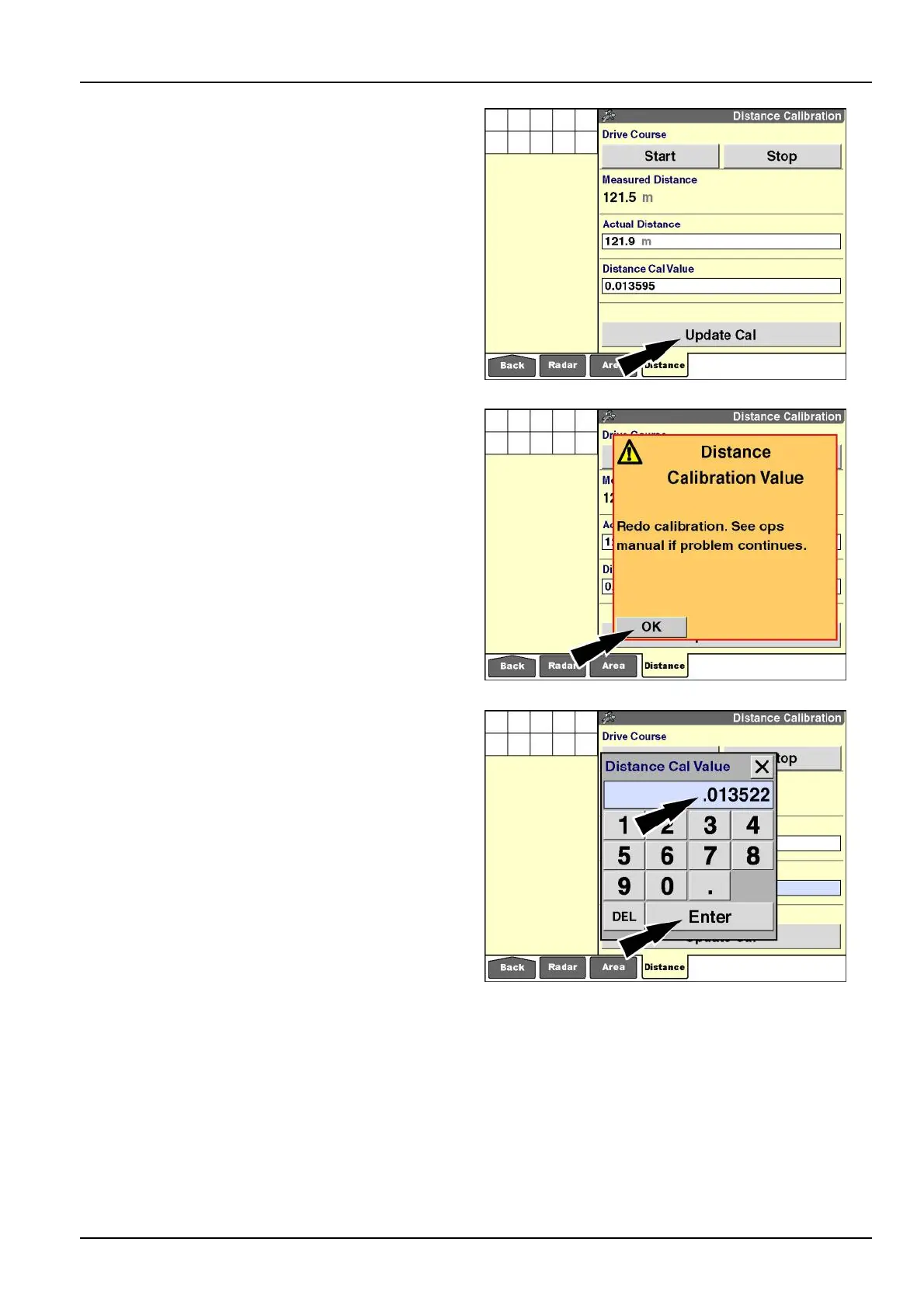
5.Pressthe“UpdateCal”buttontoadjustthestoredcal-
ibrationvalueforthecurrenteldconditionsandvehi-
cleconguration.
Thevalueinthe“MeasuredDistance”windowupdates
tomatchthevalueinthe“ActualDistance”window,and
anewcalibrationvaluedisplays.
RCIL11DSP391BBG16
Iftheupdatedvalueisoutofrange,awarningmessage
displays:“Redocalibration.Seeoperator’smanualif
problemcontinues.”
Pressthe“OK”buttontoacknowledgeandclearthe
message.
Performtheprocedureagainwithgreateraccuracyto
correcttheproblem.
RCIL11DSP392BBG17
6.Repeatthecalibrationproceduretoverifyaccuracy.
Ingeneral,thereshouldnotbeagreatdifferencebe-
tweenindividualruns.
Multiplerunscanbeaveragedforgreateraccuracy–
sumthecalibrationvaluesfromeachrunanddividethe
totalbythenumberofrunsperformed.
7.Manuallyentertheaveragevalueinthe“DistanceCal
Value”window.
Pressthe“DistanceCalValue”windowtoaccessthe
numerickeypad.
Usethekeypadtoentertheaveragecalibrationvalue.
Pressthe“Enter”buttononthekeypadtosavetheav-
eragecalibrationvalue.
NOTE:Thecalibrationvaluesshownareforreference
only.Usethevaluethatresultsfromyourvehiclecon-
gurationoperatinginyoureldconditions.
RCIL11DSP393BBG18
3-27



 To Next Page