3-SETUP
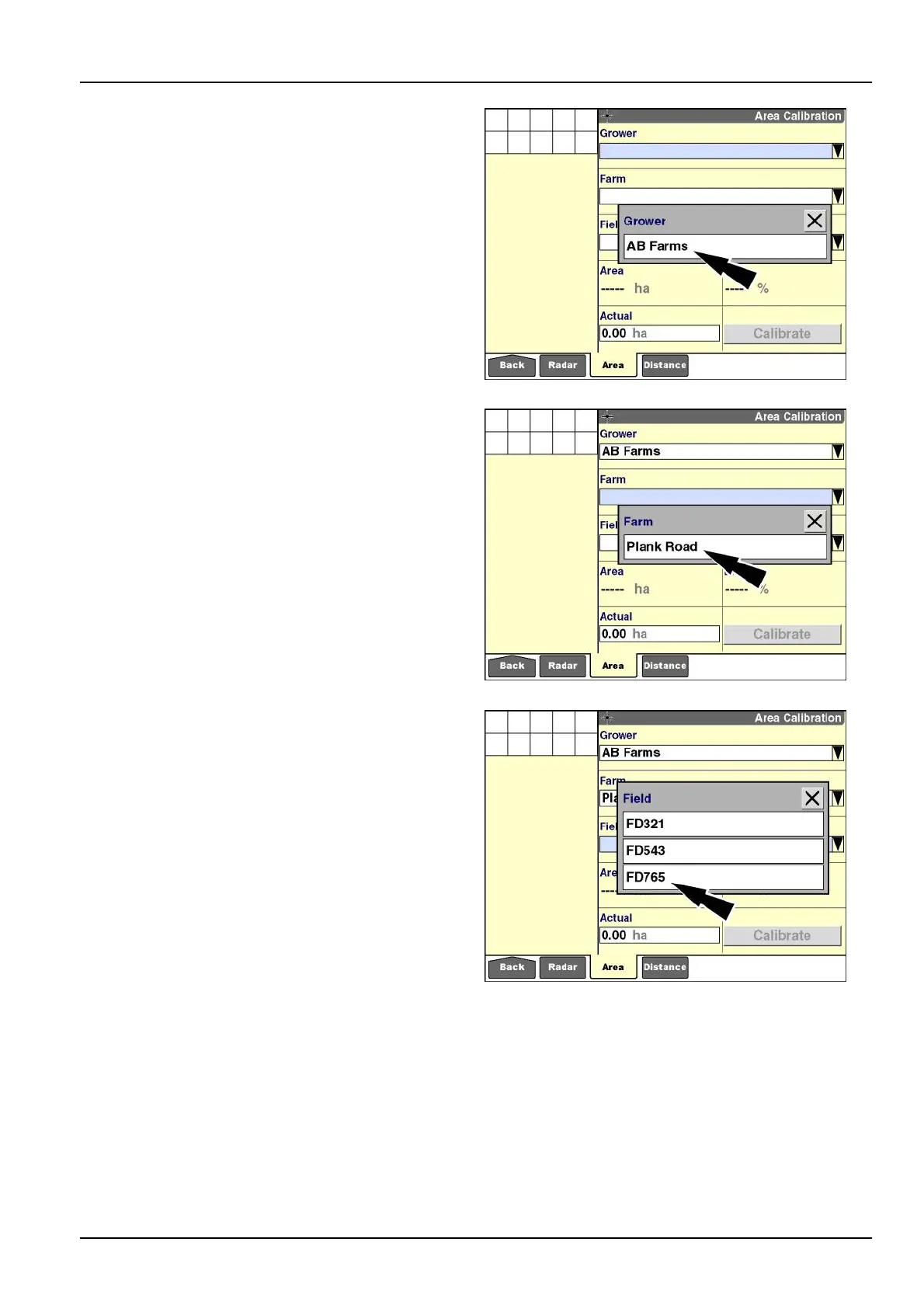
Toperformareacalibration:
1.Pressthe“Grower”windowtoselectthegrowerfor
thefarmthatcontainstheeldthatrequiresanarea
adjustment.
Selecttheappropriategrowerfromthepop-upoptions
window.
RCIL11DSP186BBG3
2.Pressthe“Farm”windowtoselectthefarmthatcon-
tainstheeldthatrequiresanareaadjustment.
Selecttheappropriatefarmfromthepop-upoptions
window.
RCIL11DSP188BBG4
3.Pressthe“Field”windowtoselecttheeldthatre-
quiresanareaadjustment.
Selecttheappropriateeldfromthepop-upoptionswin-
dow.
RCIL11DSP190BBG5
3-29



 To Next Page