3-SETUP
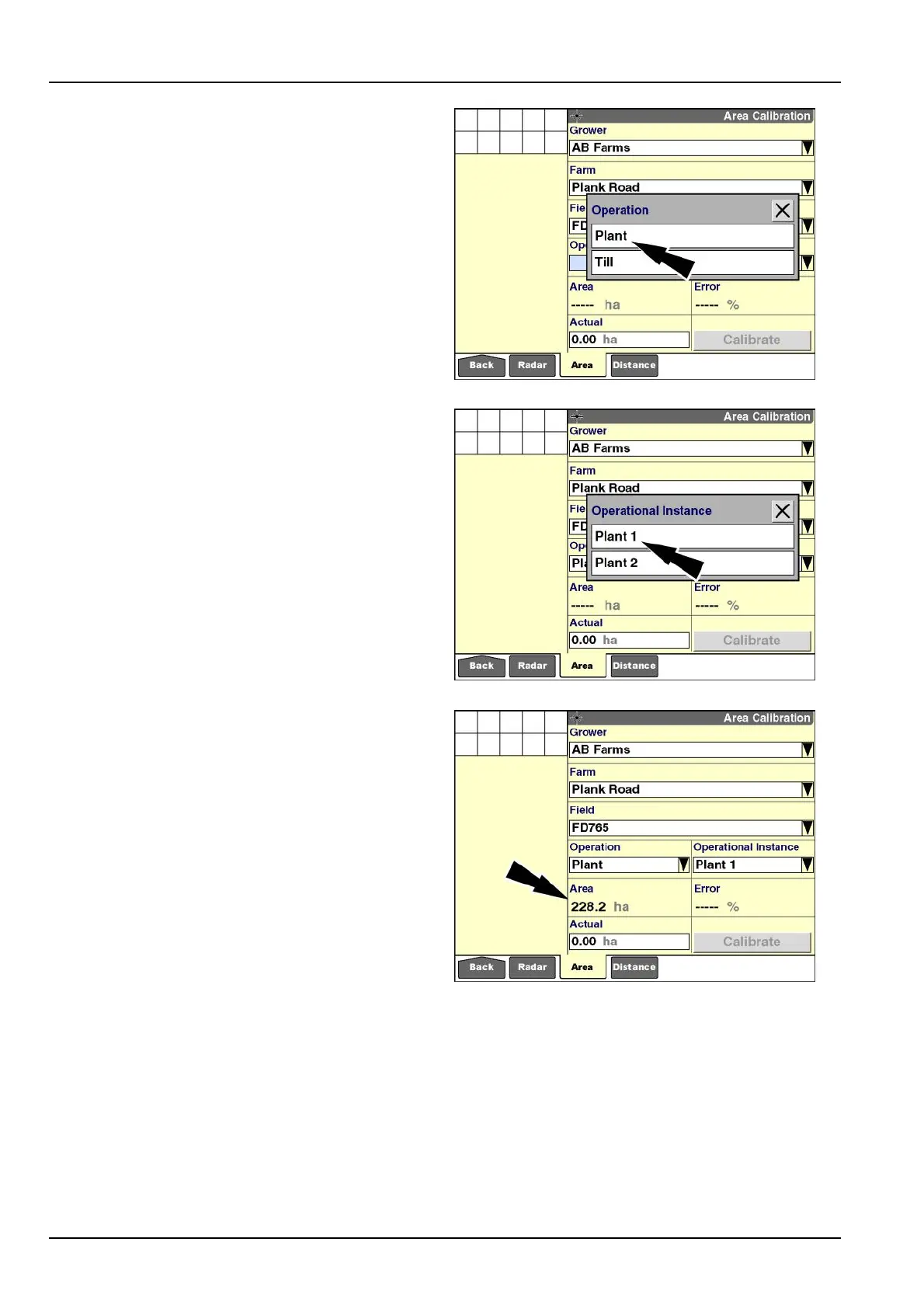
4.Pressthe“Operation”window,ifpresent,toselectthe
desiredoperation.
Selecttheappropriateoperationfromthepop-upop-
tionswindow.
NOTE:Thiswindowisonlypresentforvehiclesthat
performmultipleoperationsorapplymultipleproducts.
RCIL11DSP192BBG6
5.Pressthe“OperationalInstance”window,ifpresent,to
selectthedesiredinstancefortheselectedoperation.
Selecttheappropriateoperationalinstancefromthe
pop-upoptionswindow.
NOTE:Thiswindowisonlypresentforvehiclesthat
performmultipleoperationsorapplymultipleproducts.
RCIL11DSP507BBG7
The“Area”windowupdateswiththerecordedareafor
theselectedeld,operation,andinstance.Thisisthe
valuethatwasrecordedbythefarmingsoftwareand
savedtothememorystick.
RCIL11DSP508BBG8
3-30



 To Next Page