3-SETUP
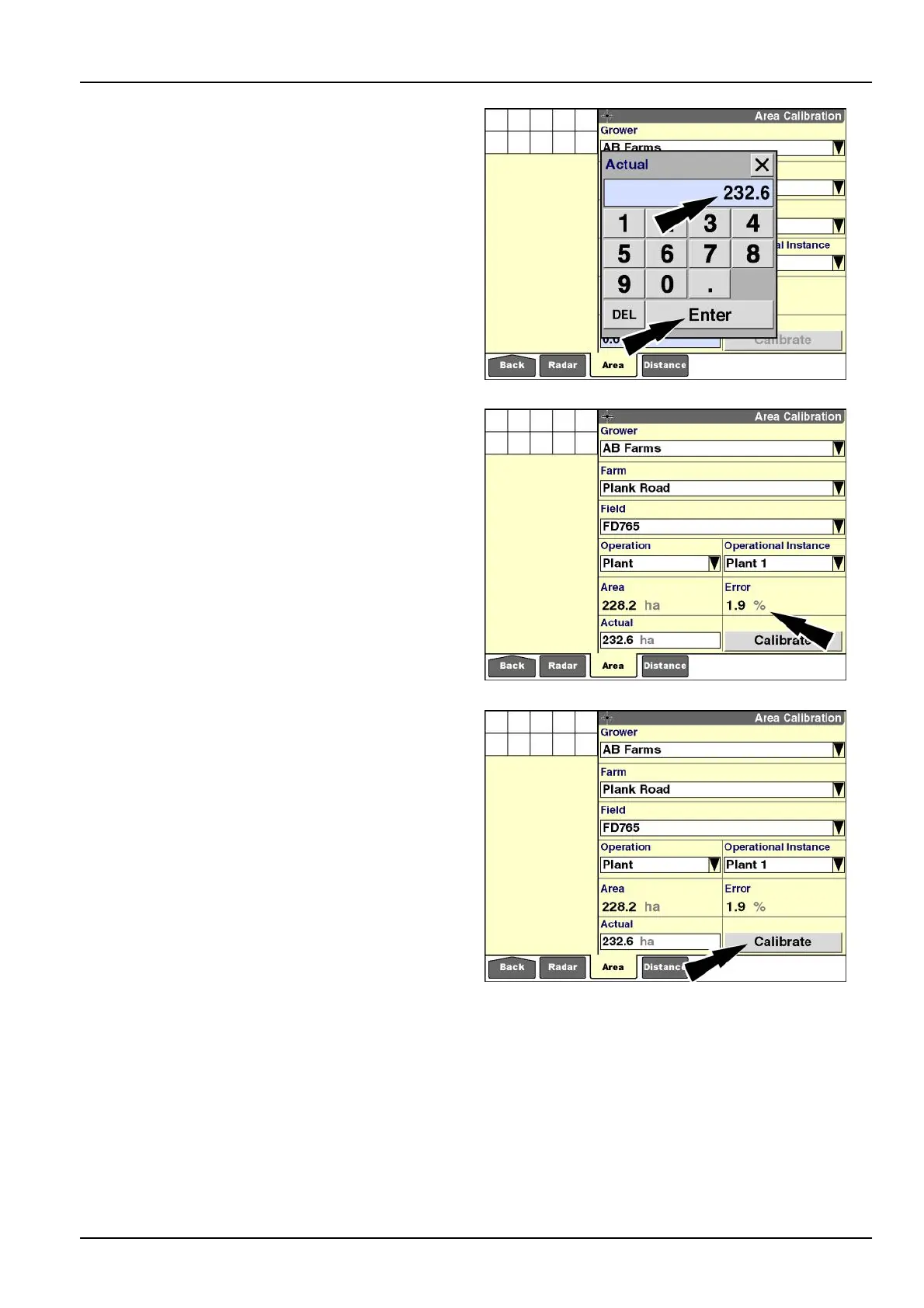
6.Pressthe“Actual”windowtoaccessthenumerickey-
pad.
Usethekeypadtoentertheknownareafortheeldin
hectaresoracres.
Pressthe“Enter”buttononthekeypadtosavethe
value.
RCIL11DSP509BBG9
The“Error”windowdisplaysthepercentageoferrorbe-
tweentheknowneldareaandtherecordedeldarea.
Iftherecordedareaisgreaterthantheknownarea,a
positivevalueisdisplayed.Iftherecordedareaisless
thantheknownarea,anegativevalueisdisplayed.
RCIL11DSP510BBG10
7.Pressthe“Calibrate”buttontobeginareacalibration.
RCIL11DSP510BBG11
3-31



 To Next Page