3-SETUP
•
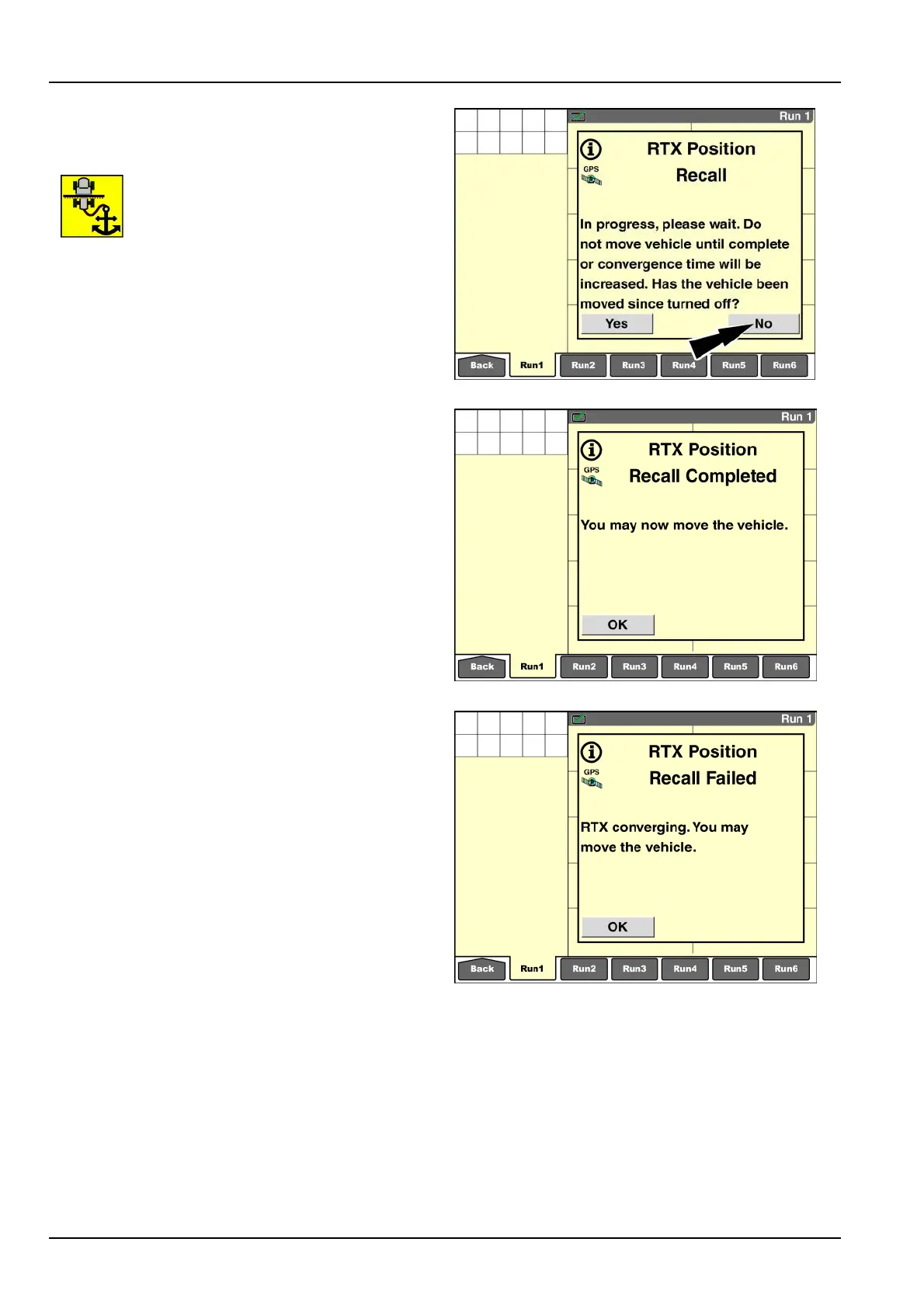
IfthevehiclewasNOTmoved,pressthe“No.”button.
Convergencewilloccurwiththetimesavingofposition
recall.
Aniconashesinthestatusandwarning
iconareatoremindtheoperatorthatthe
vehiclemustnotbemoved.
NOTE:Ifyouaccidentallyanswerthequestionincorrectly,
resettheconvergenceprocesswiththe“RTXConver-
gence”windowonthe“GPSStatus”screen(Home>Di-
agnostics>GPS).
RAIL14DSP1566BA13
Whentheinitializationprocessiscomplete,anothermes-
sagedisplays:“Youmaynowmovethevehicle.”
ThismessagedoesNOTmeanthatthesignaliscon-
verged,butratherthatyoucanmovethevehiclewithout
interruptingtheongoingsignalconvergence.
Pressthe“OK”buttontoacknowledgeandclearthemes-
sage.
RAIL14DSP1568BA14
Ifpositionrecallfails,thesystemautomaticallyrestartsthe
convergenceprocess.
Usethe”Reset”buttoninthe“RTXConvergence”
windowonthe“GPSStatus”screentomanuallyreset
thepositioncalculationif:
Youanswered“No”attheinitialrecallmessage,but
thendiscoverthatthevehiclewasmoved
OR
•
The“DGPSConvergence”bargraphwindowonthe
“GPSStatus”screen(Home>Diagnostics>GPS)does
notindicateanyprogressfor10-20min
NOTE:Ifthebargraphinthe“RTXConvergence”window
isprogressingtoward100%,donotresettheprocess.If
thebargraphisstoppedatalowpercentage,resetthe
process.
RAIL14DSP1569BA15
3-66



 To Next Page