3-SETUP
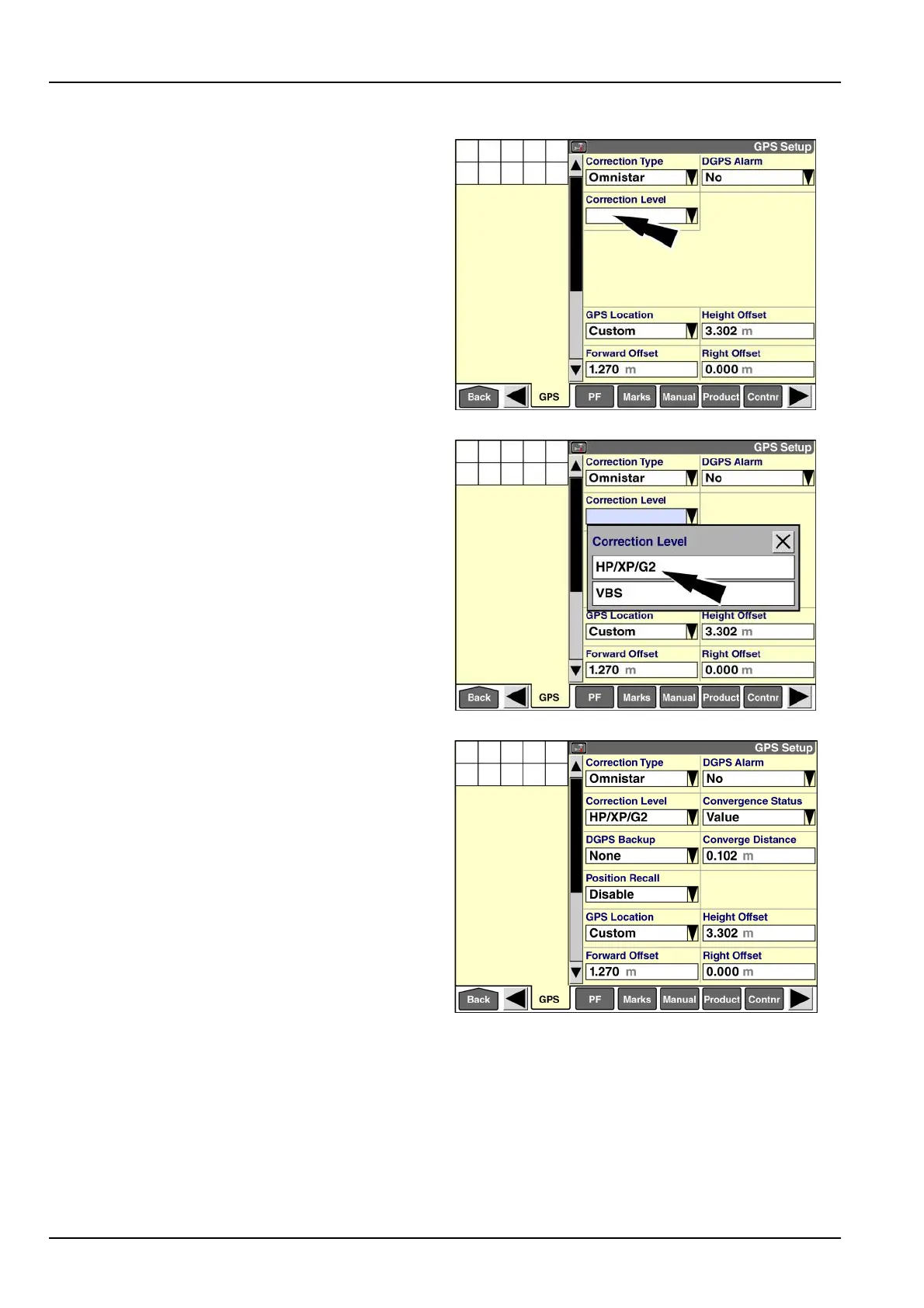
OmniSTAR®HP/XP/G2setup
Pressthe“CorrectionLevel”windowtoaccessthepop-up
optionswindow.
RAIL14DSP1577BA6
Press“HP/XP/G2"intheoptionswindow.
NOTE:Youdonotneedtodistinguishamongthediffer-
entOmniSTAR®correctionsignals.Afteryoumakethis
selection,yourGPSreceiveranddisplaywilloperatewith
thecorrectionsignaltowhichyousubscribe.
RAIL14DSP1578BA7
WhenOmniSTAR®HP/XP/G2correctionisinuse,
additionalsetupwindowsdisplay:
•
“DGPSBackup”
•
“PositionRecall”
•
“ConvergeDistance”
•
“ConvergenceStatus”
RAIL14DSP1513BA8
3-70



 To Next Page