3-SETUP
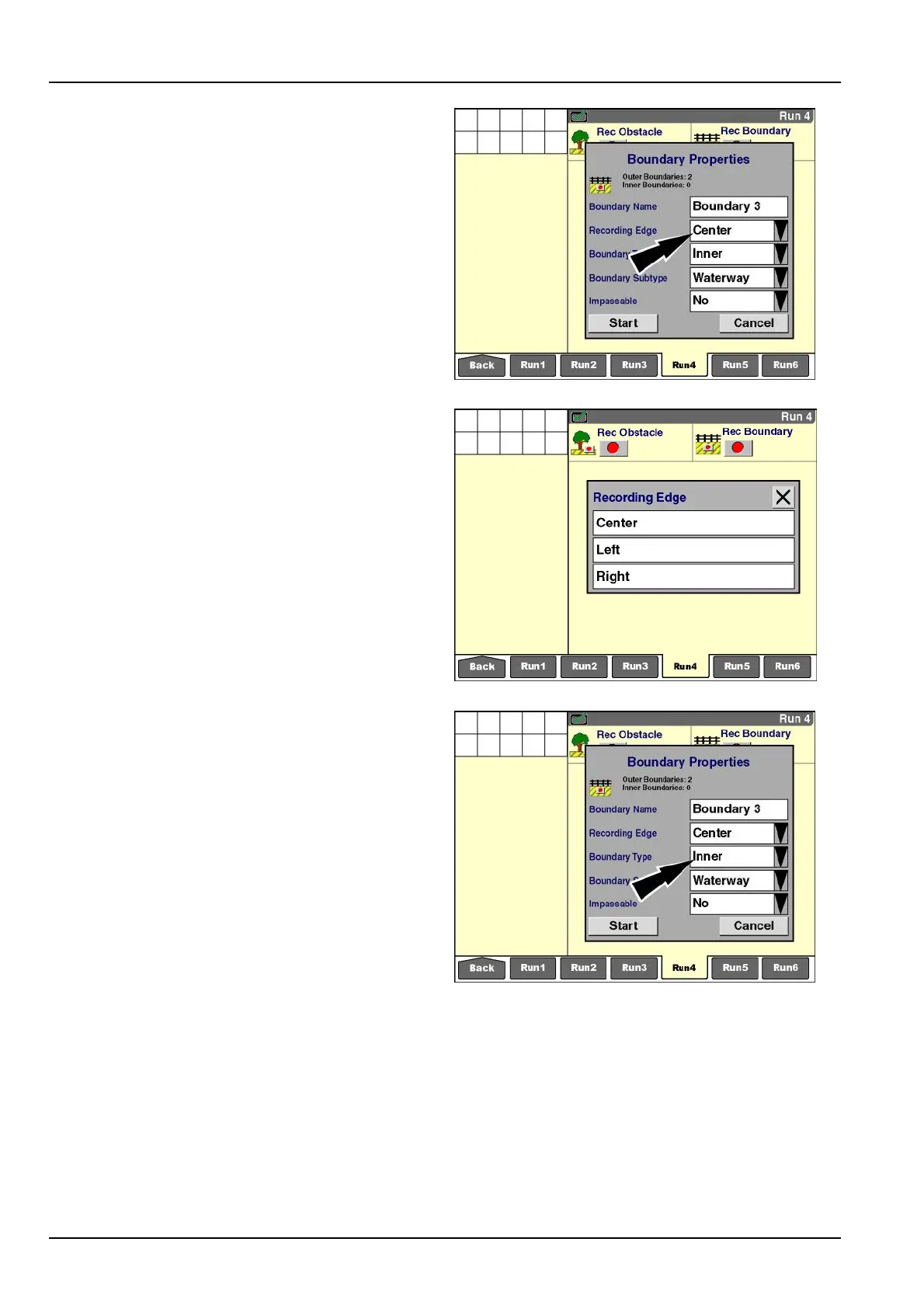
Pressthe“RecordingEdge”window.
RCIL11DSP052BBG8
Press“Left”toselecttheoutermostleftedgeoftheimple-
ment(orheader)asthedistancefromtheGPSreceiver
torecordtheboundary.
Press“Center”toselectthecenterlineofthevehiclein-
tersectingtheGPSreceiverasthelocationtorecordthe
boundary.
Press“Right”toselecttheoutermostrightedgeofthe
implement(orheader)asthedistancefromtheGPSre-
ceivertorecordtheboundary.
RCIL11DSP054BBG9
Theoperatormustindicatewhetherthenewboundaryis
anouterboundaryoraninnerboundary.
Pressthe“BoundaryType”windowtoaccessthepop-up
optionswindow.
RCIL11DSP052BBG10
3-114



 To Next Page