3-SETUP
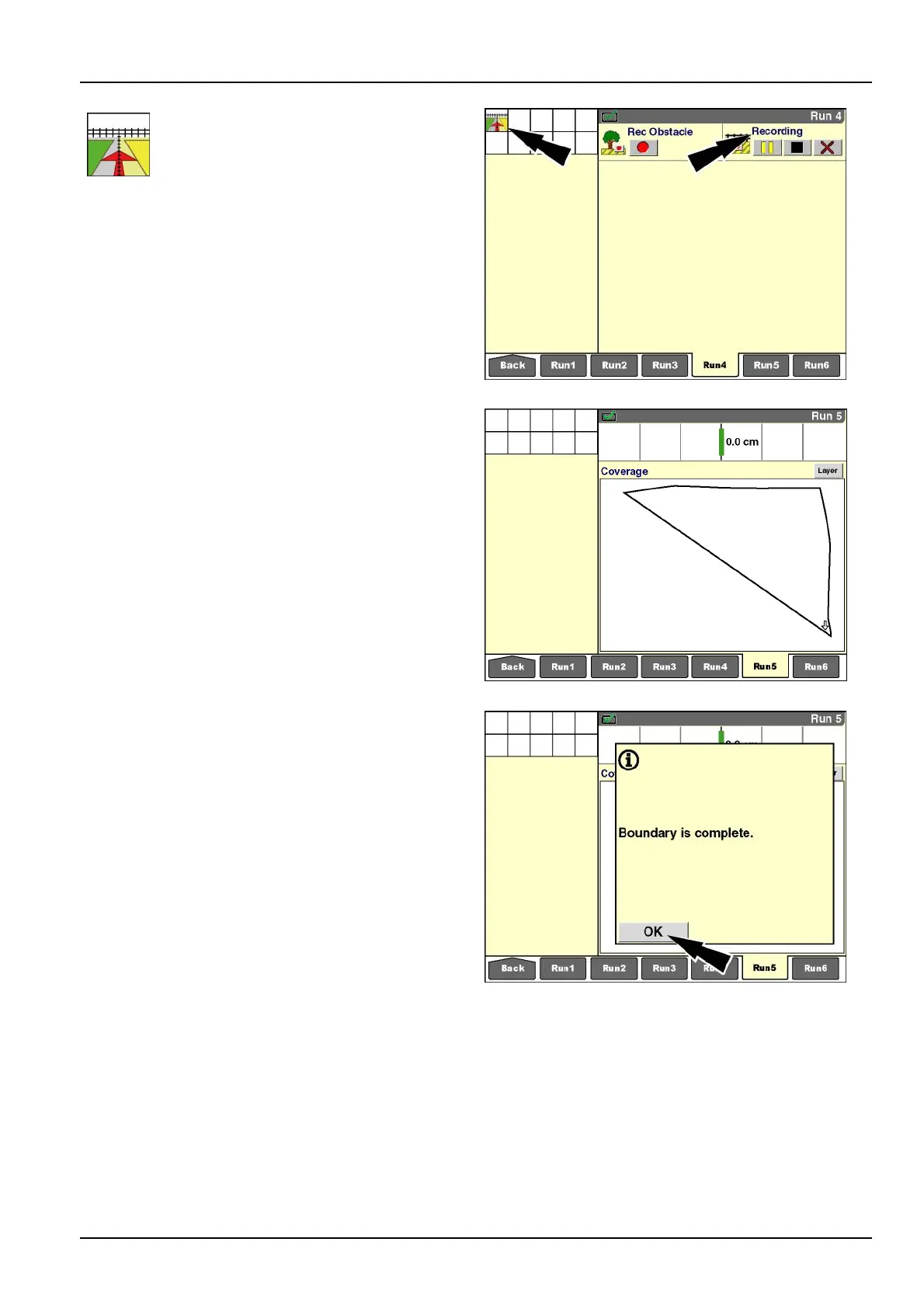
IfStartwaspressed,a“RecordingBoundary”
icondisplaysinthestatusandwarning
iconareaasareminderthatrecordingis
inprogress.The“RecBoundary”window
updateswiththe“Pause”button,the
“Stop”button,the“Cancel”button,andthe
“Recording”message.
NOTE:The“RecordingEdge”windowdetermines
whetherthefenceintheiconappearsintheleft,center,
orrightoftheicon.
The“RecordingBoundary”iconinthestatusandwarning
iconareadisappearswhentheboundaryisautomatically
completedorwhentheoperatorpressesthe“Stop”button
orthe“Cancel”button.
RCIL11DSP058BBG17
Thevehiclecanbeworkingwhileboundaryrecording
takesplace.Coverageandworkresultscanberecorded
atthesametime.
Theexactpaththatthevehicletravelsisrecordedasthe
eldboundary.
RCIL11DSP278BBG18
Theboundarycanbecompletedinoneoftwo
ways,dependingontheselectioninthe“Bound.
Auto-Complete”windowonthe“PrecisionFarming
Setup”screen(Home>Toolbox>PF):
•
Whenthe“Bound.Auto-Complete”windowissetto
“On,”thesoftwareautomaticallyclosestheboundary
whenthevehicleiswithinoneimplementwidth(or
headerwidth)oftheboundary’sstartingpoint.
•
Whenthe“BoundAuto-Complete”windowissetto
“Off,”theoperatormustpressthe“Stop”buttonin
the“RecBoundary”window.Thesoftwaredrawsa
straightlinefromthevehicle’scurrentpositiontothe
boundary’sstartingpoint.
A“Boundaryiscomplete”messagedisplays.
Pressthe“OK”buttontoacknowledgeandclearthemes-
sage.
RCIL11DSP277BBG19
3-117



 To Next Page