4-OPERATION
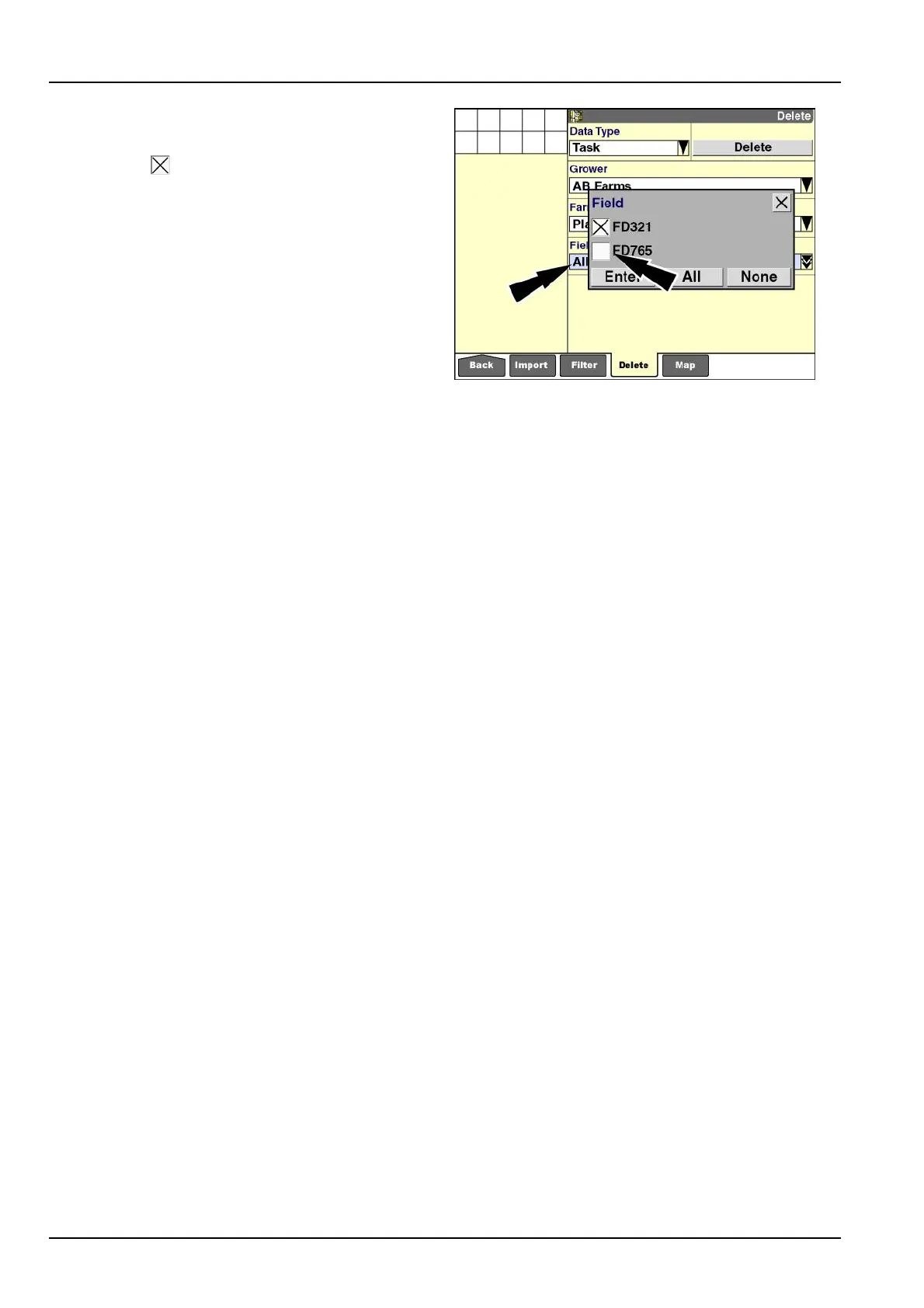
Tolimittheselectiontospeciceldswithinafarm,press
the“Field”windowtodisplaythepop-upoptionswindow.
Presstheboxnexttotheeldnametoselectorde-
selectit,dependingonitscurrentstate.An“X”indicates
thattheboxisselected.
Pressthe“None”buttontodeselectallelds.
Pressthe“All”buttontoselectallelds.
Whenyouaresatisedwiththeselection,pressthe“En-
ter”buttontosavethesetting.
Ifmorethanonebutlessthanalleldsareselected,
the“Field”windowdisplaysthetotalitemsselected.If
onlyoneeldisselected,thewindowdisplaystheField’s
name.
Pressthe“Delete”buttontodeletetheselection.Thecon-
rmationmessagedisplays.
RCIL11DSP512BBG15
4-14



 To Next Page