4-OPERATION
Task
TaskisthedatatypeinwhichmostloggeddataandGPS
dataisstored.Deletingataskremovesallsummarydata
andloggeddataforthetask.
Taskdeletionistherecommendedmethod:
•
Forrecoveringmemorystickspaceforthecurrentop-
eration–planting,spraying,harvesting–whenyouno
longerneedtoretainthesummarydataforthetasks
•
Forrecoveringmemorystickspacefromapreviousop-
erationwhichhasbeenarchived:forexample,tasks
usedforplantingwhichstillresideonthememorystick
duringharvestseason
•
Forbeginninganewseason’sworkwhileretainingthe
grower-farm-eldstructure
Thetaskdatatypeusesthemostwindows,butthesame
processesastheotherdatatypes.
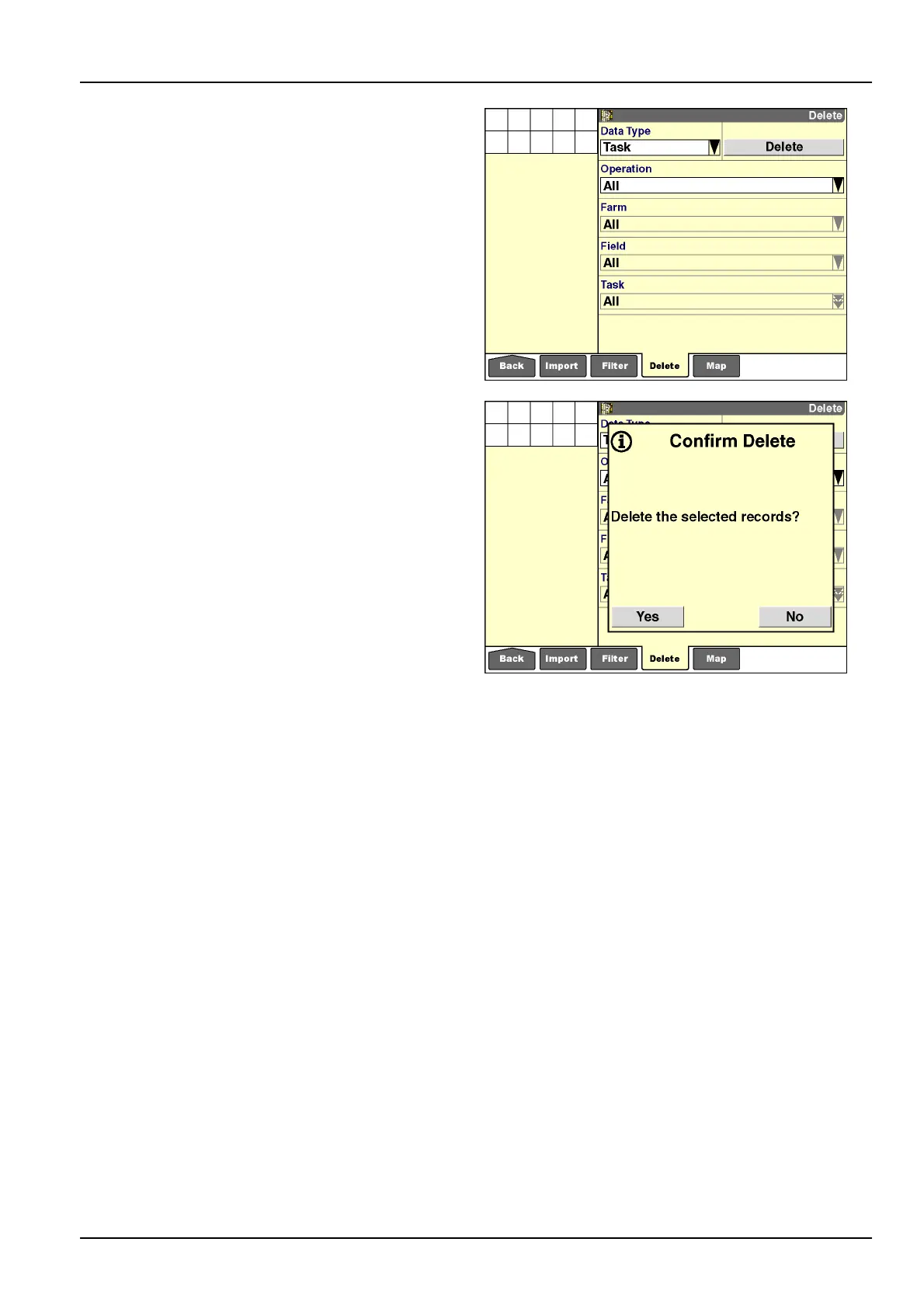
Todeletealltasksfromdisplaymemoryandthememory
stick:
1.Select“T ask”inthe“DataType”window.
2.Select“All”inthe“Operation”window;the“Farm,”
“Field,”and“T ask”windowsdefaultto“All”asaresult
ofthisselection.PresstheDelete”buttontodeleteall
tasksforalloperationsforallfarmsandelds.
3.Pressthe“Yes”orNo”buttonattheconrmationmes-
sage.
RCIL11DSP325BBG20
RCIL11DSP326BBG21
4-17



 To Next Page