4-OPERATION
Boundary
Boundariesarealwaysrecordedforaspeciceld.Aeld
cancontainmultipleboundaries,andallboundariesare
deletedwhentheeldisselected,eitherindividuallyor
withinitsfarmandgrowerstructure.
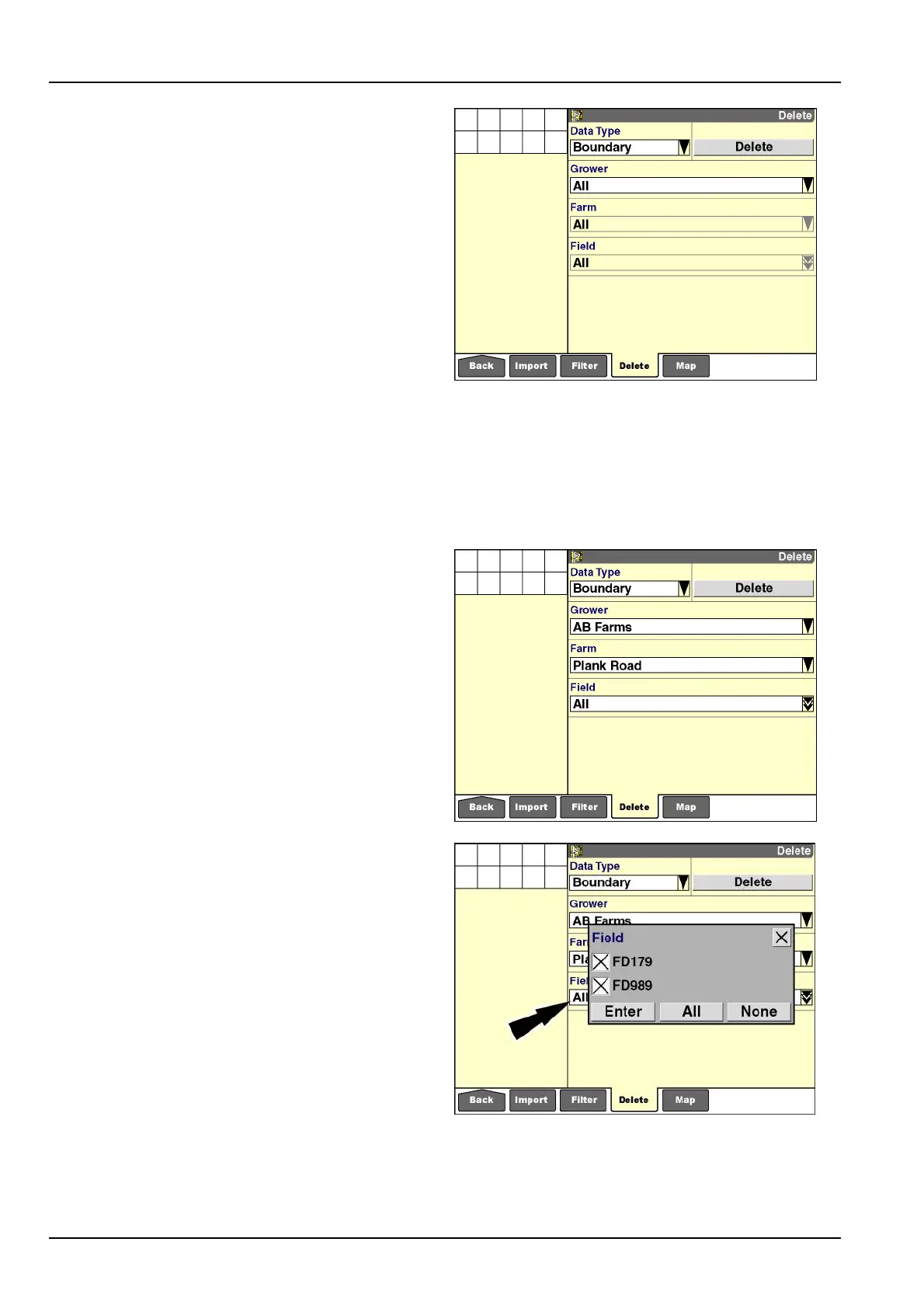
Todeleteallboundariesfromdisplaymemoryandthe
memorystick:
1.Select“Boundary”inthe“DataType”window.
2.Select“All”inthe“Grower”window.
NOTE:Onlygrowersthathaveboundariessavedtothe
eldsoftheirfarmsdisplay.Ifonlyonegrowerispresent
onthememorystick,onlyonegrowerisavailableforse-
lection.
3.The“Farm”and“Field”windowsdefaultto“All”when
“All”isselectedinthe“Grower”window.
4.Pressthe“Delete”buttontodeleteallboundarieson
thememorystick.
5.Pressthe“Yes”or“No”buttonattheconrmationmes-
sage.
RCIL11DSP335BBG27
Todeleteaspeciceld'sboundariesfromdisplay
memoryandthememorystick:
1.Select“Boundary”inthe“DataType”window.
2.Usethe“Grower”windowtoltertheboundariestoall
oronegrower.
3.Usethe“Farm”windowtoltertheboundariestoallor
onefarm.
NOTE:Onlyfarmsthathaveboundariessavedtotheir
eldsdisplay.Ifonlyonefarmispresentonthememory
stickwithboundariessavedtoitselds,onlyonefarmis
availableforselection.
4.Usethe“Field”windowtolterthedatatoallorse-
lectedelds.
5.Pressthe“Enter”buttontoconrmtheselection.
6.Pressthe“Delete”buttontodeletetheselectedbound-
aries.
7.Pressthe“Yes”or“No”buttonattheconrmationmes-
sage.
NOTE:Usethe“MapManagement”screen,explained
laterinthischapter,todeleteindividualboundaries.
RCIL11DSP337BBG28
RCIL11DSP339BBG29
4-20



 To Next Page