4-OPERATION
Obstacle
Obstaclesarealwaysrecordedforaspeciceld.A
eldcancontainmultipleobstacles,andallobstaclesare
deletedwhentheeldisselected,eitherindividuallyor
withinitsfarmandgrowerstructure.
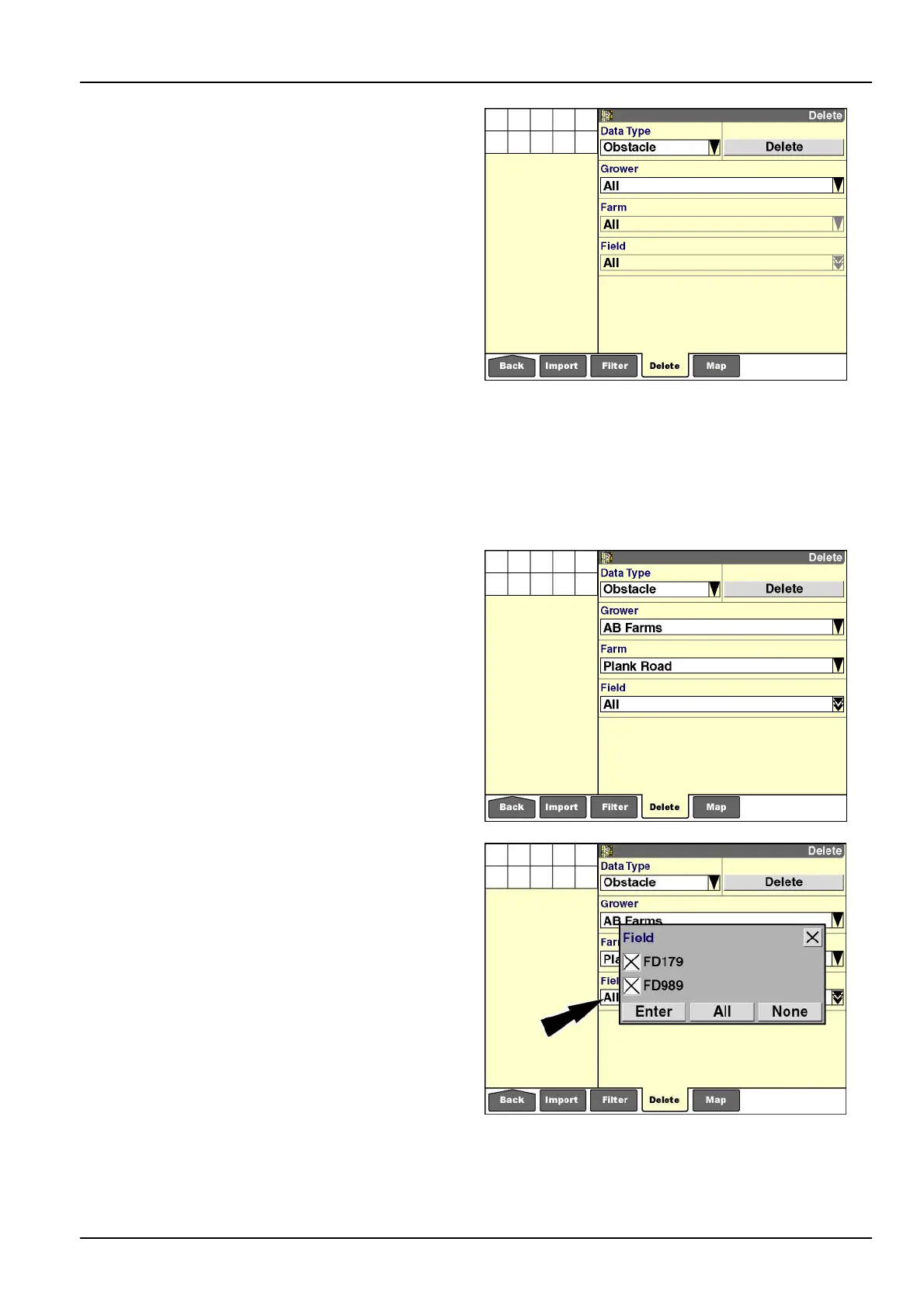
Todeleteallobstaclesfromdisplaymemoryandthe
memorystick:
1.Select“Obstacle”inthe“DataType”window.
2.Select“All”inthe“Grower”window.
NOTE:Onlygrowersthathaveobstaclessavedtothe
eldsoftheirfarmsdisplay.Ifonlyonegrowerispresent
onthememorystick,onlyonegrowerisavailableforse-
lection.
3.The“Farm”and“Field”windowsdefaultto“All”when
“All”isselectedinthe“Grower”window.
4.Pressthe“Delete”buttontodeleteallobstaclesonthe
memorystick.
5.Pressthe“Yes”or“No”buttonattheconrmationmes-
sage.
RCIL11DSP341BBG30
Todeleteaspeciceld'sobstaclesfromdisplaymemory
andthememorystick:
1.Select“Obstacle”inthe“DataType”window.
2.Usethe“Grower”windowtoltertheobstaclestoall
oronegrower.
3.Usethe“Farm”windowtoltertheobstaclestoallor
onefarm.
NOTE:Onlyfarmsthathaveobstaclessavedtotheir
eldsdisplay.Ifonlyonefarmispresentonthememory
stickwithobstaclessavedtoitselds,onlyonefarmis
availableforselection.
4.Usethe“Field”windowtolterthedatatoallorse-
lectedelds.
5.Pressthe“Enter”buttontoconrmtheselection.
6.Pressthe“Delete”buttontodeletetheselectedobsta-
cles.
7.Pressthe“Yes”or“No”buttonattheconrmationmes-
sage.
NOTE:Usethe“MapManagement”screen,explained
laterinthischapter,todeleteindividualobstacles.
RCIL11DSP342BBG31
RCIL11DSP343BBG32
4-21



 To Next Page