4-OPERATION
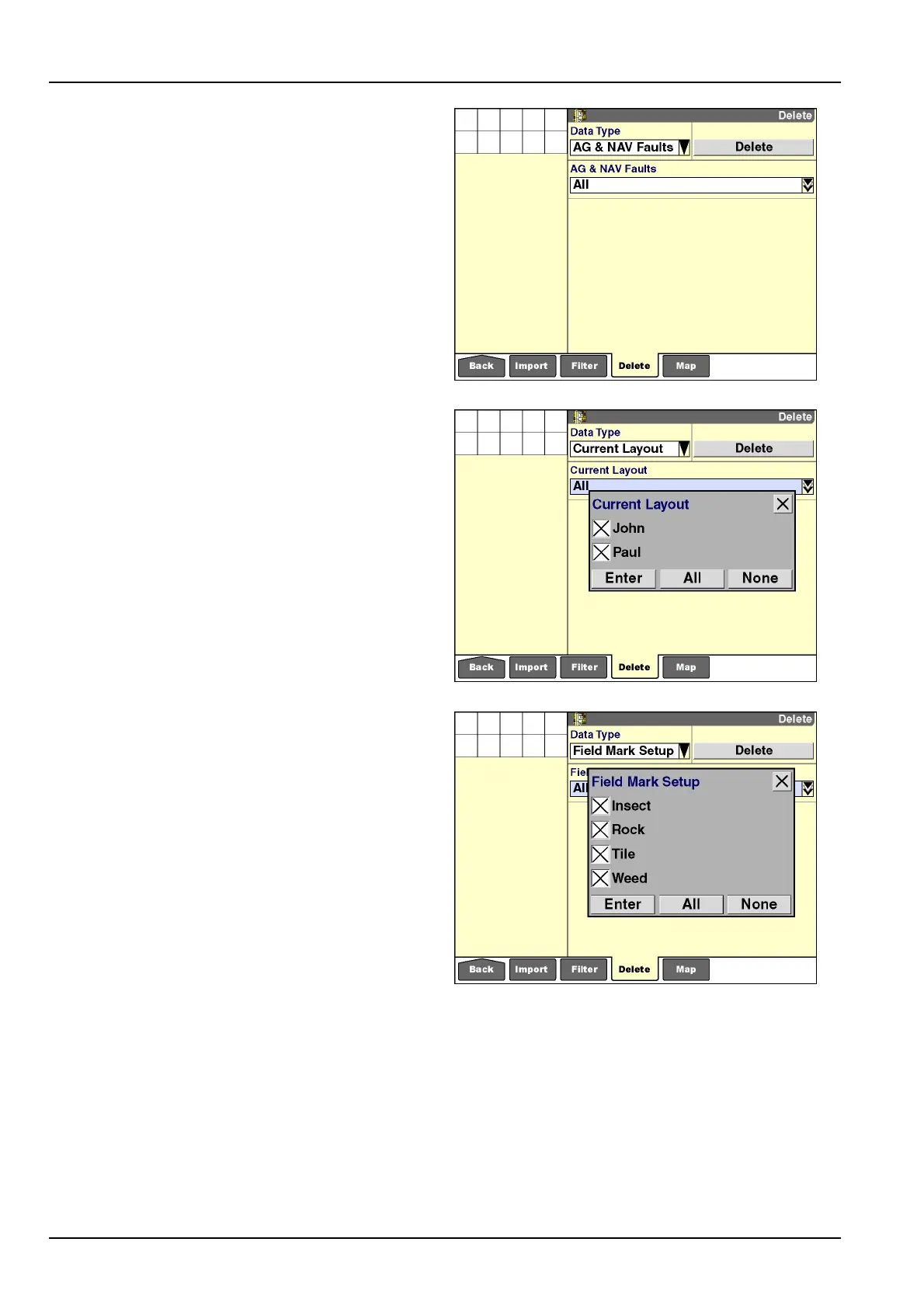
AG&NAVfaults
AutoguidanceandNAVIInavigationcontrollerfaultscan
bedeletedonlywiththe“Delete”screen.Faultswithan
“AG”prexareautoguidancefaults;faultswitha“NAV”
prexareNAVIIcontrollerfaults.
Faultscanbedeletedonlywhentheyarenolongeractive.
Selectionofof“All”intheAG&NAVFaultswindowonly
deletesinactivefaults.
Deletingfaultsrequires:
•
Selectionof“AG&NAVFaults”inthe“DataType”win-
dow
•
Selectionof“All”intheAG&NAVFaultswindow
RCIL11DSP356BBG33
Currentlayout
Thedisplaystoresupto20uniquelayoutsforthe“Run”
screensforeachvehicletype.Deletingalayoutremoves
thenamedlayoutfromdisplaymemoryandthememory
stickforthecurrentvehicletype.
NOTE:Onlythelayoutsforthecurrentvehicledisplay
whenthisdatatypeisselected.
Deletinglayoutsrequires:
•
Selectionof“CurrentLayout”inthe“DataType”window
•
Selectionof“All”orspeciclayoutswiththe“Current
Layout”window
RCIL11DSP344BBG34
Fieldmarksetup
Uptotwentyeldmarkconditionscanbesavedonthe
displayorthememorystickatonetime.Deletingaeld
marksetupremovesthenamedconditionfromdisplay
memoryandthememorystick.
Deletingeldmarksrequires:
•
Selectionof“FieldMarkSetup”inthe“DataType”win-
dow
•
Selectionof“All”orspeciceldmarkconditionswith
the“FieldMarkSetup”window
RCIL11DSP571BBG35
4-22



 To Next Page