8-DIAGNOSTICS
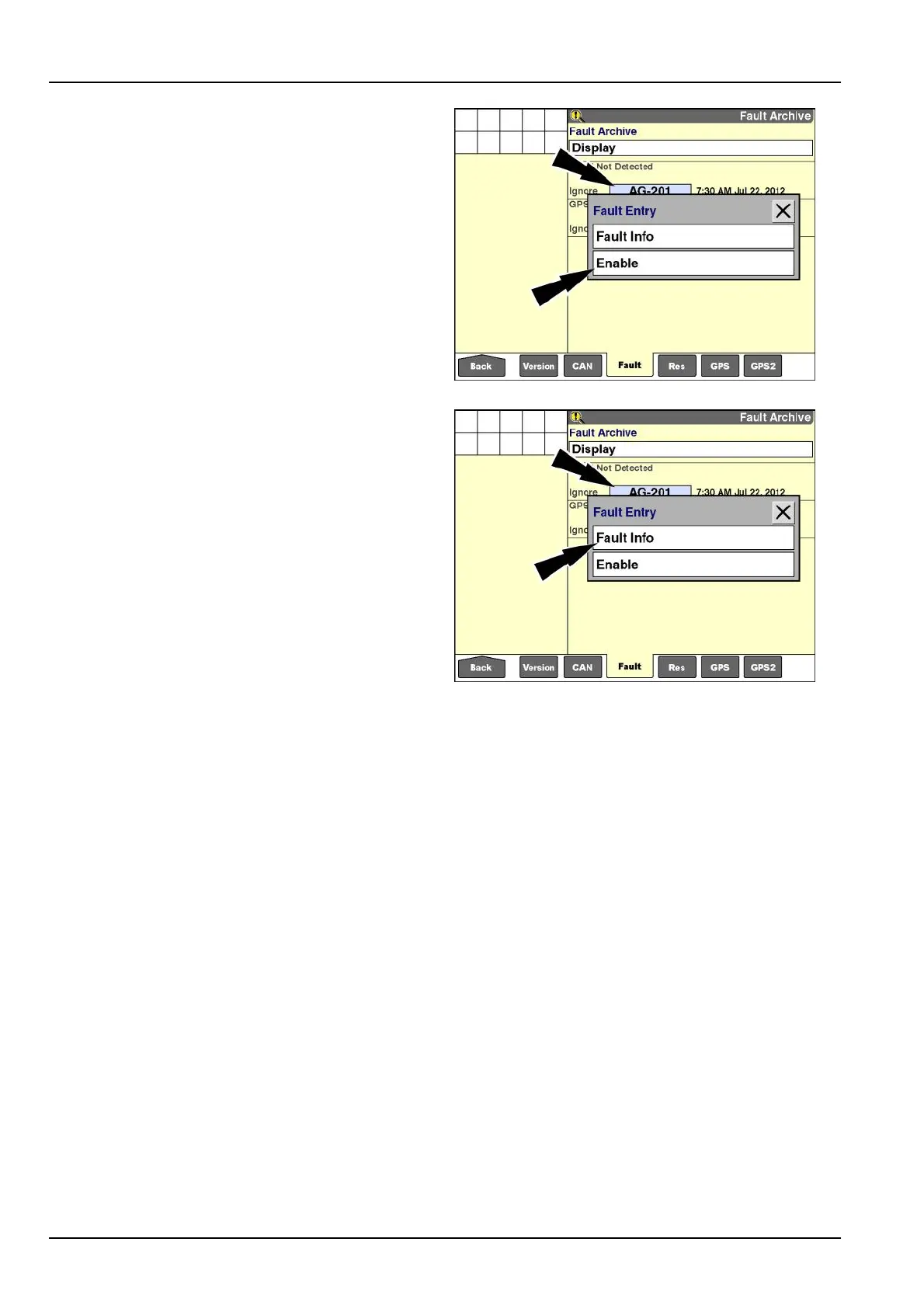
Tochangethestatusofafault,presstheindividualwin-
dowforthefaulttoaccessthepop-upoptionwindow.
Press“Enable”tochangethefaultdetectionfromignored
toenabled.
Press“Ignore”tochangethefaultdetectionfromenabled
toignored.
NOTE:Theoptioninthe“FaultEntry”windowchanges
withthestatusoftheselectedfault.
RCIL11DSP162BBG7
Toviewmoreinformationaboutafault:
1.Presstheindividualwindowforthefaulttoaccessthe
pop-upoptionswindow.
2.Press“FaultInfo”todisplaytheinformationwindow.
RCIL11DSP162BBG8
8-6



 To Next Page