2-ICONSANDWINDOWS
“Hour,”“Minute,”and“Day/Night”
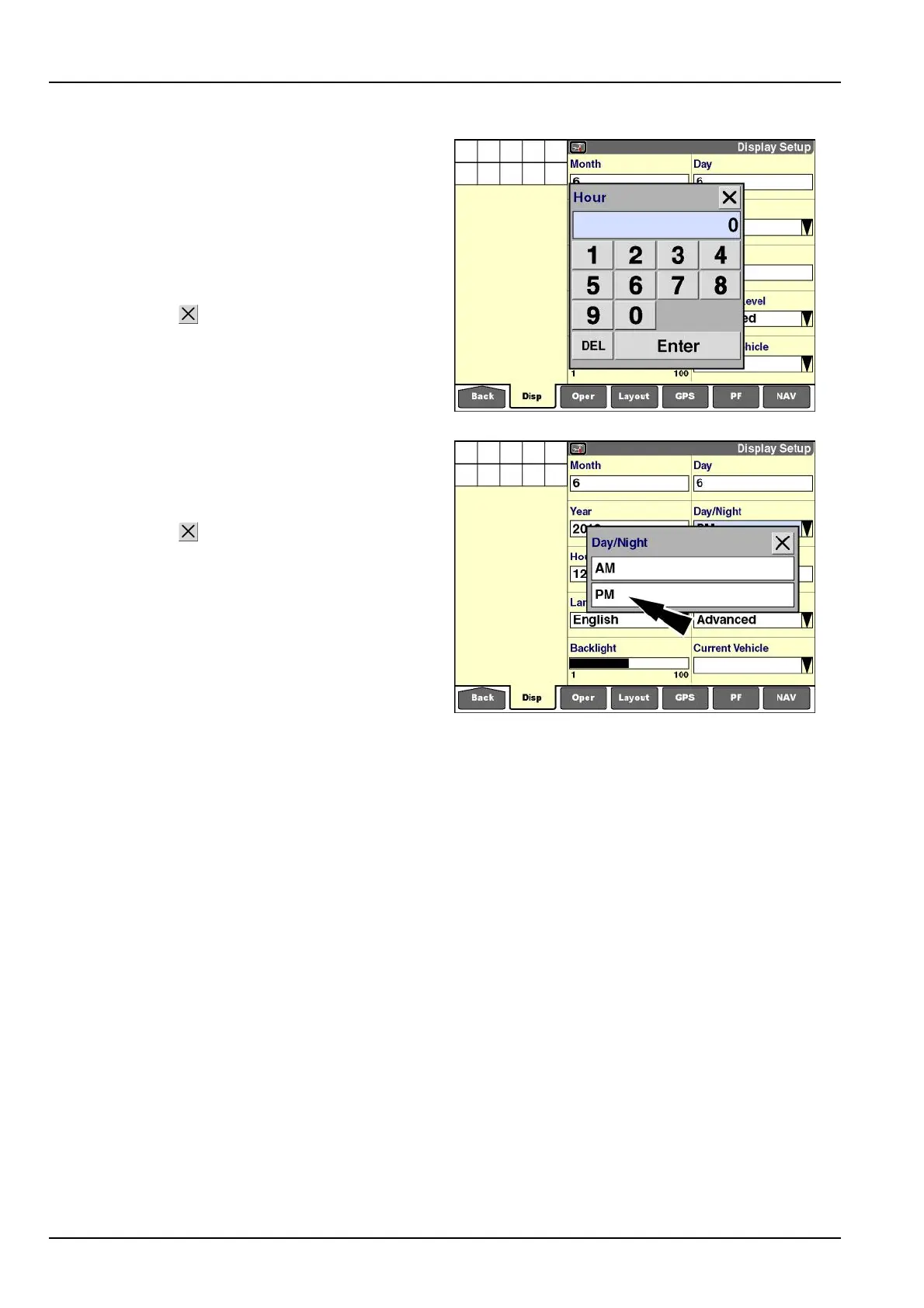
Pressthe“Hour”windowtoaccessthenumerickeypad.
Thedisplaymustbesettothecorrecttime,sinceallsaved
informationistimestamped.
Usethekeypadtoinputthecurrenthour.
Pressthe“Enter”buttononthekeypadtosavethe
change.
Pressthe“Close”buttontoexitthekeypadwithout
changingthecurrentsetting.
Repeatthisprocesstoadjustthe“Minute”window.
RCIL11DSP113BBG6
Pressthe“Day/Night”windowtoaccessthepop-upop-
tionswindow.
Press“AM”or“PM”tochangethesetting.
Pressthe“Close”buttontoexitthewindowwithout
changingthecurrentsetting.
RCIL11DSP114BBG7
2-26



 To Next Page