2-ICONSANDWINDOWS
“Language”
Alanguagechangeonthe“DisplaySetup”screen
changeslanguageforallapplicationsonthedisplay.If
theselectedlanguageisnotavailableforanapplication,
theapplicationwilluseitsdefaultlanguage.
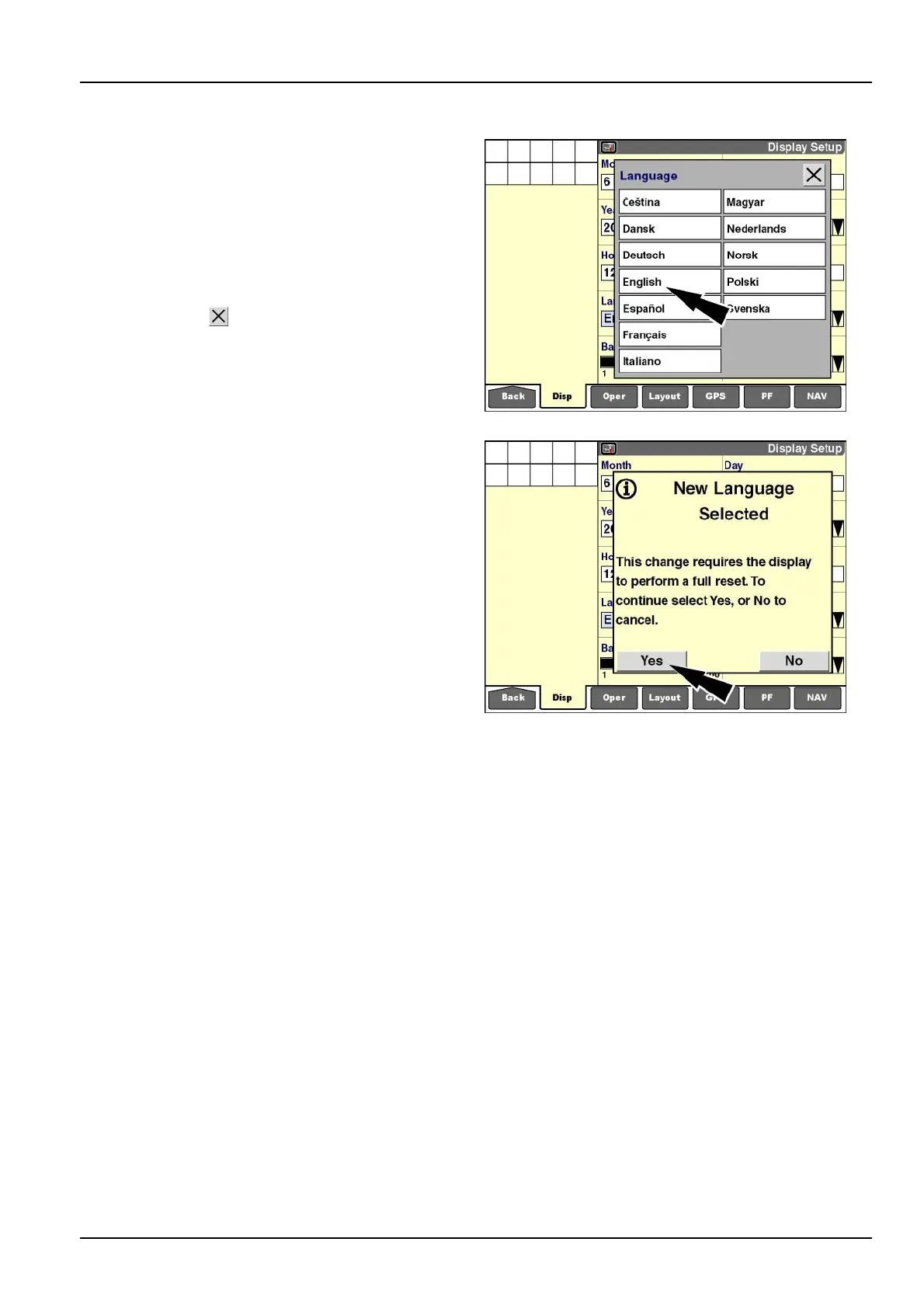
Pressthe“Language”windowtodisplaythepop-upop-
tionswindowforavailablelanguages.
Pressthedesiredlanguagetochangethesetting.
Pressthe“Close”
buttontoexitthewindowwithout
changingthecurrentsetting.
RCIL11DSP017BBG8
Ifanewlanguageisselected,amessagedisplays:“This
changerequiresthedisplaytoperformafullreset.To
continueselectYes,or[select]Notocancel.
Pressthe“Yes”buttontoloadthenewlanguageinto
memory.
Pressthe“No”buttontocanceltherequest.
Thenewlanguageremainsactiveuntilitischanged.
RCIL11DSP115BBG9
2-27



 To Next Page