2-ICONSANDWINDOWS
“InterfaceLevel”
Twointerfacelevelsareavailable:“Basic”and“Ad-
vanced.”
Choose“Advanced”ifyouintendtorecordtheresultsof
yourfarmingoperationsforanalysiswiththedesktopsoft-
ware.Thisincludessummarydata,“asapplied”data,and
harvestresults(yieldandmoisture).Choose“Basic”ifyou
donotintendtorecordproductionresults.
NOTE:Toenablemappinganddataloggingtothemem-
orystick(foranalysiswiththedesktopsoftware),setthe
“InterfaceLevel”windowto“Advanced.”
Eachindividualapplication–harvesting,planting,spray-
ing–controlstheeffectofthe“Basic”or“Advanced”set-
tingonthatapplication.
Choosing”Basic”simpliesthestructureoffarmingdata:
fewerwindowsarerequiredtoperformoperationsand
temporarilystoreinformationindisplaymemory.The“Ba-
sic”settingpreventsloggingtothememorystick,sothe
increasedsimplicityalsomeansthatthesummarydata
andtheproductionresultswillnotbeavailableforanaly-
sisinthedesktopsoftware.
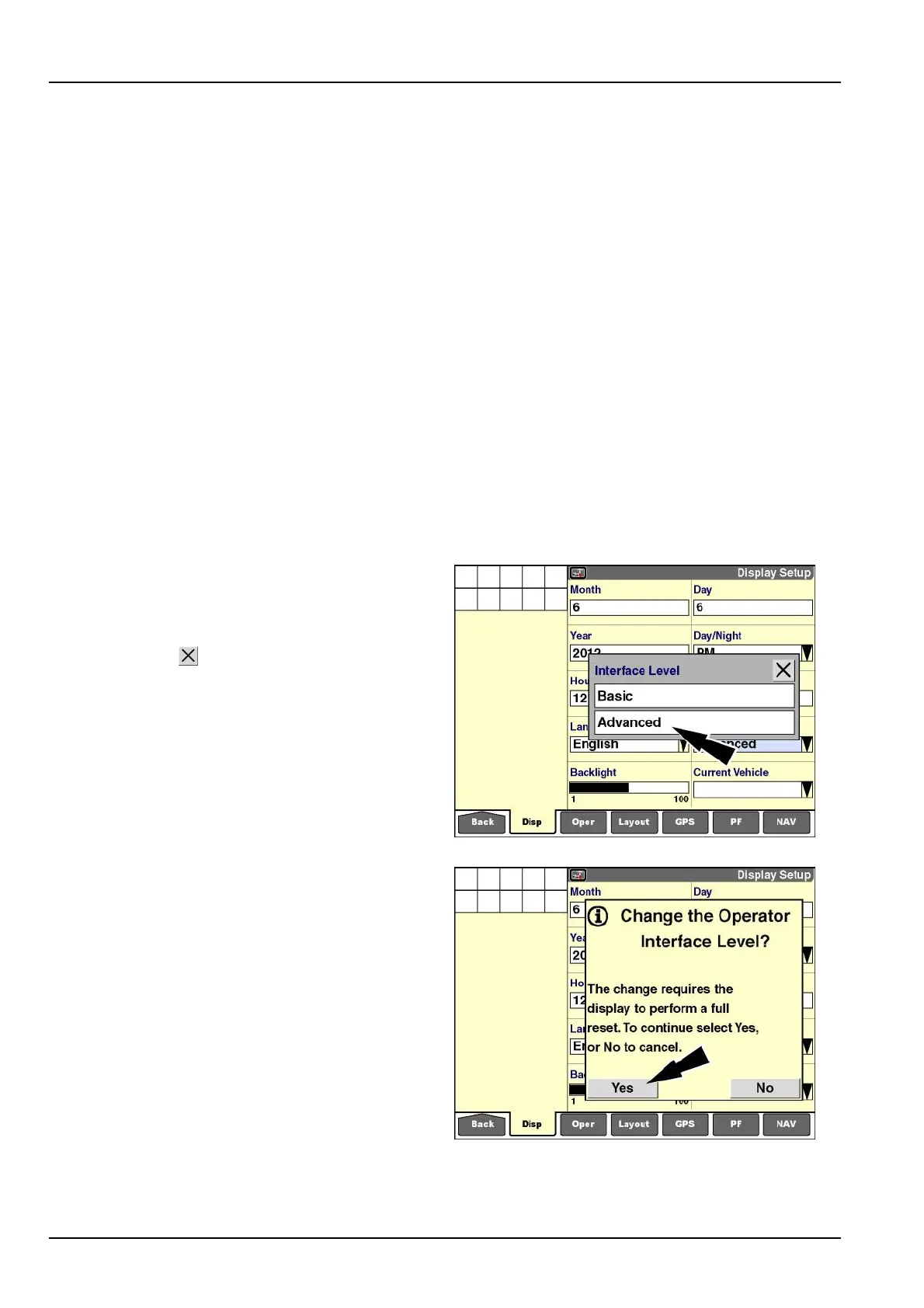
Pressthe“InterfaceLevel”windowtodisplaythepop-up
optionswindow.
Pressthedesiredinterfaceleveltochangethesetting.
Pressthe“Close”buttontoexitthewindowwithout
changingthecurrentsetting.
RCIL11DSP116BBG10
Iftheinterfacelevelischanged,amessagedisplays:“The
changerequiresthedisplaytoperformafullreset.To
continueselectYes,or[select]Notocancel.”
Pressthe“Yes”buttontoconrmthechangeandrestart
thedisplay.
Pressthe“No”buttontocanceltherequest.
RCIL11DSP117BBG11
2-28



 To Next Page