2-ICONSANDWINDOWS
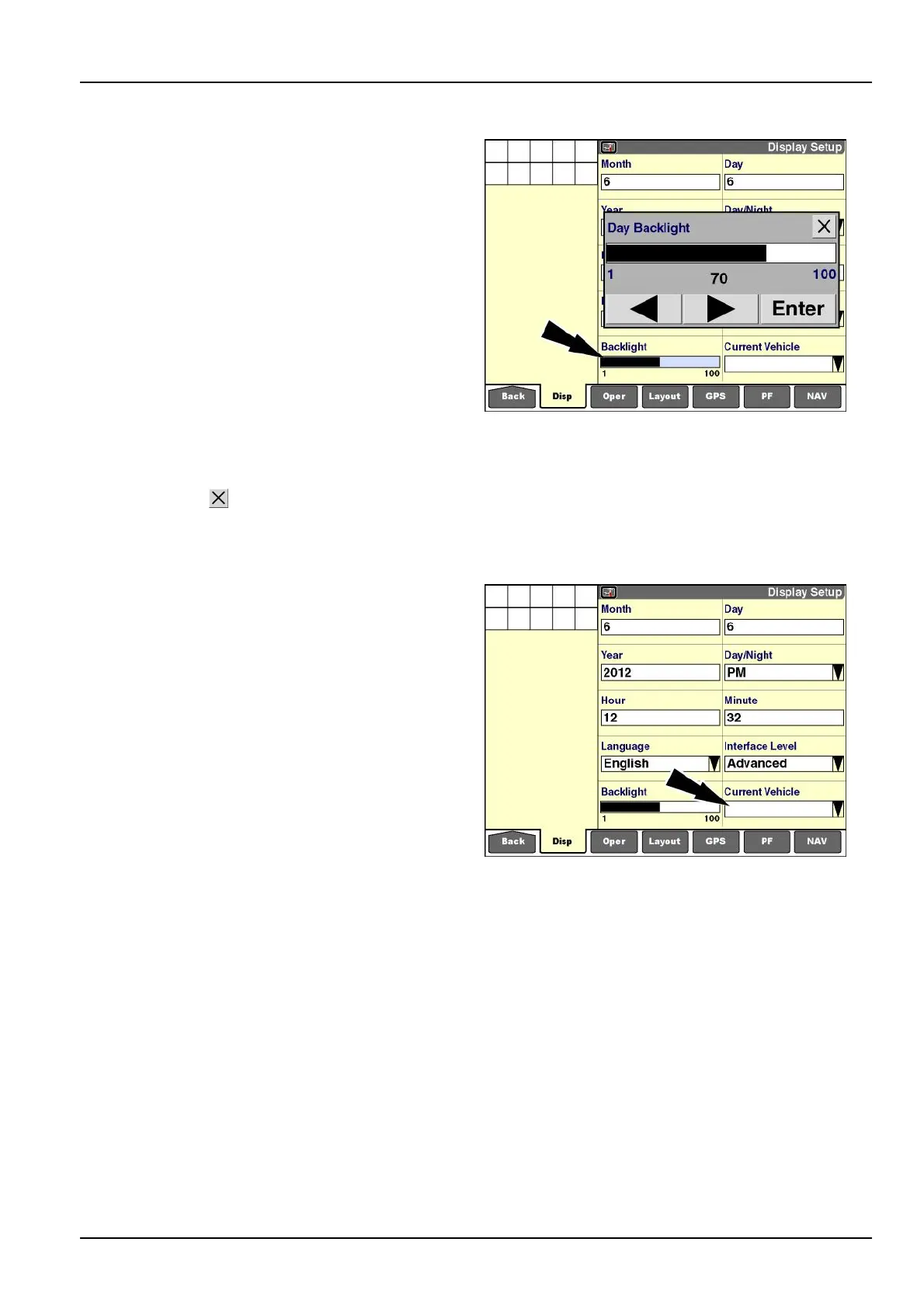
“Backlight”
Pressthe“Backlight”windowtoaccessthepop-upbar
graphwindow.
NOTE:Somevehiclessupportbothadaytimeandanight-
timesettingfordisplaybrightness.Turntheheadlights
OFFwhenselectingthedaytimesetting.Turnthehead-
lightsONwhenselectingthenighttimesetting.
Pressanywhereonthebargraphtoimmediatelyadjust
thebacklighttothenewlevel.
OR
Presstherightorleftarrowbuttontoincreaseordecrease
thebacklightin5%increments.
Thebacklightofthedisplayimmediatelyreectsthenew
settingaschangesaremade.
Pressthe“Enter”buttontosavethesetting.
Pressthe“Close”
buttontoexitthewindowwithout
changingthecurrentsetting.
RCIL11DSP118BBG12
“CurrentVehicle”
NOTE:Selectthecorrectvehicletype!
Vehicleselectionchoosesthecoreapplicationforthedis-
play:forexample,“LargeTractors”or“MediumTractors.”
Theselectedvehicletypeinteractswithotherapplications
anddeterminessetupandcalibrationrequirements.
Eachvehicletypehasdifferent“Run”screens,"Home"
screenicons,andmenus.“GenericTractor"and“Generic
Combine”applicationsareavailablesothatthedisplay
canoperateonearlyCaseIHvehiclesthatdonothavefull
ControllerAreaNetwork(CAN)bussystems,or,insome
cases,onnon-CaseIHequipment.
Pressthe“CurrentVehicle”windowtoaccessthepop-up
optionswindow.
RCIL11DSP109BBG13
2-29



 To Next Page