2-ICONSANDWINDOWS
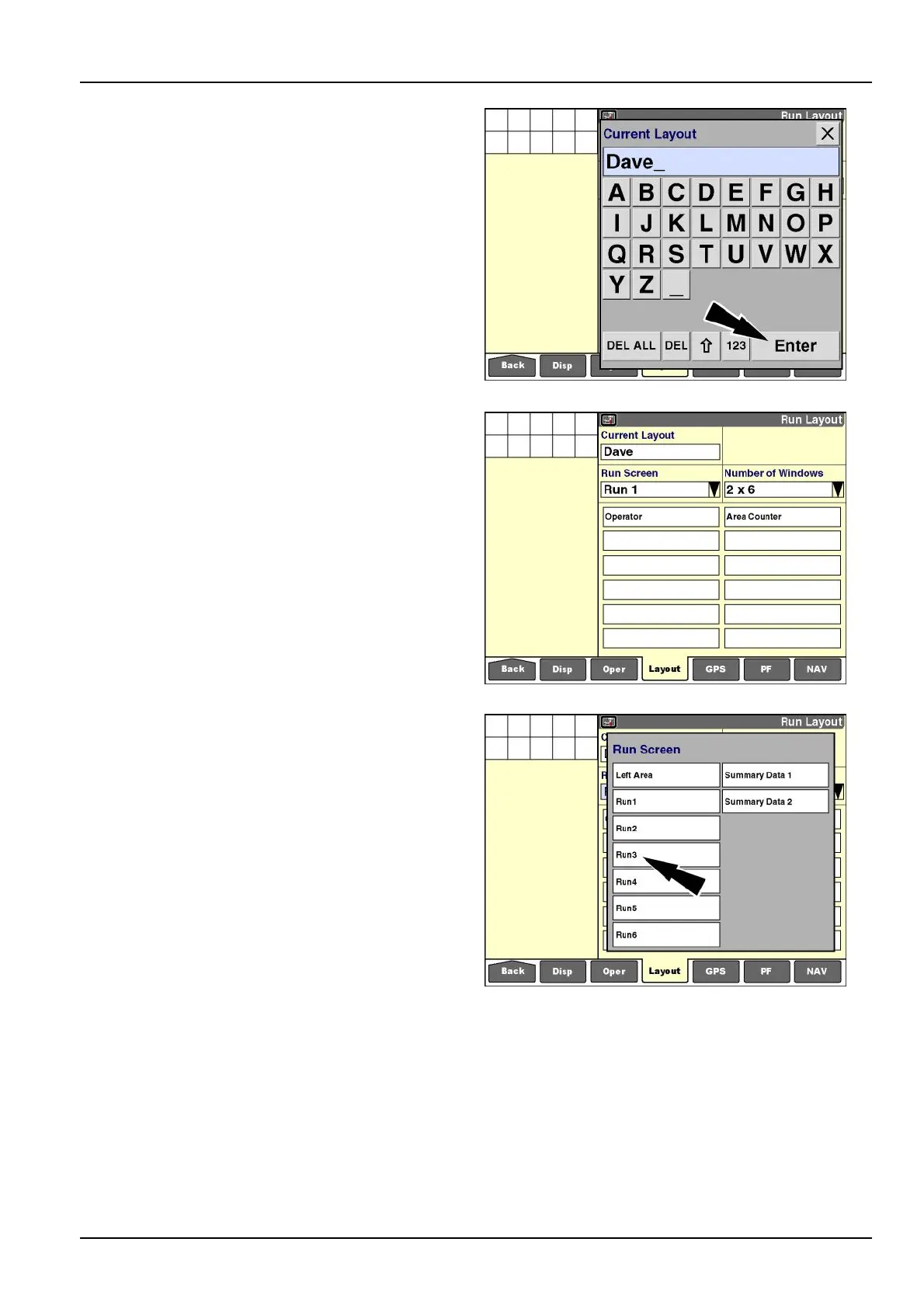
Createoreditalayout
If“EditName”or“New”ispressed,thealphanumerickey-
paddisplays.
Usethekeypadtocreateoreditthename.
Pressthe“Enter”buttononthekeypadtosavethename.
NOTE:Howthe“Run”screenlayoutsareorganizedde-
pendsonhowthedisplayisused.Whenthedisplayis
widelyusedacrossdifferentvehicletypes,theselection
listconsistsoflayoutscreatedonthatvehicletype.When
multipleoperatorssharethedisplayforasinglevehicle
type,eachoperatormayprefertheirownlayout.Usethe
providedworksheetsattheendofthissectiontoplanthe
layoutofthe“Run”screens.
RCIL11DSP146BBG8
Theselectedornewlayoutscreencanbeedited–no
windowsaredimmed.
RCIL11DSP147BBG9
Selecta“Run”screen
Pressthe“RunScreen”windowtoselectoneofthesix
“Run”screenlayoutsforcustomization.
Thepop-upwindowof“Run”screensdisplays.
Pressthedesired“Run”screen.
Thelayoutfortheselected“Run”screendisplays.
NOTE:Theoptionswindowinthisexampleisforavehicle
withacustomizableleft-handarea.Somevehiclesdonot
permitthis,and“LeftArea”doesnotdisplayintheoptions
windowforthosevehicles.The“SummaryData”screens
onlydisplayintheoptionswindowifthe“PrecisionFarm-
ing”applicationisinstalledonthedisplay.
RCIL11DSP149BBG10
2-41



 To Next Page