2-ICONSANDWINDOWS
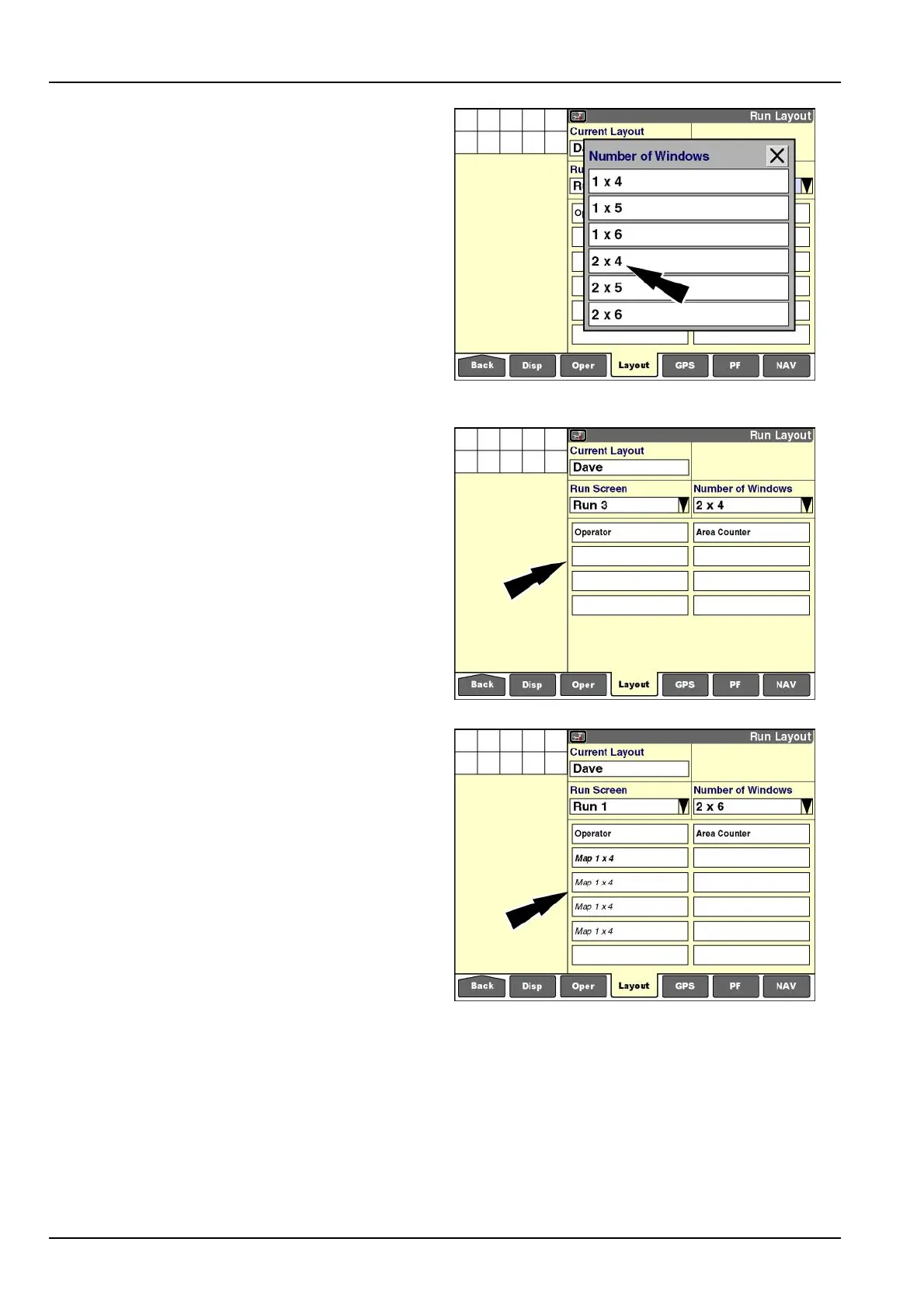
“NumberofWindows”(columnsandrows)
Pressthe“NumberofWindows”windowtochangethe
numberofcolumnsandrowsontheselected“Run”
screen.Thenumberofcolumnsandrowscanbedifferent
foreach“Run”screen.
Therstnumberalwaysindicatesthenumberofcolumns.
Thesecondnumberindicatesthenumberofrows.
NOTE:A“Run”screenhasaxedsize.Selectingfewer
columnsandrowsincreasesthesizeofthewindowsto
llthescreenarea.Selectingmorecolumnsandrows
decreasesthesizeofthewindowstollthescreenarea.
Thepop-upoptionswindowdisplays.
Pressthedesiredsetting.
RCIL11DSP151BBG11
Thelayoutfortheselected“Run”screenimmediatelyup-
datestoreecttheselection.Inthisexample,the“Run3”
screenhasatwocolumnlayoutwithfourrowsforplacing
eightorfewerwindows.
RCIL11DSP153BBG12
Choosewindows
Mostwindowsuseonlyonelocationona“Run”screen.
Thereareexceptions,however.Forexample,mapwin-
dowsrequiremultiplerowsand/orcolumns.Refertothe
appropriatesoftwareoperatingguidetoidentifywindows
thatspanmultiplerowsand/orcolumns.
The"RunLayout"screenshowstheoverallareausedby
suchwindowsbyrepeatingthewindowlabelinitalics.
RCIL11DSP155BBG13
2-42



 To Next Page