2-ICONSANDWINDOWS
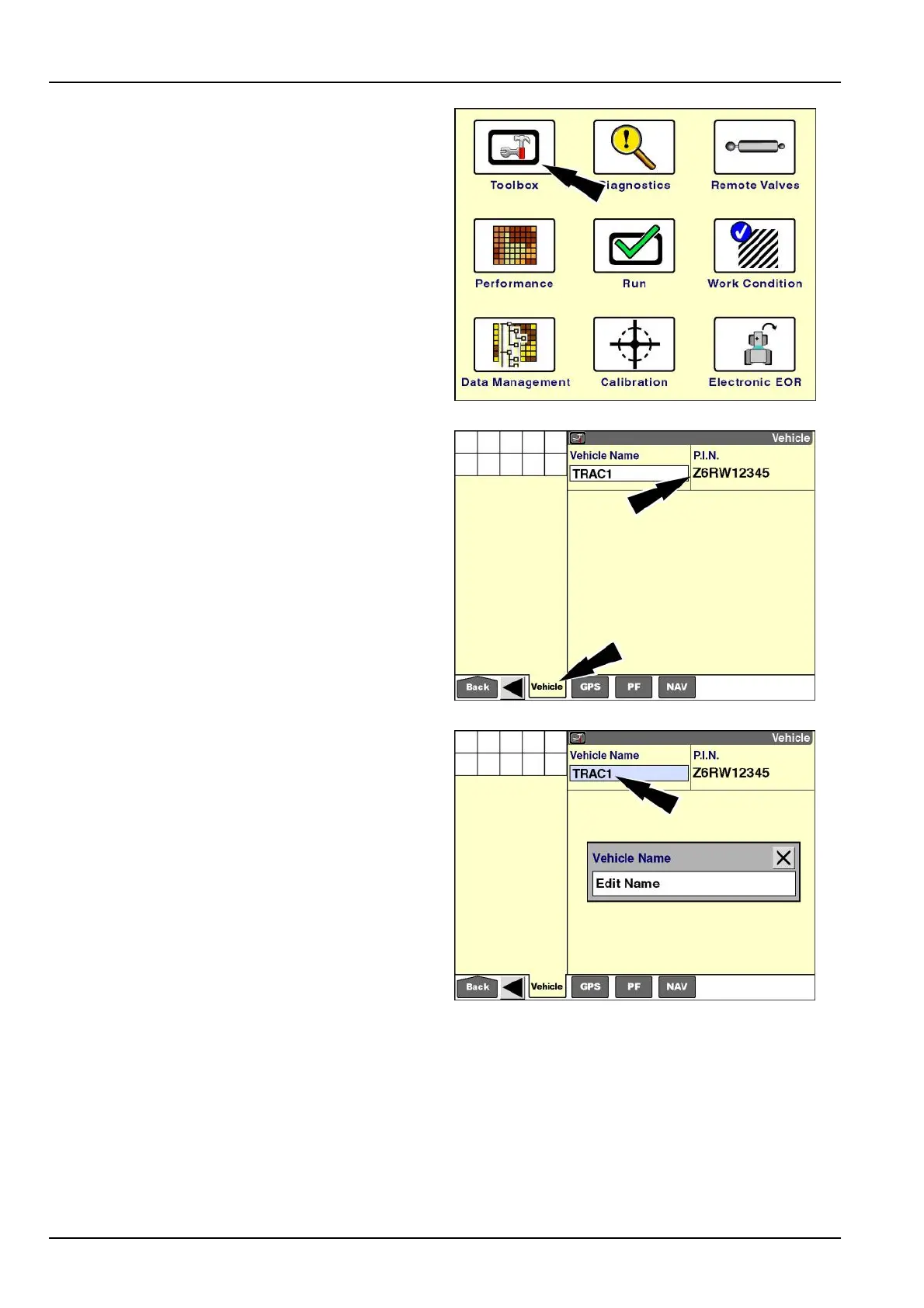
"Vehicle"screen-tractorexamples
Onthe"Home"screen,pressthe“T oolbox”icontoaccess
the“T oolbox”screens.
RCIL11DSP108BBG2
Pressthe“Vehicle”icononthenavigationbartoaccess
the"Vehicle"screen.
AnexamplePINisshown.Thisisareportingwindowthat
theoperatorcannotselectormodify.
NOTE:ContactyourCaseIHdealerifthiswindowisblank
orifitcontainsthewronginformation.
RCIL11DSP070BBG3
Thesoftwarecreatesadefaultnameforthevehicle.
Pressthe“VehicleName”windowtochangethename.
Press“EditName”toaccessthealphanumerickeypad.
RCIL11DSP172BBG4
2-52



 To Next Page