2-ICONSANDWINDOWS
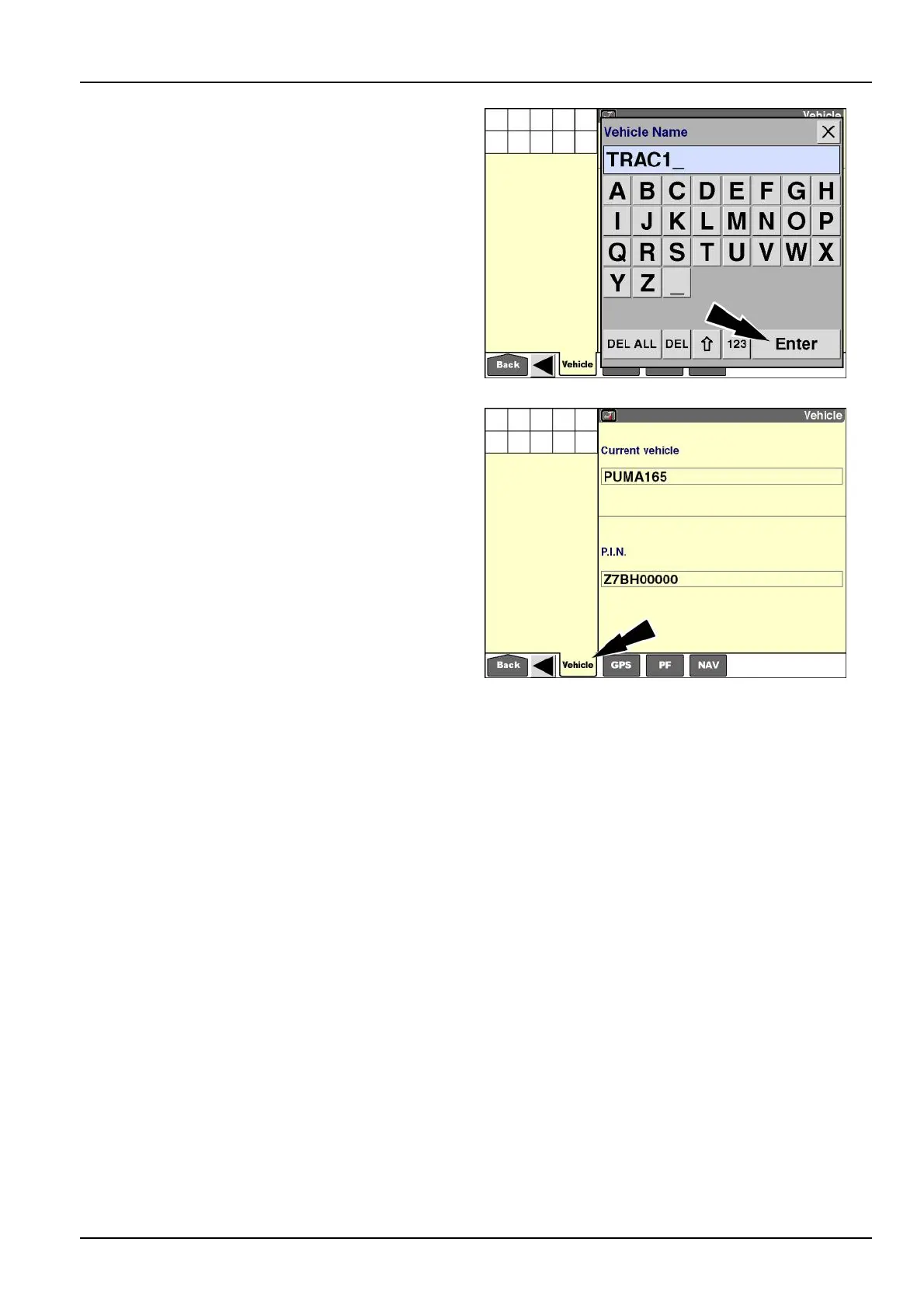
Usethekeypadtoenteranewnameforthevehicle.
Pressthe“Enter”buttononthekeypadtosavethename.
RCIL11DSP173BBG5
Onsometractorseries,the"Vehicle"screencontainsthe
modelandPINwindows,butthewindowsarebothreport-
ingwindowsthattheoperatorcannotselectormodify.
ThetractorsareidentiedbyPINorserialnumber,andthe
displaydoescommunicatewiththevehiclecontrollerson
theControllerAreaNetwork(CAN)bus.Vehicle-specic
calibrationsaresavedtothevehicle’sPINorserialnum-
ber.
Withthesetractors,the“VehicleName”windowisonly
availableonthe“Run”screens:
1.Pressthe“VehicleName”windowtochangethename.
2.Press“EditName”toaccessthealphanumerickey-
pad.
3.Usethekeypadtoenteranewnameforthevehicle.
4.Pressthe“Enter”buttononthekeypadtosavethe
name.
RCIL11DSP457BBG6
2-53



 To Next Page