2-ICONSANDWINDOWS
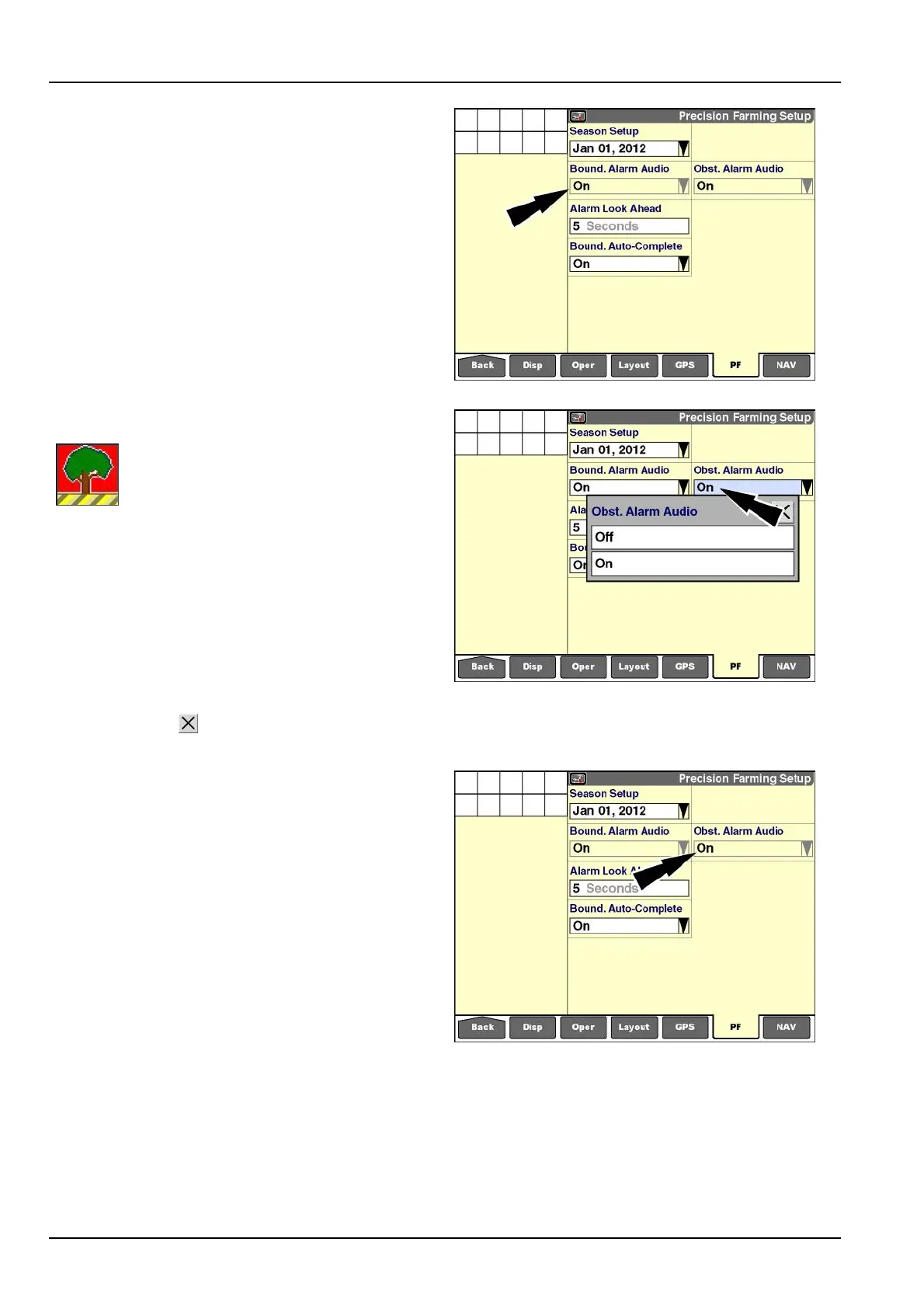
NOTE:Whenthe”Autoguidance”applicationisinuse,the
“BoundaryAlarmAudio”windowissetto“On”andcannot
bechanged.
RCIL11DSP474BBG6
“ObstacleAlarmAudio”
The“ObstacleAlarmAudio”window
determineswhetheranaudiblealarm
soundswhenthevehicle(withitsimplement
orheader)enterstheobstaclewarningzone.
See3-127fordetailedinformationabouteldobstacles
andobstaclealarmbehavior.
Pressthe“ObstacleAlarmAudio”windowtoaccessthe
pop-upoptionswindow.
Press“Off”todisableanyaudiblealarmwhenapproach-
ingaeldobstacle.
Press“On”toenabletheaudiblealarm.
Pressthe“Close”buttontoexitthewindowwithout
changingthesetting.
RCIL11DSP477BBG7
NOTE:Whenthe“Autoguidance”applicationisinuse,the
“ObstacleAlarmAudio”windowissetto“On”andcannot
bechanged.
RCIL11DSP474BBG8
2-58



 To Next Page