3-SETUP
Operatingnotes
Afarmcannotbecreatedorselecteduntilthe“Grower”
windowispopulated.Aninstructionalmessagedisplays
iftheactionisattempted.
Whenthefarmischanged,the“Field”windowdisplays
thelasteldthattheoperatorusedforthefarm.
Afarmcanonlybecreatedorchangedwhenthevehicle
isnotworking–thatis,nodataisbeingcollected.
Amaximumof150farmscanbecreated.
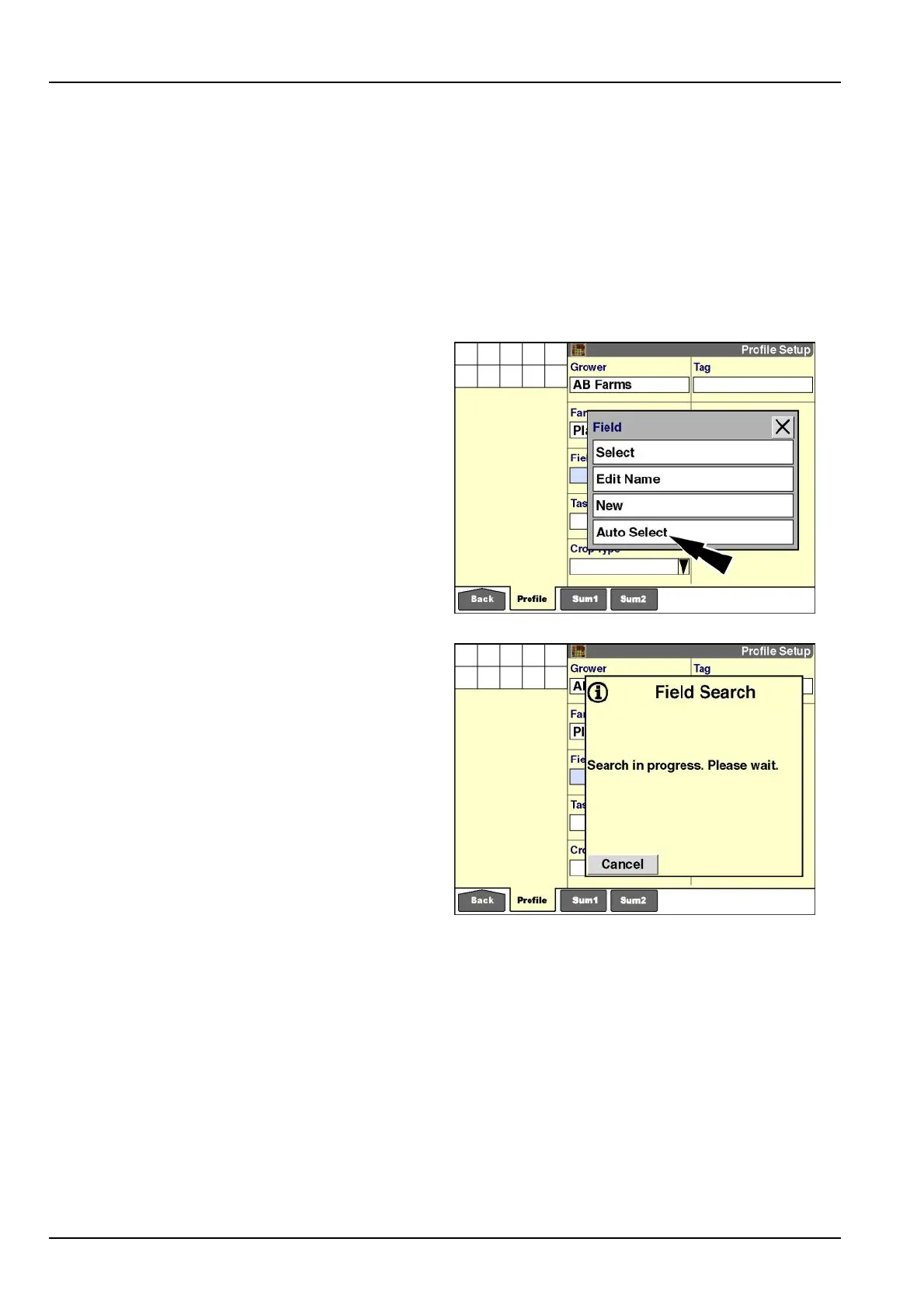
Field“AutoSelect”
Theoptionswindowforaeldaddsoneimportantselec-
tionthatisnotpresentforthe“Grower”or“Farm”windows:
“AutoSelect.”With“AutoSelect,”basedonthecurrentlo-
cationofthevehicleinaeld,thesoftwaresearchesall
boundariesforallgrowersandfarmsonthememorystick
tolocatethecurrenteld.
NOTE:Forthe“AutoSelect”functiontowork,thevehicle
mustbeequippedwithanactiveGPSreceiver,andan
outerboundarymustexistfortheeld.
RCIL11DSP195BBG14
Amessagedisplays:“Search[is]inprogress.Please
wait.”
Pressthe“Cancel”button,ifrequired,toclearthemes-
sageandreturntootherdisplayoperations.
RCIL11DSP197BBG15
3-6



 To Next Page