3-SETUP
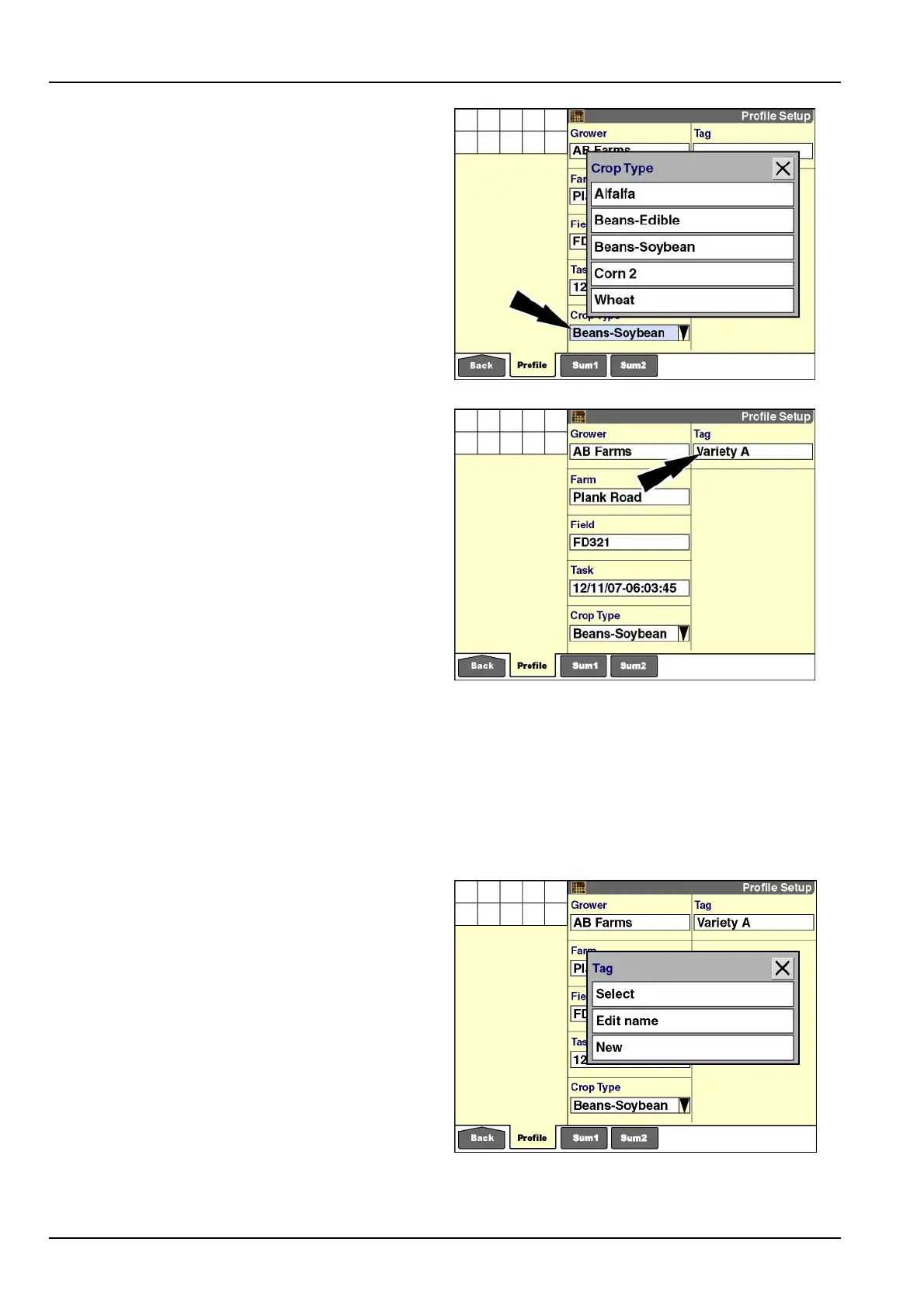
“CropType”
Thecroptypeislinkedtothetask,andtherebytothe
eld,thefarm,andthegrower.Thecroptypecannotbe
changedoncedatahasbeenrecordedfortheselected
task.
Pressthe“CropType”windowtoselectacropfromthe
lteredlistinthepop-upwindow.
NOTE:Thecontentofthecroplistiscontrolledbythe
“FilterList”screenin“DataManagement”(Home>Data
Management>Filter).See4-6formoreinformation.
Presstherequiredcroptosavethesetting.
RCIL11DSP544BBG26
“Tag”
Atagactslikeanelectronicnoteforthegroweroroperator
tosaveanothervariableincropproductionandtolter
productionresultsforthatvariable.Thismaybeuseful,
forexample,toidentifyseedvarietieswhenharvesting.
Thetagislinkedtothetask,andonlyonetagmaybeas-
signedtoatask.Amaximumof100tagscanbecreated,
andauniqueIDisassignedtoeachtag.
Whenmultiplevehiclesareused,thetagsshouldbecre-
atedononevehicleandthentransferredtotheotherve-
hiclesviathememorystick.Thisensuresthattagsare
identiedbyauniformsetofIDsacrossallvehicles.
NOTE:Tagscanalsobecreatedwiththedesktopsoft-
wareandthenimported.
RCIL11DSP215BBG27
Operatingnotes
Changethetaskrst,andthenchangethetagtoensure
thatdataisretainedforthepreviousandsubsequenttags.
Wheneverthe“AsApplied”applicationispresent,usethe
“Product”window,notthe“T ag”window,todescribedif-
ferencesinseedvarietiesandbrands.
Pressthe“T ag”windowtoaccessthepop-upoptionswin-
dow.
RCIL11DSP216BBG28
3-12



 To Next Page