3-CONTROLSANDINSTRUMENTS
(4)UTILITIES
SMIL16MEX0541EA52
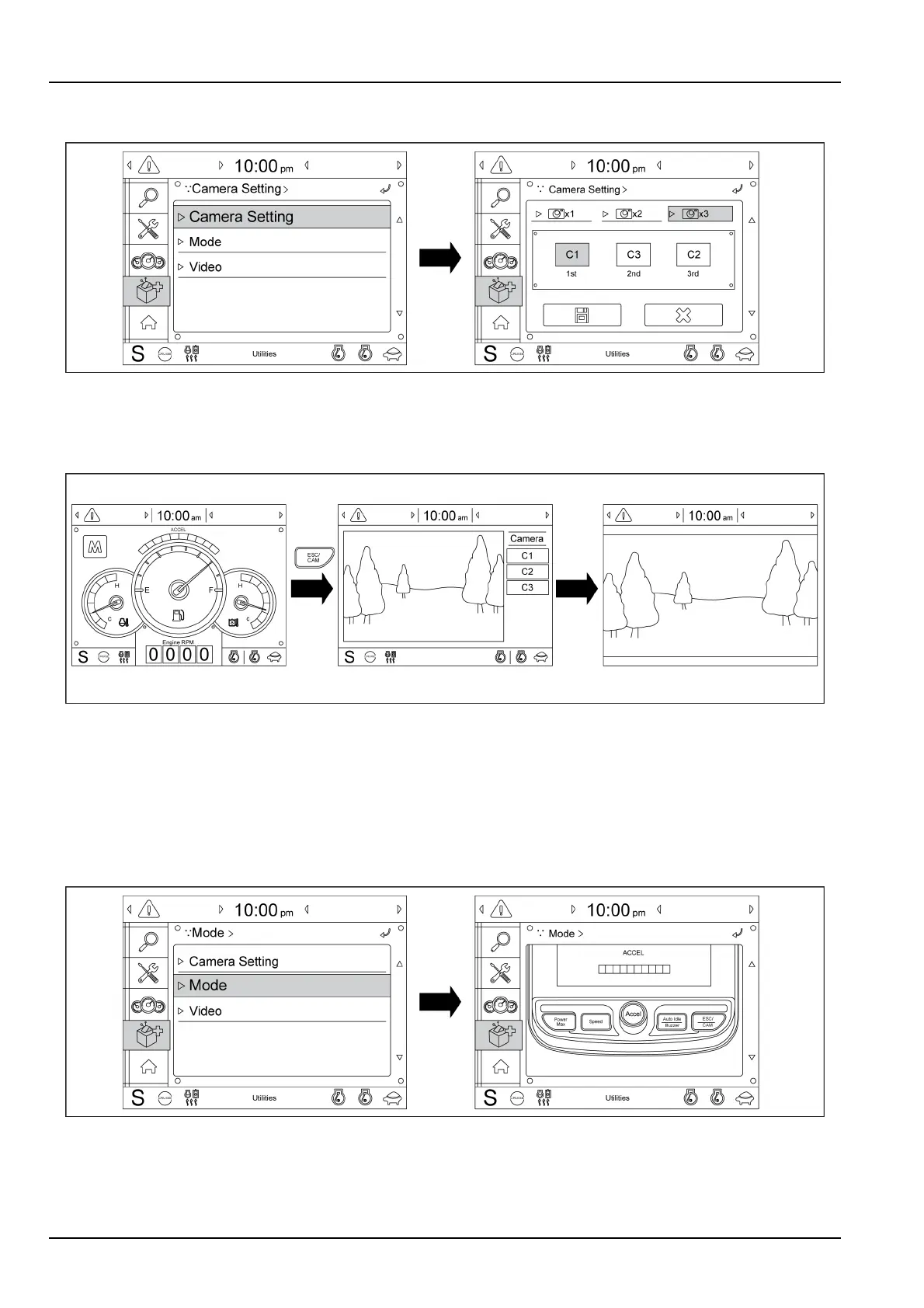
(A)Camerasetting
Threecamerascanbeinstalledonthemachineandthedisplayordercanbesetbythismenu.Ifthemachineisnot
equippedwiththecamera,thismenuisnotused.
SMIL16MEX0542EA53
Intheoperationscreen,iftheESC/CAMswitchispushed,therearviewcameraisdisplayedorstopped.
Turntheselectknobinclockwisedirectiontoshowthenextscreen.Turntheselectknobincounterclockwisedirection
toshowthepreviousscreen.
Touchthescreentochangethecamerachannel
Pushtheselectknobortouchthescreentoenlargethedisplayedscreen.
SMIL16MEX0543EA54
(B)Mode
Whenthebuttonsoftheinstrumentclusterarenotoperative,youcancontrolusingtouchscreeninsteadofthese
buttons.
3-50



 To Next Page