3-CONTROLSANDINSTRUMENTS
Youcanonlycontrolinthismodescreen.
SMIL16MEX0544EA55
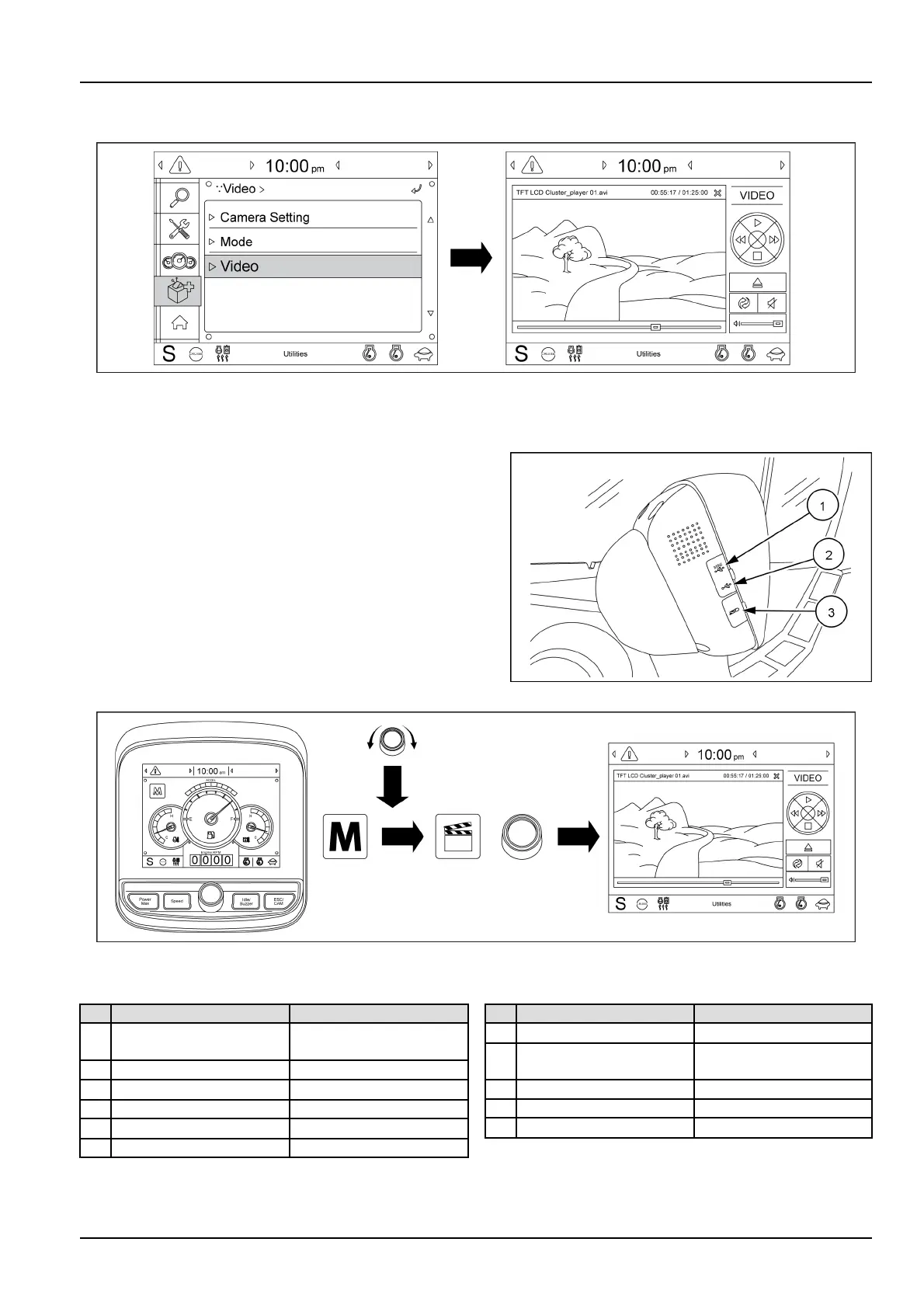
(C)Video
PlayMP4orcodecleofanexternalharddiskthroughtheUSBport.
Theclusterhasthreedifferentexternalconnectionsports
available.Thesearelocatedontheleft-handsideofthe
cluster,andthemare:
•
(1)miniUSBport
•
(2)USBport
•
(3)SDport
SMIL18MEX0063AA56
SMIL16MEX0545EA57
Forsafety,over1100RPMofengine,thescreenturnsintotheoperationscreenwithMP4orcodecleplaying.
Function
Control
1PrevioustrackPowermodeswitchor
touch
2Nexttrack
Speedswitchortouch
3PlayTouch
4PauseTouch
5
Contentsdisplay
Touch
6MuteTouch
Function
Control
7
SoundvolumeSpeedswitchortouch
8
StopESC/CAMswitchor
touch
9Filename
-
10
Currenttime/T otaltime
-
11
Currentplayingtime
-
3-51



 To Next Page