3-CONTROLSANDINSTRUMENTS
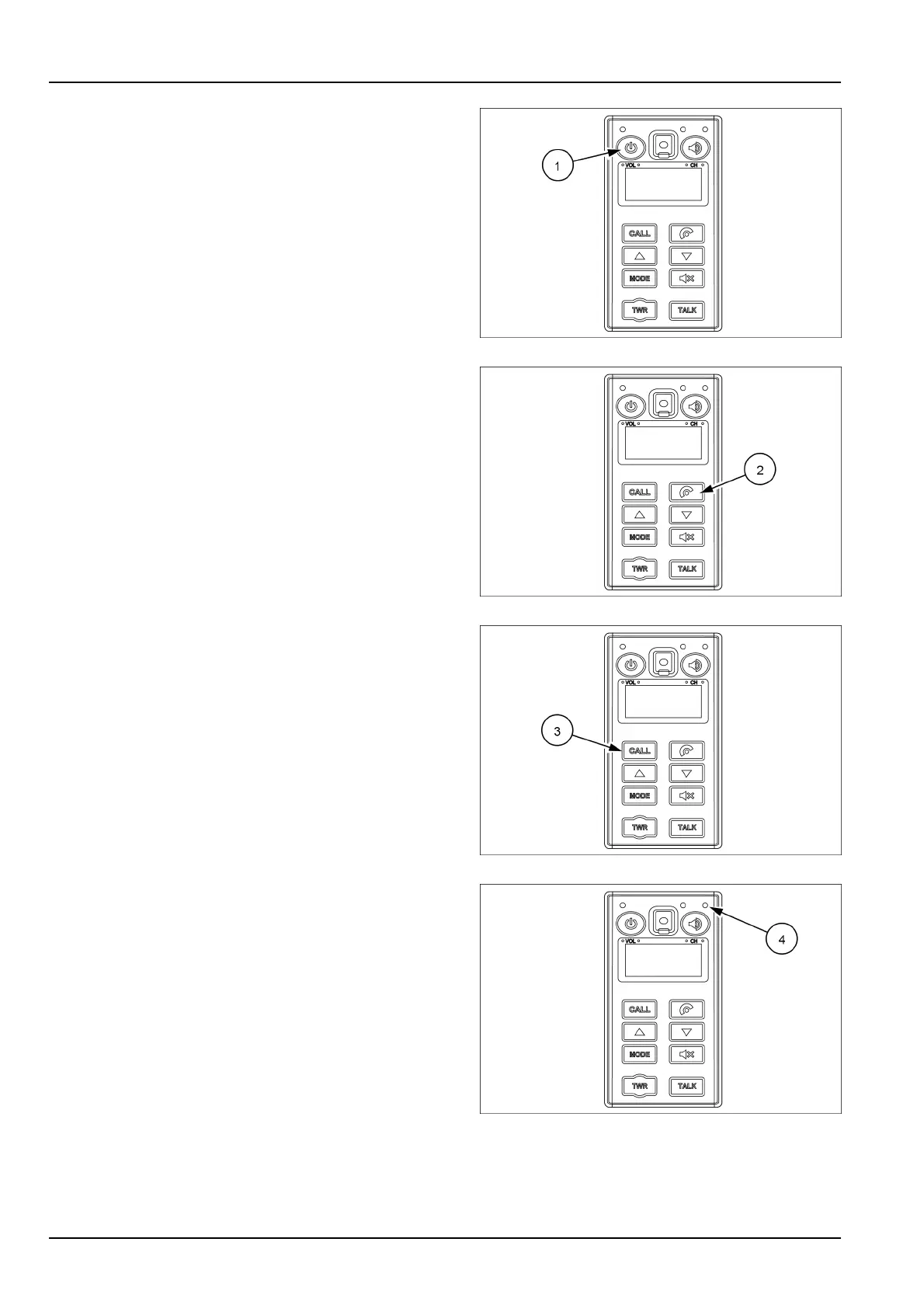
(1)Powerandvolumeknob
Usethisknob(1)toturnontheaudioorhands–freeON
orOFF .
Turntheknobtorighttoincreasethevolume(over7
steps).
Turntheknobtolefttodecreasethevolume.
NOTE:thisknobadjuststheaudiovolumewhentheaudio
modeisselected.
SMIL16MEX0511AA2
(2)Mode/Audiobutton
Usethisbutton(2)toselectthehands–freemodeorthe
audiomode.
•
LightON:hands–freemodeisselected
•
LightOFF:audiomodeisselected
SMIL16MEX0511AA3
(3)CALLbutton
Usethisbutton(3)toansweracallandtoringoff.
Forcalling,pressthebutton(3)for0,5–1,5suntilabeep
sounds.
SMIL16MEX0511AA4
(4)Hands-freejackmicrophone
Themicrophone(4)transferstheuservoicetothere-
ceiverofthecallwhenmakingacallbyhands-free.
SMIL16MEX0511AA5
3-54



 To Next Page