3-CONTROLSANDINSTRUMENTS
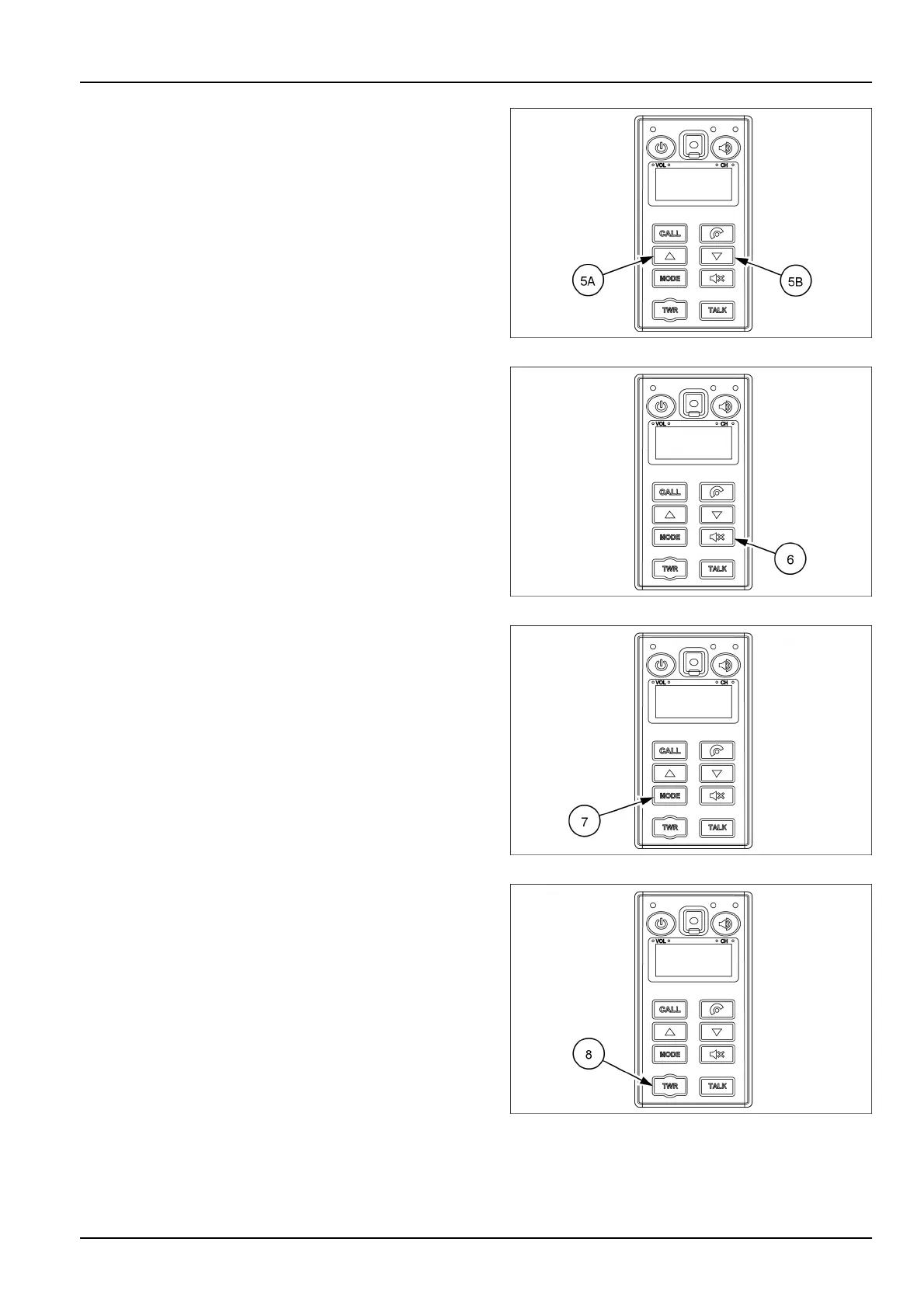
(5)SEEKbutton
Usetheupseekbutton(5A)orthedownseekbutton(5B)
toautomaticallystoptheradiotothenextfrequencyof
broadcasting.
ThesebuttonsallowtoselectthesongsoftheMP3from
USB.
Theupseekbutton(5A)switchesastationtoahigher
frequencyorturntothenextsongoftheMP3.
Thedownseekbutton(5B)switchesastationtoalower
frequencyorturntotheprevioussongoftheMP3.
SMIL16MEX0511AA6
(6)MUTEbutton
PresstheMUTEbutton(6)tosilencetheradioortheMP3
whilebroadcasting.
SMIL16MEX0511AA7
(7)MODEbutton
PresstheMODEbutton(7)toselectthedesiredmode
(Radio,MP3,AUX).
Thedisplaywillshowtheselectedmode.
SMIL16MEX0511AA8
(8)Radiocallingmodebutton
Presstheradiocallingmodebutton(8)toactivateorde-
activatetheradiohands-freefunction.
TheLEDturnsonwhenthisbuttonispressed.TheLED
turnsOFFwhentheaudiomodeorthemobilephone
hands-freecallingmodeisactivated.
NOTE:youcanmakeacalltotheexternalworkerwithout
holdingtheradiobyhand.(Theradioisnotinstalledon
themachine).
SMIL16MEX0511AA9
3-55



 To Next Page