3-CONTROLSANDINSTRUMENTS
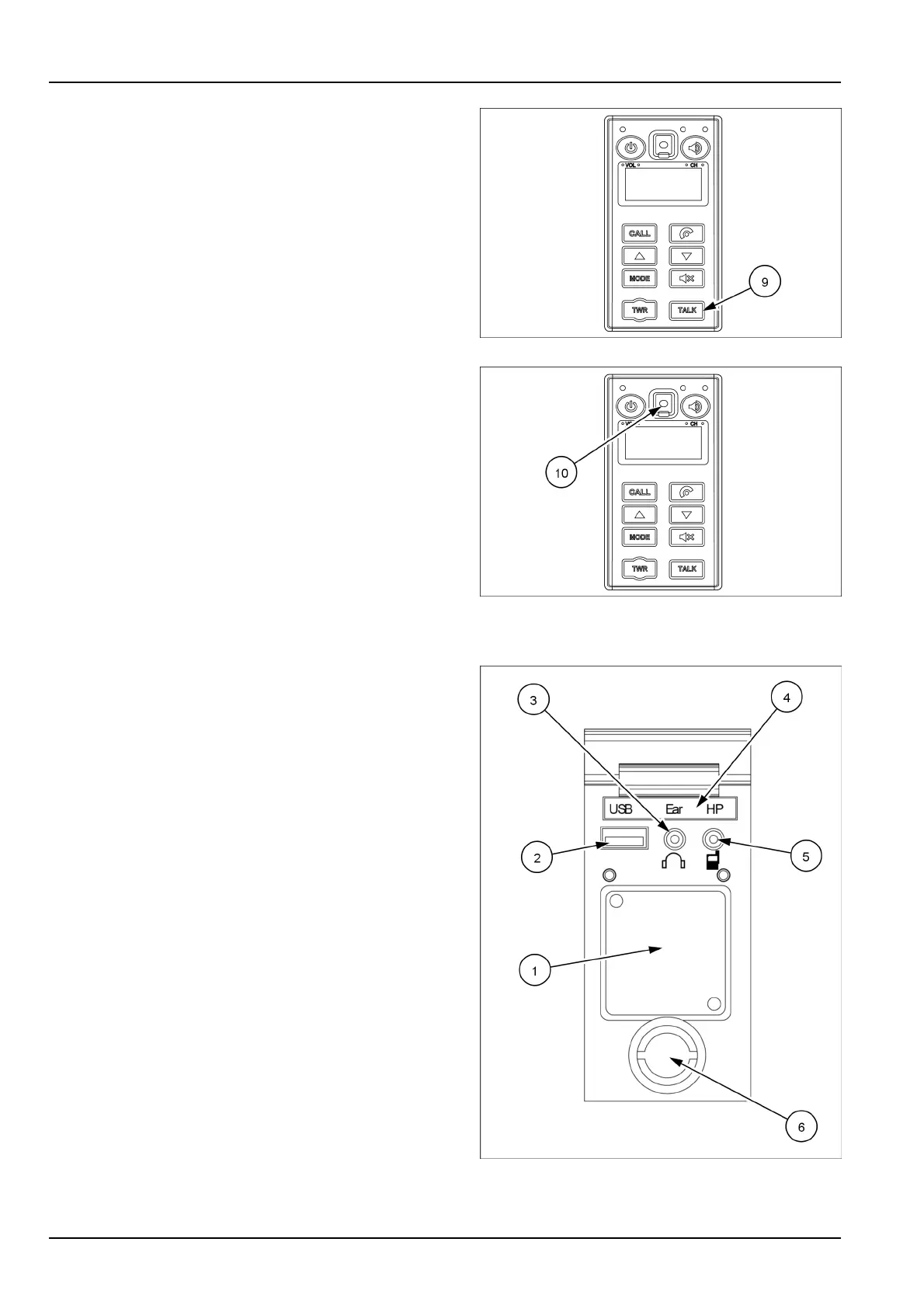
(9)TALKbutton
PresstheTALKbutton(9)toconnectthecall(whenTALK
buttonisactivated).
NOTE:unlikemobilephones,whenyouwantto
talkthroughtheradio,youneedtopressthebutton
(Push-to-talkmethod).Whileapersonistalkingthrough
theradio,theotherpersoncanonlylistentohim/her.
SMIL16MEX0511AA10
(10)Radiohands-freejack
Connectthejackcabletothehands-freejack(10)when
callbyradiohands-free.
SMIL16MEX0511AA11
Hands-freedevice
(1)Mobilephonestoragebox
Themobilephonecanbestoredinthemobilephone
storageboxduringcallbyhands-free.
(2)USBsocket
TheUSBsocketisusedtochargethemobilephone.
(3)Privatecalljacksocket
Usethissockettoprotectyourprivacyduringcalling,
byusingearphone.
(4)Indicatorlight
Thislightturnsonwhenthehands-freemodeisse-
lected.
(5)Hands-freejacksocket
Usethissockettoconnectthejackcablewhencallby
hands-free.Usethespecialadapterwhenjackcable
isnotinterchangeable.(Checkthejacktypeofmobile
phonebeforeuse).
(6)Servicesocket
Connectonly12V,30Wdevicestothesocket.
NOTICE:connectingdevicesfunctioningatdifferent
voltagecancausedamagestothedeviceitselfandto
theelectricalsystem.
SMIL16MEX0513BA12
3-56



 To Next Page