3-CONTROLSANDINSTRUMENTS
MP3directory/lesearching
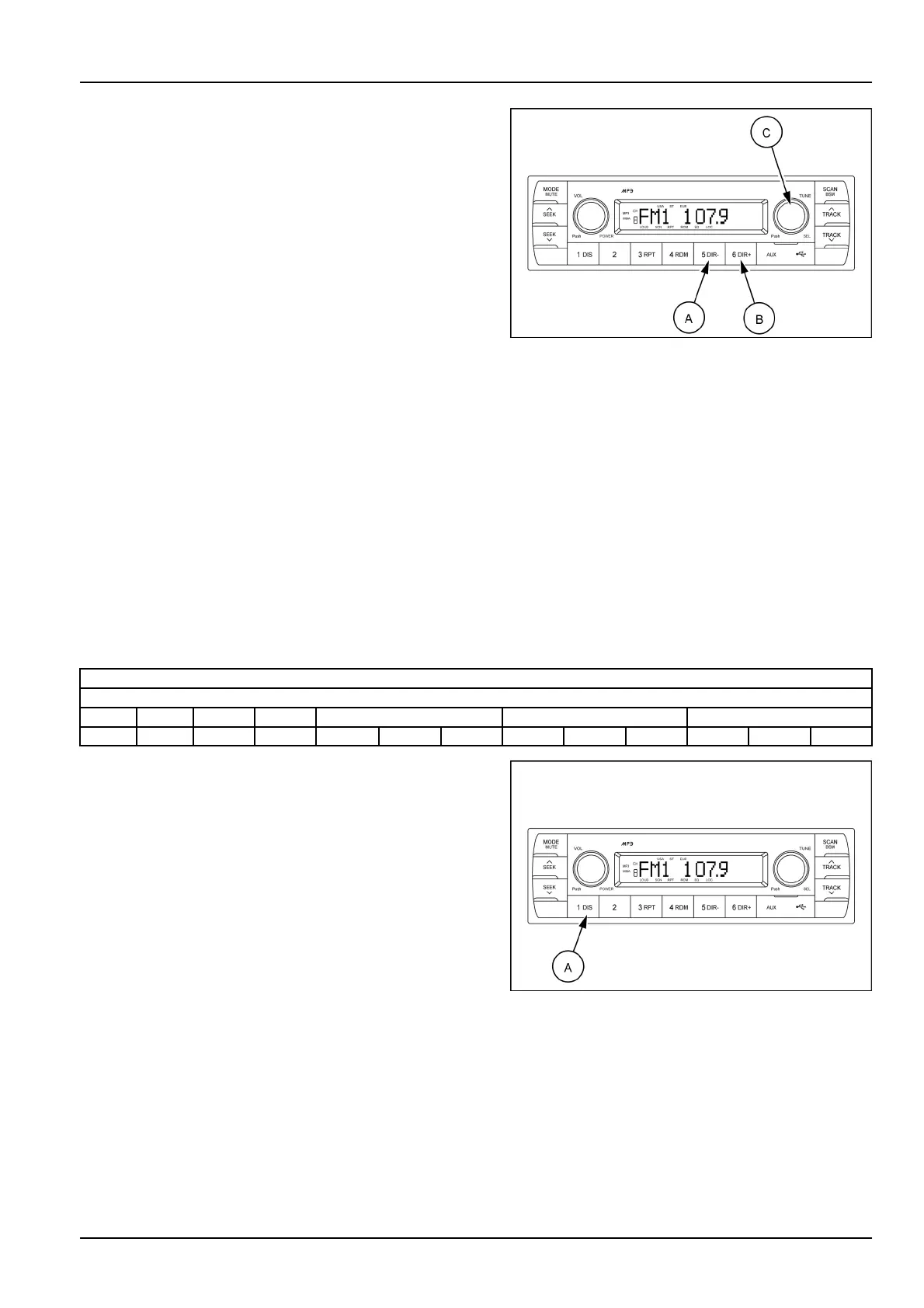
TheDIR-button(A)andtheDIR+button(B)areusedto
selectaparticulardirectoryandle.
PresssimplyDIR-/DIR+buttonstoselecttheprevious
/nextdirectory(ifavailableinthedevice).
Turnright-hand/left-handtheselectionknob(C)to
searchthedirectory.Pressthebuttonwhenyound
thewanteddirectory.
Forexample,thedirectorysearchgenerallychanges
intwomethodsdependingontheorderofwritingas
follows.
Method1:ROOT ,Dir01,Dir02,Dir03,Dir04,Dir05,
Dir06,Dir07,ROOT
IftheUSBdevicedoesnotcontaindirectories,itwould
playMP3/WMAtracksat10-lewhenyoupressDIR-
button(A),andplayMP3/WMAtracksat10+lewhen
youpressDIR+(B)button.
Ifyouwanttosearchtheleinthelocateddirectory,
turnright-hand/left-handtheselectionknob(C)con-
secutively.Presstheselectionbutton(C)whenyound
thewantedle.Theunitwillthenplaytheselectedle.
Forinstance,thelesearchchangesinDir01asfol-
lows.
File01,File02,File03,File04,File01
MP3directory/leconguration
SMIL17MEX2806AA11
ROOT
Directory01
File01File02File03File04Dir02Dir03Dir04
File05File06Dir05File07File08Dir06File09File10Dir07
ID3v2display(DIS)
DISbutton(A)isusedtochangethedisplayinformation.
WhileplayinganMP3le,youcanchangethelein-
formationshownontheLCDscreen.
EachtimeyoupressDIS(display)(A),thedisplay
changestoshowthefollowing.
NOTE:iftheMP3discdoesnothaveanyID3information,
thedisplaywillshowNOID3onLCDscreen.
Directoryname/lename(normalmode)
Albumname/performer/title
SMIL17MEX2806AA12
3-69



 To Next Page