3-CONTROLSANDINSTRUMENTS
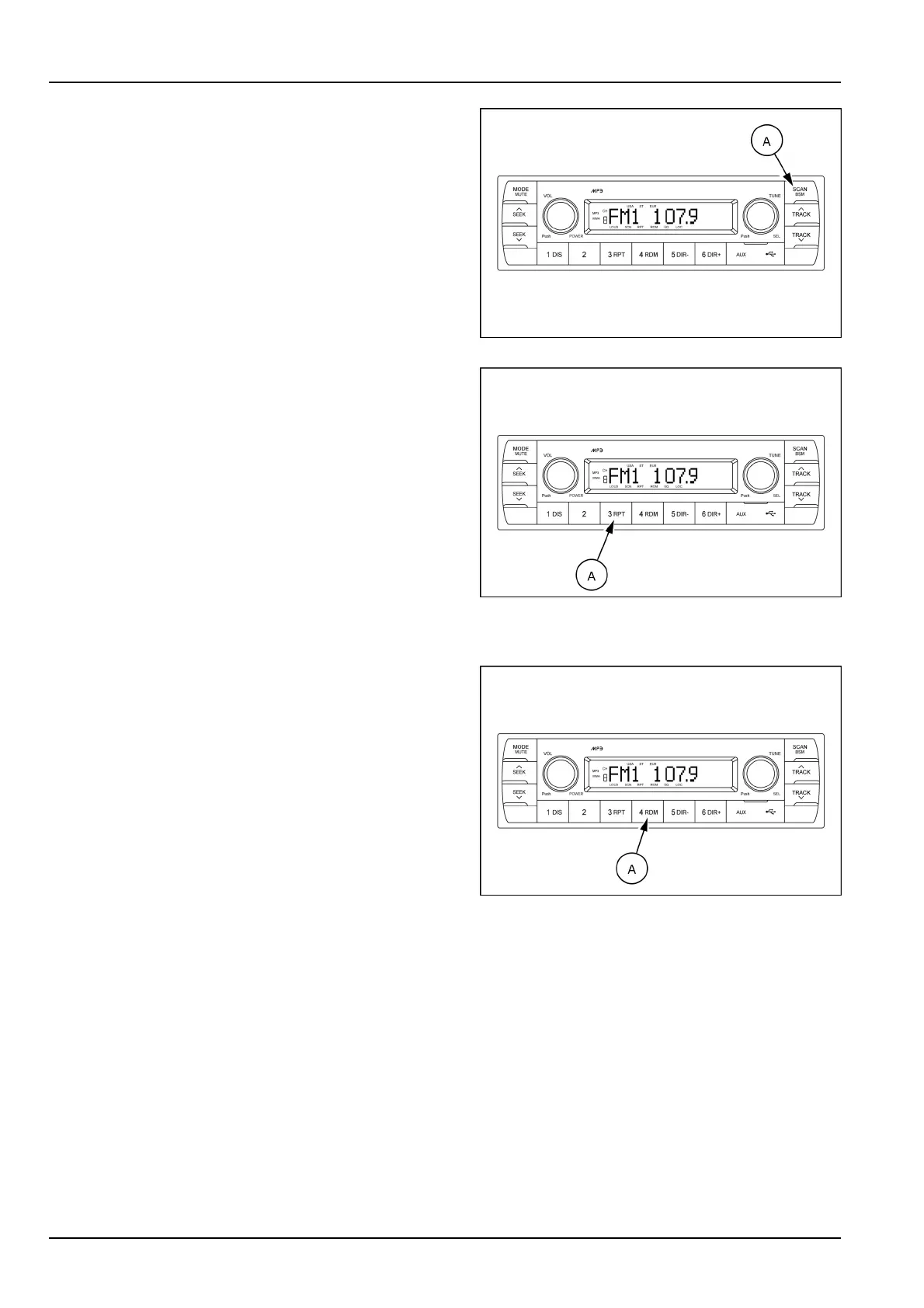
Filescan(SCAN)
DuringUSBplay,pressSCANbutton(A)toplaytherst
10sofeachtrack.
Whenadesiredleisreached,pressSCANbutton(A)
againtocancelthefunction.
Theunitwillthenplaytheselectedle.
NOTE:incaseofplayingMP3le,whentheSCANbutton
ispressedandheldforlongerthan2s,theSCANmark
willblinkontheLCDscreenandalllesintheselected
directorywillbeintroduceduntilthelescanmodeiscan-
celledbypressingtheSCANbutton(A)again.
SMIL17MEX2806AA13
Repeatplayselector(RPT)
DuringUSBplay,pressRPTbutton(A)toplaythe
selectedlerepeatedly(RPTwillappearontheLCD
screen).
Playofthelewillcontinuetorepeatuntilthisbutton
(A)ispressedagainandtheRPTdisappearsfromthe
LCDscreen.
NOTE:ifyoupresstheRPTbuttonandholdthebutton
formorethan2swhileyouplayanMP3le,"RPT"will
ashonthedisplay.Thesystemwillplayallthelesinthe
selecteddirectoryonrepeatuntilyoucancelrepeatmode.
Tocancelrepeatmode,presstheRPTbuttonagain,or
activatethescanorrandommodes."RPT"willnolonger
ashonthedisplay.
SMIL17MEX2806AA14
Randomplayselector(RDM)
DuringUSBplay,pressRDMbutton(A)toplaytheles
ontheUSBinarandomshufedorder(RDMwillappear
ontheLCDscreen).Theleselectfunctionwillalso
selectleintherandomorderinsteadofthenormal
process.
Tocancelrandomplaymode,presstheRDMbutton(A)
again.
NOTE:incaseofMP3le,whentherandombuttonis
pressedandheldlongerthan2s,theRDMmarkwillblink
ontheLCDscreenandplayalllesindirectoryrandomly
untilthedirectoryrandommodeiscancelledbypress-
ingtherandombuttonagainorbyactivatingthescan
orrepeatfunctions(RDMmarkwilldisappearfromLCD
screen).
SMIL17MEX2806AA15
3-70



 To Next Page