3-CONTROLSANDINSTRUMENTS
5.MAINMENU
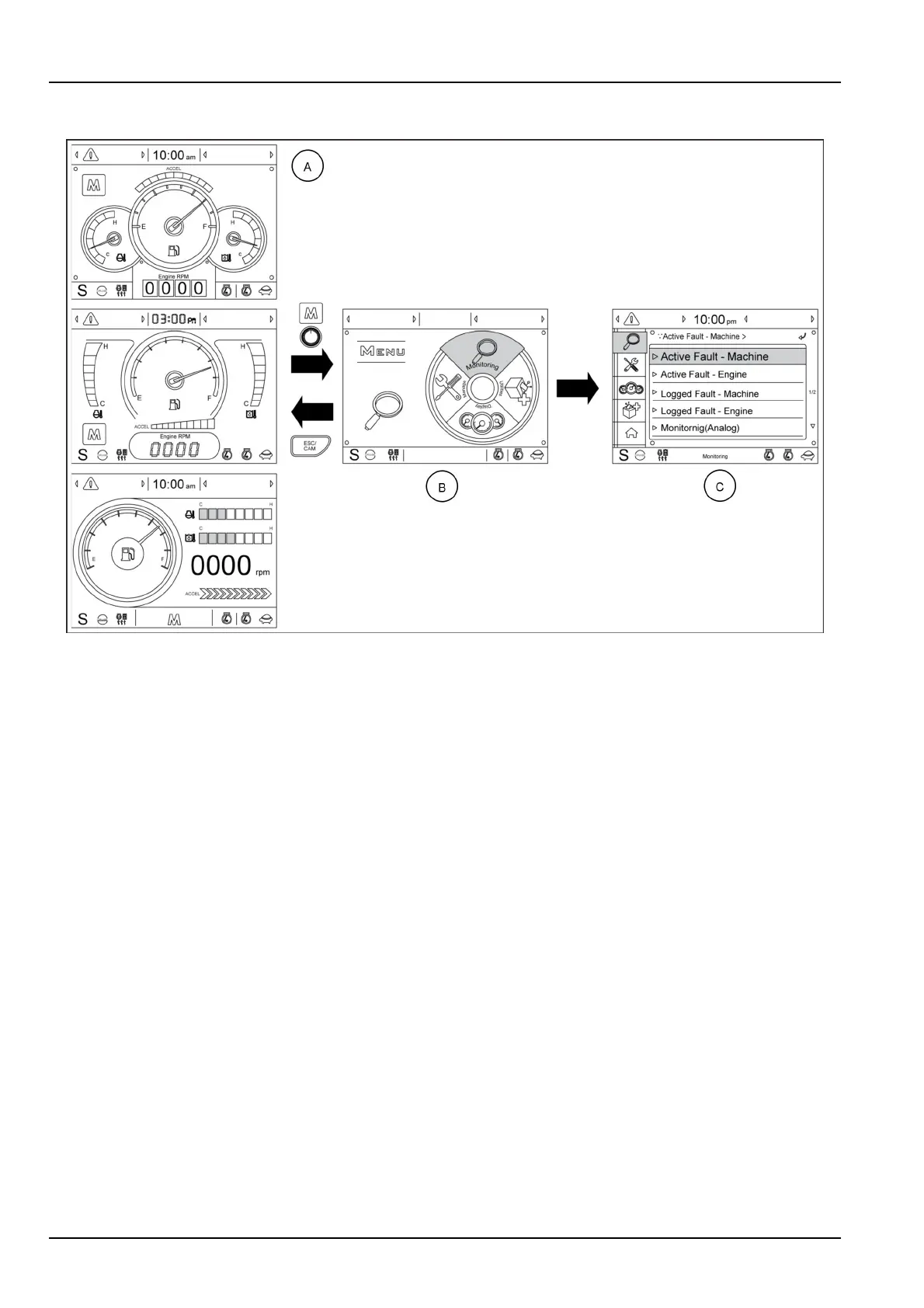
SMIL16MEX3098FA33
(A)Operationscreen(Defaulttype,oroptionalBtype,oroptionalCtype)
(B)Mainmenuscreen
(C)Submenuscreen
Toselectthemainmenuscreen(B)fromtheoperationscreen(A),pushtheselectionknoborthemainmenuquick
touchbuttonM.
Toreturntotheoperationscreen(A)fromthemainmenuscreen(B),pushtheescapeswitchESC/CAM.
Toselectoneofthesubmenuscreens,rotatetheselectionknob,selectthesubmenu,pushtheselectionknob.
3-40



 To Next Page